



Product Personalization Abandonment: The One Metric That Tells You Why Customers Leave
Your add-to-cart rate can't see product personalization abandonment, the moment a customer starts designing and quietly gives up before the cart. Learn the one metric that exposes it, the five editor frictions that cause it, and how to start measuring today.
 Tavishi
Blog article content
You almost certainly track abandoned carts. You probably have a number for it, a recovery email flow, maybe a weekly report. Now answer this: how many customers are abandoning designs before they add to cart, quietly giving up inside your personalization software?
Almost no merchant can answer that. Product personalization abandonment is the more important number, and it stays invisible on most dashboards.
A shopper who clicks “Personalize” has already done something a normal product-page visitor hasn’t. They’ve signalled real buying intent. They want this product, with their text, their logo, their photo on it. But unlike a standard product page, where a drop-off at least shows up as a bounce, a customer who abandons inside the editor leaves almost no trace.
Your analytics see the visit. They see the carts that do get created. They cannot see the design session that fell apart in between. That gap is where product personalization abandonment lives.
This post covers how to measure product personalization abandonment, why it predicts lost revenue, and the five editor frictions that quietly inflate it.
Why add-to-cart rate hides your real problem
 For a non-customizable product, the funnel is simple: product page, cart, checkout. You can see each step and where people leave.
Customizable products insert an invisible step between the product page and the cart: the design session itself. The shopper opens an online design editor, makes decisions, places text and images, checks how it looks, and only then adds to cart. Shopify and WooCommerce analytics can see the product-page visit and the cart-add. They cannot see what happens inside the editor, because for them the editor is a black box.
This is why add-to-cart rate is misleading on personalized products: it can’t show you the customers abandoning designs before they add to cart. A 4% add-to-cart rate can look like a pricing or imagery problem when the real story is product personalization abandonment: 30% of people who started a design gave up midway.
The funnel metric averages the two together and tells you nothing about which one to fix. So merchants spend weeks testing price points and hero images while the actual bottleneck, the editor, goes unexamined.
The metric that actually matters: time from start designing to add to cart
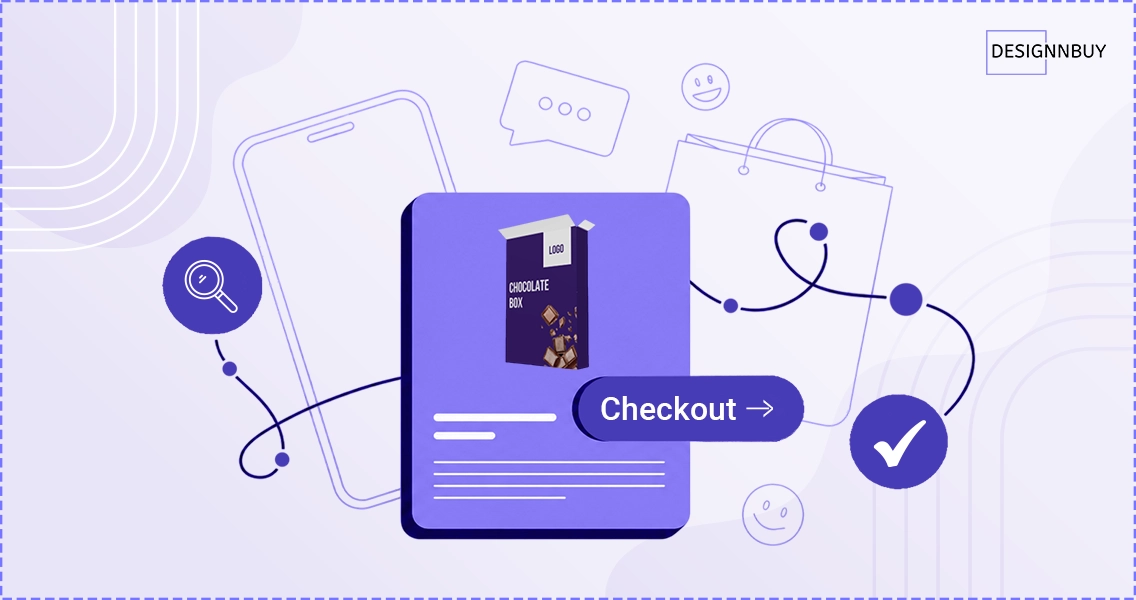
Define it plainly. It’s the elapsed time between the moment a customer opens the editor and the moment they add a finished design to the cart.
It works as a leading indicator because session length and product personalization abandonment move together: the longer the session, the more shoppers end up abandoning designs before they add to cart. The longer a customer spends fighting the tool, the more likely they are to abandon, to open a support ticket, or to order something they’re unhappy with and later request a refund.
Time in the editor is a proxy for friction, and friction is what costs you the order.
Here is a directional view of what healthy looks like by product complexity. Treat these as starting reference points, not researched benchmarks, and calibrate against your own catalog:
Simple products (mugs, single-side apparel): under 2 minutes is healthy.
Medium complexity (business cards, multi-side apparel): 3 to 5 minutes is normal.
Complex products (photobooks, B2B portal orders): 5 to 10 minutes is acceptable.
If your median times sit well above the range for the category, the editor is your bottleneck, not your pricing.
Five things slowing your customers down
Across hundreds of personalization web to print storefronts, the same five drivers of product personalization abandonment show up. Each one adds seconds and breaks the customer’s flow, and the fix is the same idea every time: make the next action obvious without pulling the customer out of what they’re doing.
Popups and modals that break the flow. Every time the editor opens a modal to edit text, the customer loses context and burns a few seconds reorienting. Multiply that across a multi-line design and it adds up fast. Inline editing, where the customer types directly on the canvas with instant updates, keeps them in flow and cuts the click count hard.
The canvas hidden behind UI panels. If opening a panel covers the design, your customer is effectively editing blind, nudging elements they can’t fully see. A responsive canvas that resizes as panels open and close keeps the design visible at all times, which matters even more on mobile where space is tight.
Hunting for product sides. On a multi-side product, the front, back, and sleeves should be one click away at all times. When switching sides means opening a panel and shrinking the canvas, customers either miss surfaces entirely or give up. Always-visible side navigation removes the guesswork.
Settings buried in floating popups. Bleed, safe area, and margin guides are the difference between a file that outputs correctly and a reprint. When those controls hide in an unlabeled popup, customers ignore them and you absorb the production errors. Grouped, clearly labeled controls keep the production-critical settings in view.
Preview that interrupts editing. A preview that opens over the canvas forces a choose-one decision: look at the result or keep working. A preview that sits beside the canvas lets customers check and adjust in the same motion, with no mode switching.
Notice the pattern. None of these are about adding features. They’re about removing the moments where the tool makes the customer stop and think about the tool instead of the design.
What good looks like
You’ll know the editor is working for your customers, not against them, when:
Median time-to-cart sits inside the benchmark range for each category.
Mobile times land within roughly 30% of desktop.
Fewer than 20% of customers are abandoning designs before they add to cart.
Editor-related support tickets decline month over month after you make changes.
There’s a strategic payoff too. Merchants who track this metric stop choosing personalization tools from feature checklists and start choosing them from funnel data. They buy the editor that completes more designs, because they can finally see which one does. You don’t need a new platform to start, just two timestamps and the discipline to read the gap between them.
See the editor built around this metric
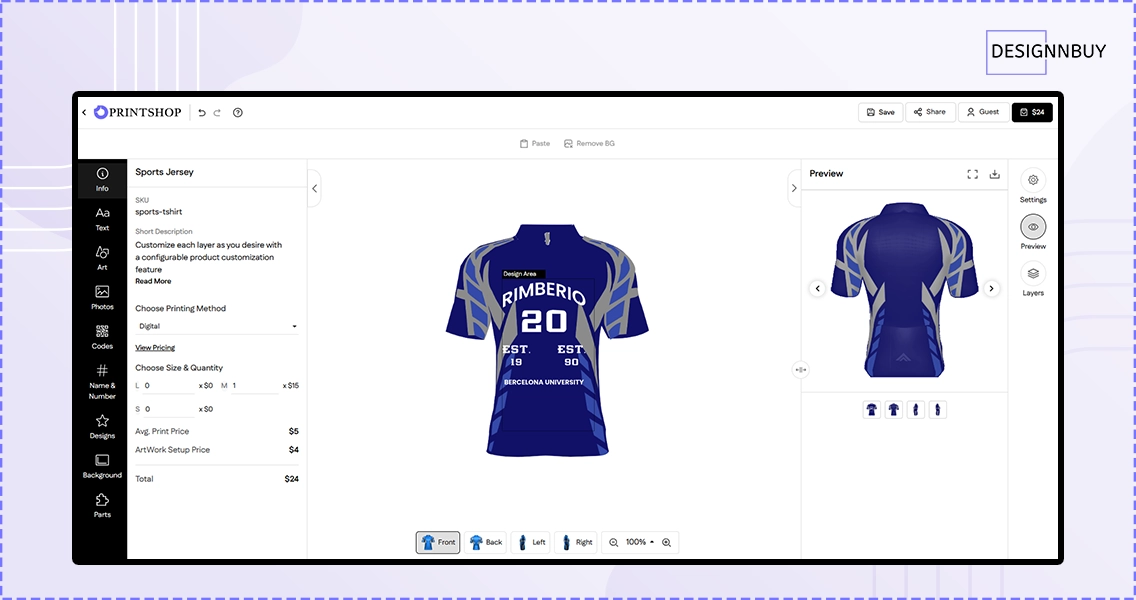
The redesigned DesignO editor was built around exactly this principle: less time in the editor means more designs completed, which means more orders placed. Inline editing, a responsive canvas, and always-visible navigation are there to shorten the path from “start designing” to “add to cart.”
If your Shopify or WooCommerce storefront is seeing high editor session times, this is the difference it’s designed to make.
Frequently Asked Questions
How much revenue is product personalization abandonment costing you?
Tavishi
Content Writer at @DesignNBuy
Tavishi is a content writer at @DesignNBuy, focused on the web to print industry. She creates well researched, easy to read content that helps print businesses understand digital solutions, product customization, and modern printing workflows.
All Posts

Trusted by 2000+ Print Businesses
Ready to See It in Action?
Explore our print shop platform at your convenience. Request a demo URL to experience the storefront, design tool, pricing, and much more.