Plug and play online product personalization tool for print businesses.
Enable online product customization, dynamic pricing, and print-ready file generation with a powerful web-to-print software built for modern print and packaging businesses.
Chuck Kohut Marketing Manager, Custom Printing Industry
"DesignNBuy turned our manual process into a powerful automated design tool. The print-ready PDFs integrate perfectly with our machines, saving us major production time.
"
"The software is great - it offers literally everything we need to offer customized products to our clients that they can modify and proof on their own. Their customer support is out of the world amazing!!!"
DesignO Shopify Product Designer App Now Runs on Shopify Theme App Extensions
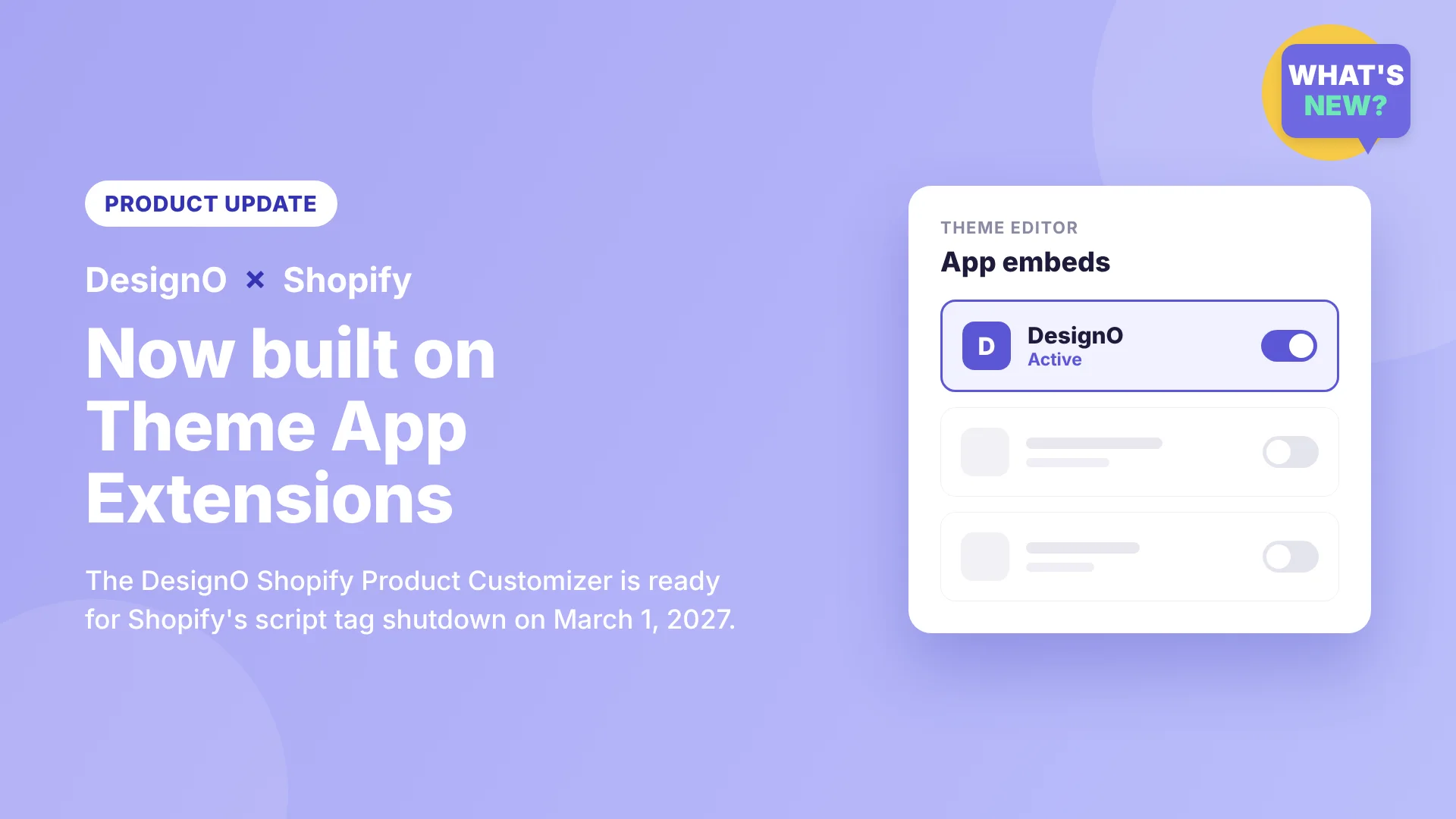
DesignNBuy has rebuilt how the DesignO Shopify app connects to your storefront. The DesignO product designer now loads through Shopify's theme app extension framework instead of the older script tag method.
This keeps your Shopify product customizer running smoothly after Shopify switches off script tags, and gives you cleaner control over the app from your theme editor.
Why We Made This Change
Shopify is retiring script tags, the old way apps loaded JavaScript onto a storefront. The timeline is fixed:
October 1, 2026: apps can no longer create or update script tags. Existing ones keep working for now.
March 1, 2027: Shopify stops loading script tags on storefronts altogether.
Script tags ran quietly in the background. Merchants couldn't see them in the theme editor, which made them hard to find, manage or remove. Shopify's answer is theme app extensions, and it now requires them for any Shopify App Store app that works with themes.
We didn't want our customers to wait until the deadline, so we moved the DesignO Shopify personalization app to the new framework well ahead of time.
What This Means for Your Store
For a personalization business, the online designer is where customers build their orders. It needs to load fast and stay stable. Theme app extensions help with both.
No theme code edits: DesignO no longer injects code into your theme files, so your theme stays clean.
Visible in the theme editor: switch the DesignO product designer on or off from Online Store › Themes › Customize, like any other theme setting.
Safer theme upgrades: nothing is hard-coded into your theme, so you can update or change themes without breaking your product customizer.
Clean uninstall: if you ever remove the app, it doesn't leave leftover "ghost code" behind that slows your store.
Fewer conflicts: less risk of the app clashing with your theme or other apps.
For Existing DesignO Shopify Customers
Your DesignO product customizer is still working today. But to keep it live after March 1, 2027, every store has to move to the new theme app extension. You don't need to do anything technical: our team takes care of the switch for you.
Our Team Handles the Migration for You
The switch looks simple, but real stores rarely are. Custom theme code, older vintage themes, other apps and product-page tweaks can all get in the way. One missed step can leave your designer loading twice, or not at all, on the page where your customers place orders. That's why we do it for you.
Our DesignO Shopify Migration Support service takes care of the whole move:
Setting up the DesignO app embed and app blocks on your live theme
Safely removing the old script tag so the designer doesn't load twice
Checking custom code, vintage themes and other apps for conflicts
Testing every customizable product on desktop and mobile
Cleaning up leftover code from the old setup
Follow-up support after go-live
Don't leave it to the last week. Contact us today and be ready well before the March 1, 2027 deadline.
For New Customers
If you're looking for a Shopify product designer app for a print or personalization business, our team sets DesignO up on your store the modern way from day one:
Installation and setup: we install DesignO and enable it on your theme through theme app extensions.
Product configuration: we set up your customizable products, options and templates.
Testing before go-live: we check every product on desktop and mobile before your customers see it.
No code and no theme edits on your side, and no developer to hire. You get a working Shopify product customizer, set up by the people who build it.
Want to see it first? Try the DesignO product customizer on our Shopify demo store. Each product can offer Personalize for full design, Upload My Files for print-ready artwork, and Quickedit for fast template changes.
Built for Personalization Businesses on Shopify
DesignO lets your customers personalize products online, from apparel and promotional items to signage and packaging, and sends print-ready files straight to your production team. Moving to theme app extensions is part of keeping that product customization software reliable as Shopify's platform evolves.