


The top WooCommerce product designer plugins in 2026 include DesignO by DesignNBuy, Customily, Zakeke, Fancy Product Designer, Kickflip, Lumise, KILB, and PH Product Add-ons. Each tool is built for different needs, from full print workflow automation to print-on-demand integrations, quick setup customization, and simple form-based personalization options. In this guide, we break down what each plugin does best, where it falls short, and which type of business it is actually built for.
Customers today do not just want to buy a product. They want to customize it before they buy it. A t-shirt with their own design, a mug with their photo, a business card that looks exactly how they imagined, or a label with their brand on it.
This is where most WooCommerce store owners run into a problem. They know customers want customization, but when they start looking for a plugin, they find too many options and no clear way to compare them. Some plugins are built only for apparel, some look good in demos but struggle with real order volume, others charge a percentage of every sale, and some require a developer just to get started.
We reviewed the most-used options and verified each one for 2026. In this post, we will walk through eight of the best WooCommerce product designer plugins, what each one does well, where it falls short, and which type of store it actually fits.
What Is a WooCommerce Product Designer Plugin?
A WooCommerce product designer plugin adds a design tool directly to your product pages.
Instead of customers emailing their artwork or filling out a PDF request form, they land on your store, pick a product, and personalize it right there. They can add text, upload artwork, pick colors, use editable design templates, and see a live preview of how the final product will look before placing the order.
On your end, you receive a print-ready file along with the order.
That is the basic idea. But the quality of the editor, the features available, and how well it connects to your production workflow can vary a lot from plugin to plugin.
Here is a quick look at what a good WooCommerce product designer plugin should offer:
- A live, interactive design editor on the product page
- Template support so customers do not start from scratch every time
- Print-ready file output for your production team
- Pricing rules based on what the customer customizes
- A mobile-friendly design experience
- Clean integration with WooCommerce without needing a developer
If you are looking for the best WooCommerce product designer plugins in 2026, you are in the right place. Here is a breakdown of the top options and what each one actually delivers.
8 Best WooCommerce Product Designer Plugins for 2026
DesignO by DesignNBuy
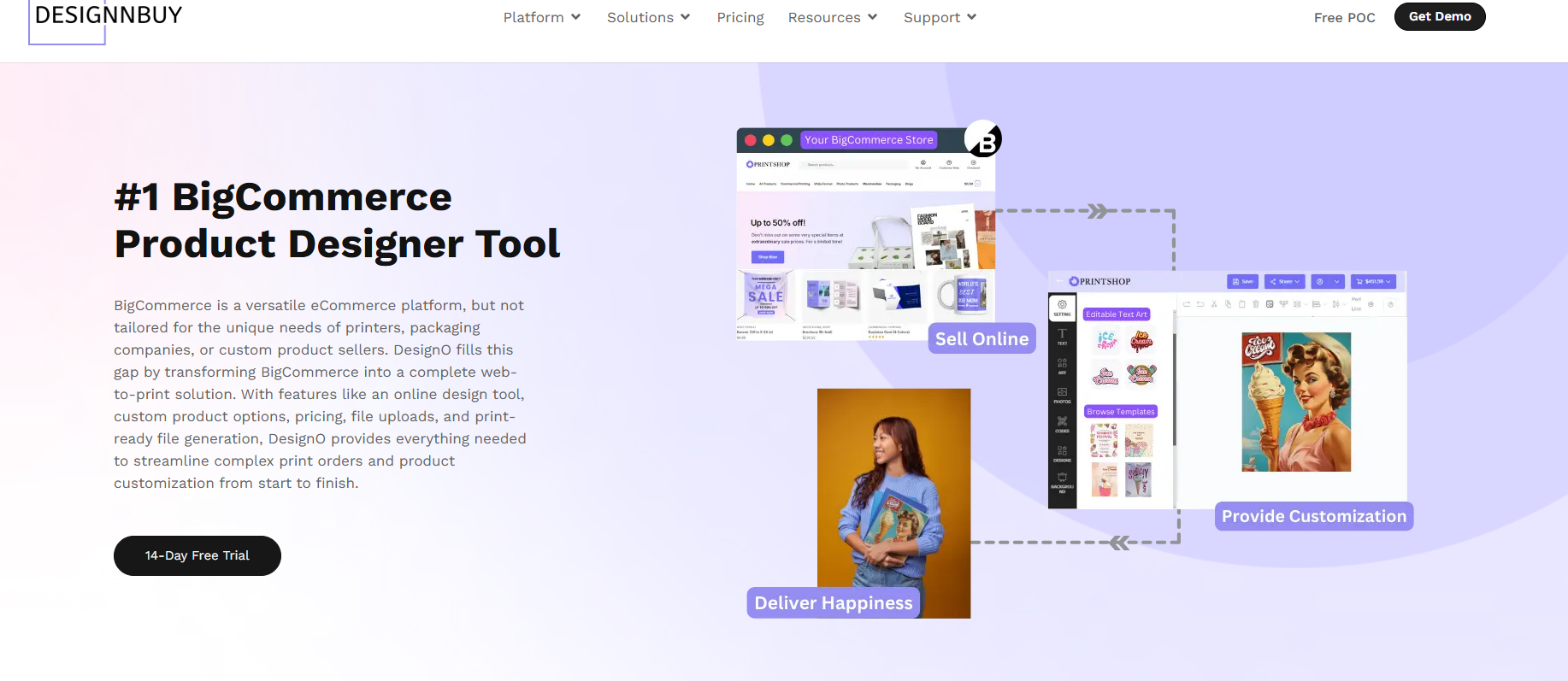
If you run a print shop, packaging business, or merchandise store on WooCommerce, DesignO is a woocommerce product designer plugin built for full print workflows.
It is not just a product design tool. In fact, it is a complete web-to-print plugin that handles everything from the customer design experience on your product page all the way to order management and print workflows on the backend.
To illustrate, here is what that looks like in practice. First, a customer lands on your product page and opens the design editor. As a result, they get a Canva-style interface where they can add text, upload their artwork, pick from your clipart library, choose colors, and furthermore, use pre-built templates.
They see a live preview before adding to cart. When the order comes in, DesignO sends a print-ready PDF straight to your production queue.
Now, here is where it gets interesting.
Most WooCommerce product designer plugins stop at the customer-facing design tool. DesignO goes further. It includes order management, job management, and preflight checks. This matters a lot because print businesses lose significant time on the backend fixing files, chasing customer approvals, and manually routing jobs to the right team.
We see this consistently across our clients. A packaging printer in the US was spending hours each day reviewing customer-uploaded files. After switching to DesignO, the editor flagged resolution issues upfront before the order was placed. The result was fewer errors and faster production without any extra staff.
Key Features:
- Full Online Design Editor – Canva-style browser-based design editor that is fully mobile responsive and allows customers to create and customize products directly on your website.
- File Upload Tool – Customers can upload their own print-ready artwork directly when placing an order.
- Quick / Form-Based Editor – Allows customers to personalize predefined text or image fields for simple product customization.
- Print Estimating & Custom Pricing Rules – Configure pricing based on unit, size, quantity, materials, finishing options, or custom quotation rules.
- Order & Job Management System – Manage customer orders and track production jobs from the same platform dashboard.
- Clipart, Font & Template Library – Manage design templates, clipart, fonts, and assets from the admin panel for customer use in the design editor.
- Multi-Store & Multilingual Support – Run multiple storefronts and support multiple languages and regions from one system.
- Print-Ready File Generation – Automatically generate production-ready print files after customers place orders.
- API-Driven Platform – Supports custom integrations, automation, and workflows using APIs and webhooks.
- B2C Web to Print Storefront – Launch a branded online print store where customers can browse products, customize designs, and place orders directly.
- B2B Web to Print Storefront – Create private storefronts for corporate clients with brand controls, user roles, approval workflows, and contract pricing.
- Variable Data Printing (VDP) – Generate large batches of personalized print materials automatically using spreadsheet data.
- AI Text & Image Personalization Tools – Improve images, remove backgrounds, and generate design content during the customization process.
- 3D Product Configurator – Allow customers to preview customized products in interactive 3D before placing an order.
- Automated Preflight Checks – Automatically detect and fix common print file issues before production.
- Imposition Software – Arrange multiple print jobs efficiently on print sheets to optimize printing layouts.
- Print Estimating & Pricing Engine – Configure dynamic pricing based on size, quantity, materials, finishing options, and custom formulas.
- Print Workflow Automation – Automatically convert orders into production-ready print jobs and move them through production stages.
- Multi-Vendor Print Management – Route print jobs to multiple vendors or production partners from one system.
- Supports Multiple Print Product Categories – Manage commercial print, packaging, labels, large-format printing, merchandise, promotional products, photobooks, and photo products.
- Ecommerce Platform Integrations – Integrates with Shopify, WooCommerce, Magento, and BigCommerce.
Best Suited For: T-shirt printers, packaging and label businesses, promotional merchandise, business cards, banners, photobooks, and wide-format printers.
Pricing: Monthly subscription or one-time license options available. Check current pricing here.
Pros:
- The only plugin on this list purpose-built for print production workflows
- Handles design, ordering, job routing, and preflight in one place
- Strong template and asset management tools
- Actively used by 2,000+ print businesses across 60+ countries
What customer says
Despite the flexibility and ease of the system, we studied each parameter in its settings to better understand how everything works. And this is a good experience that helps to perform the correct settings of any products.
– Aleksey S. – Verified Capterra ReviewWant to manage your entire print workflow inside WooCommerce?
From customer design to print-ready files and job management, DesignO handles the complete workflow in one place for print and packaging businesses.
Customily
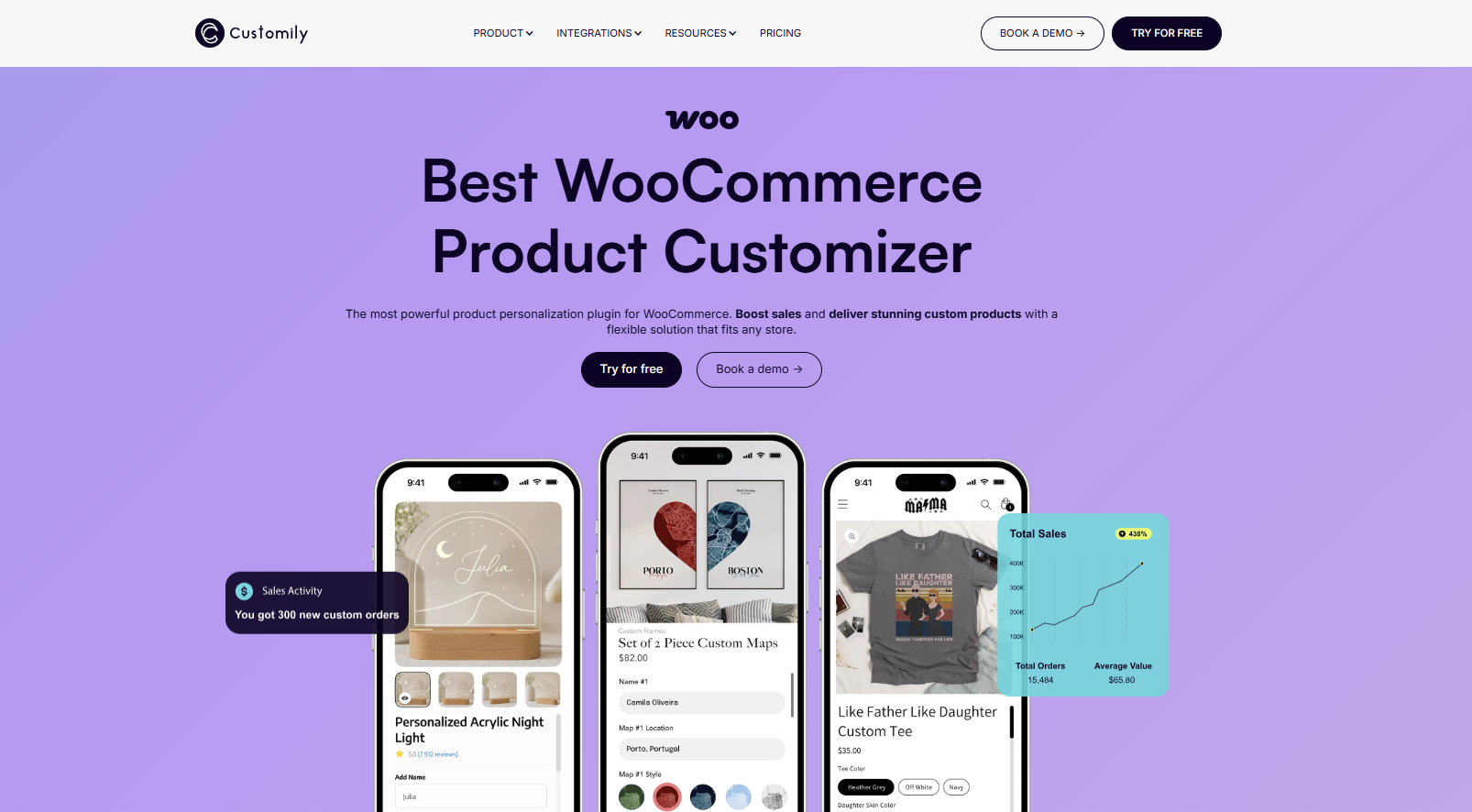
Customily is a woocommerce product designer plugin that has quickly become one of the strongest newer names in the WooCommerce product personalization space.
It is built specifically for print-on-demand businesses. The whole setup works like this: you create a personalization template in Customily’s design studio, connect it to a product in your WooCommerce store, and publish. Your customers personalize the product live on the product page, and when an order is placed, Customily automatically generates a high-resolution print-ready file and routes it to your fulfillment provider.
No manual file prep. No adjustments after checkout. That is the appeal for POD businesses that need to move fast.
Customily also connects directly with major POD providers including Printful, Printify, Gelato, Gooten, CustomCat, and more. This makes it a strong option if you run a WooCommerce store but outsource your printing entirely.
Let me break down what stands out. The live preview is genuinely impressive. Customers see their personalization update in real time, which increases buyer confidence and reduces refunds. The conditional logic feature is also useful. You can show or hide certain personalization options based on what the customer selects earlier, which keeps the experience clean and simple.
Key Features:
- Real-time product preview on the product page
- Automated print-ready file generation after each order
- Direct integrations with Printful, Printify, Gelato, and other POD providers
- Conditional logic to control which options appear
- Text, image upload, clipart, maps, star maps, and AI-powered features
- Mobile-optimized design interface
- Multi-store support under one account
- 9-day free trial with full access
Best Suited For: Print-on-demand sellers, gift and personalized product stores, apparel, mugs, blankets, jewelry, and any WooCommerce store relying on POD fulfillment.
Pricing: Subscription-based at $49/month plus a fixed per-item transaction fee (not a percentage of sale value, which is better for high-ticket products). Transaction fee decreases with volume. 9-day free trial available.
Pros:
- Automated from customer design to production file to fulfillment provider
- Fixed per-item fee instead of a percentage of the sale price
- Wide range of creative personalization options including AI tools
- Strong reviews and active product updates in 2025 and 2026
Cons:
- Transaction fee on top of the monthly plan is an added cost to factor in
- Running multiple stores under different languages can get expensive
- There is a learning curve if your product setups are complex
- Better suited to POD fulfillment than in-house print production workflows
What Customer Says
Customily has been amazing to work with! Their support team was incredibly helpful and patient with me through the whole setup process. There is a little learning curve at first, but once you understand how everything connects, it becomes very straightforward and powerful. This app made it possible for me to offer personalized products, and I truly appreciate all their help. Highly recommend!
– Selorin Studio – Verified Shopify App Store Review
Using print-on-demand now but planning to manage your own print workflow later?
Customily works well for POD automation, but if you manage your own production and need full workflow control, DesignNBuy covers design, print-ready files, and production management in one system.
Zakeke
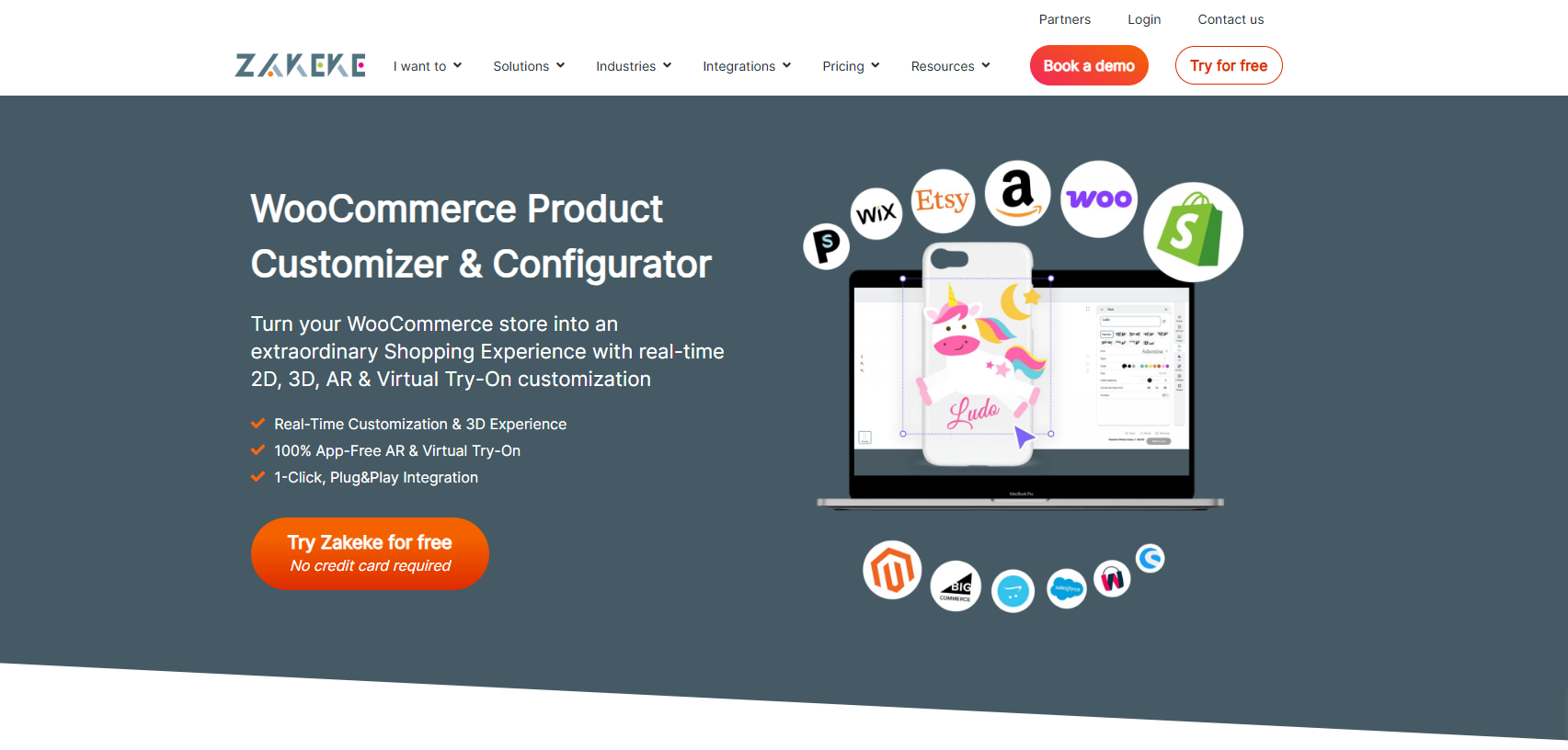
Zakeke is a woocommerce product designer plugin that works directly with WooCommerce out of the box and supports both product customization and configurators.
It supports both 2D text and image customization and 3D product configurator, making it one of the more versatile options on this list. It also generates print-ready files automatically, which saves your team the step of preparing files manually for each order.
Merchants with no technical background can get Zakeke running fairly quickly. The setup process is straightforward and the customer-facing customizer looks clean on both desktop and mobile.
Quick example: one store using Zakeke grew from 100 orders per month to 500 to 600 monthly without needing to add extra staff, because the customization and file generation was handled automatically.
Key Features:
- 2D text and image customization
- 3D product configuration (on higher plans)
- Automatic print-ready file generation in PDF, PNG, SVG, and DXF formats
- Plug-and-play WooCommerce integration
- No coding required for basic setup
- 14-day free trial
Pros:
- Fast to set up and get live
- Auto-generates print files in multiple formats
- Good mobile experience
- Active development with regular updates into 2026
Cons:
- Transaction fee applies on every sale on top of your monthly plan
- “Powered by Zakeke” branding on Starter plan (removed only on higher plans)
- Starter plan limited in features; costs scale up as you grow
- Some users report customer support can be slow at higher order volumes
Pricing: Starts at $10.43/month (Starter). Grow plan at $170/month, Scale plan at $340/month. Transaction fee applies across all plans. 14-day free trial available. Always verify current pricing at zakeke.com as it is updated regularly.
What Customer Says
Zakeke is a fantastic personalization tool! Easy to use, seamless Shopify integration, and great support. The 3D preview really helps customers and has boosted our sales. Highly recommended!
– SIGG Switzerland – Verified Shopify App Store Review
Need more than just product customization as your store grows?
Zakeke helps you launch customization quickly, but growing print businesses need automation and production workflow tools. DesignNBuy covers the full workflow from design to production.
Fancy Product Designer
Fancy Product Designer is a well-established woocommerce product designer plugin that has been on the market for years and has a large user base.
It has a clean, intuitive interface and a live preview feature that customers find easy to use. If you sell products where customers need to see exactly how their design looks before buying, this plugin handles that well.
The plugin was updated to version 6.5.0 in December 2025, confirming it is actively maintained. One newer development worth noting: Fancy Product Designer launched a platform called Chamevo for AI-based extensions, which replaces older Genius add-ons for new users.
Key Features:
- Live design preview that updates in real time
- Text, image, and color customization
- Drag-and-drop design interface
- Pre-designed template support
- Wide product range support including t-shirts, mugs, phone cases, business cards
Pros:
- Easy for customers to navigate with minimal guidance
- Wide range of customization options
- Works well for products with heavy visual personalization needs
- Actively maintained and updated
Cons:
- Advanced features like pricing rules and AI capabilities are paid add-ons
- Template library is relatively limited compared to some competitors
- Not built for print production workflows — no order or job management included
- Order limits may apply on lower license tiers
Pricing: Starting at $59 for the base WordPress/WooCommerce license.
What Customer Says
Great app with many options, and the support is excellent! We asked them to work on some customizations very specific to our products. This required developing a dedicated interface and display, and they delivered for a reasonable price!
– SpecialistID.com – Verified Shopify App Store Review
Looking for more than just a front-end product design tool?
Fancy Product Designer focuses on the design experience, but print businesses also need print-ready files, automation, and job management. DesignNBuy combines everything into one workflow.
Kickflip
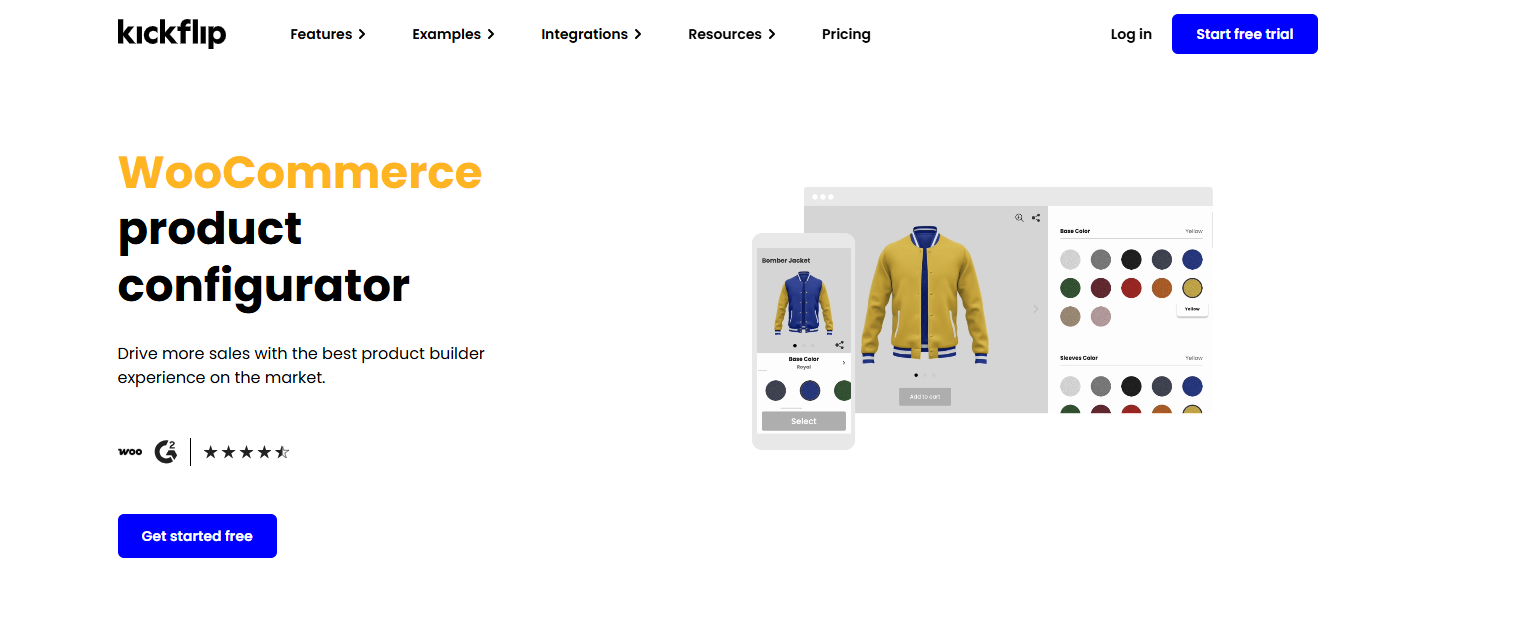
Kickflip is a woocommerce product designer plugin built for businesses that sell configurable products like apparel, shoes, bags, and accessories.
It focuses on delivering a high-quality visual experience. Customers see their product update in real time as they choose colors, materials, and options. Dynamic pricing is built in, so if a customer picks a premium option, the price updates on the spot at checkout. Print-ready file generation is available on all plans.
Kickflip integrates with WooCommerce, Shopify, PrestaShop, and custom stores via API. One thing worth knowing: Kickflip itself acknowledges their Shopify integration is the most complete, and their WooCommerce support, while functional, is still catching up. If WooCommerce is your primary platform, this is worth testing before fully committing.
Key Features:
- Real-time product configuration with live preview
- Dynamic pricing as customers make selections
- Print-ready file generation
- Multi-language and multi-currency support
- Conditional logic for complex product options
- Social sharing of customer designs
- No-code setup
Pros:
- Very strong visual experience for configurable products
- Dynamic pricing keeps checkout transparent
- Print-ready file generation included
- Actively developed and updated
Cons:
- Transaction fee starts at 1.95% per sale and decreases with volume
- WooCommerce integration is less complete than Shopify
- Some users report theme compatibility issues with WooCommerce (particularly Gutenberg-based themes)
- Pricing can feel steep for lower-volume stores
Pricing: Subscription plans available. Transaction fee starts at 1.95% per customized product sold, decreasing at higher volumes. Free trial available.
What Customer Says
Kickflip has been great for our custom sportswear items Builder can be as simple or as dynamic as you want it to be, and the support is fast and helpful when needed. Would absolutely recommend it to whomever is looking for a customizer in Shopify.
– MADE Hoops – Verified Shopify App Store
Is a great product preview enough for your print business?
Kickflip offers strong visual customization, but print businesses also need print-ready files and workflow automation. DesignNBuy is built for the complete print production process.
Lumise
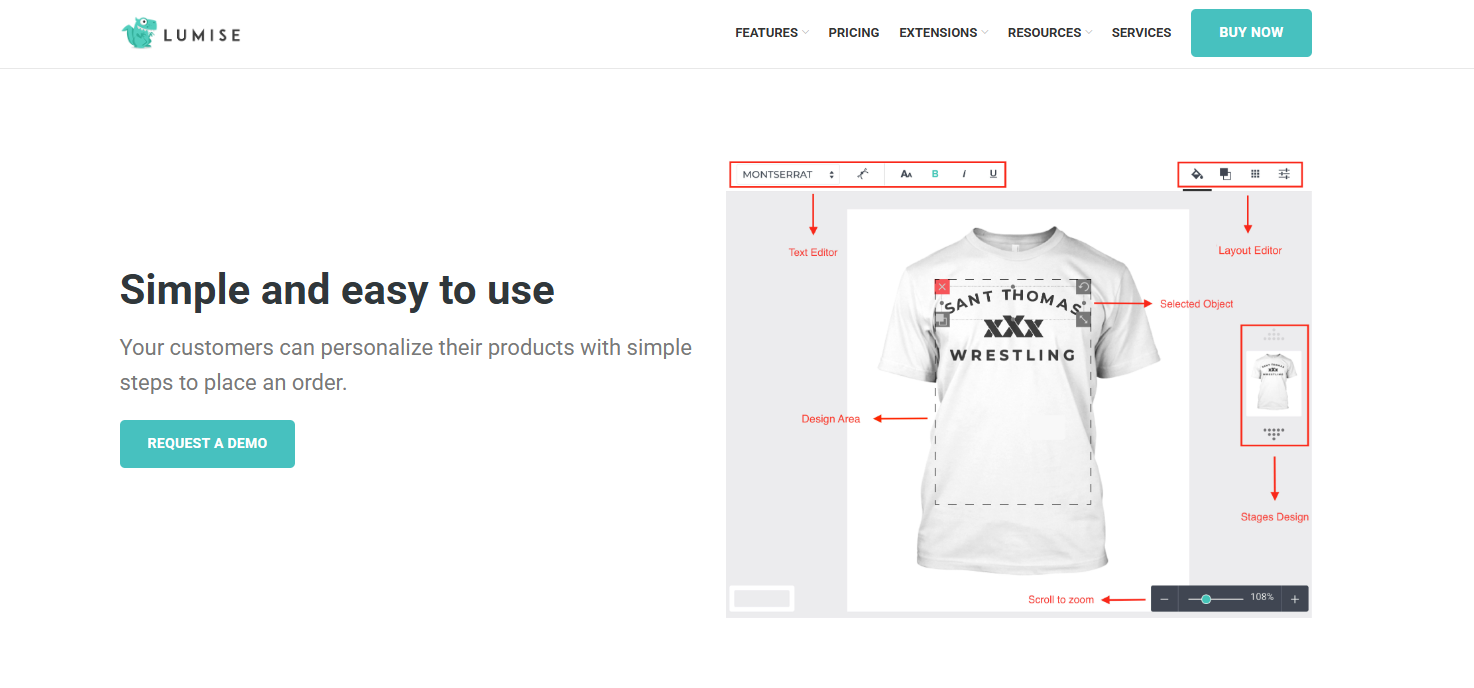
Lumise is a lighter-weight woocommerce product designer plugin that allows customers to create custom products from scratch or from ready-made templates.
It works for basic personalization use cases like t-shirts, mugs, and phone cases. Customers get access to clipart, social media images, and stock photos directly inside the design tool. The one-time license model makes it an easy entry point for stores that do not want a monthly subscription.
It is worth being transparent here. Lumise has not had major feature updates recently, and development appears slower compared to cloud-based competitors on this list. For a simple store with basic needs, it still does the job. For a growing print business, you may run into its limits.
Key Features:
- Design from scratch or from pre-made templates
- Clipart and image stock access built in
- WooCommerce integration
- Text, image, and color customization options
Pros:
- One-time license at $69, very accessible for small stores
- No monthly fee
- Free clipart and image resources built in
Cons:
- Order, template, and clipart limits on the license
- Slower development compared to active cloud-based competitors
- No print-ready file output or production workflow features
- Not ideal for scaling businesses
Pricing: One-time license at $69 on CodeCanyon.
What Customer Says
Great support team, very responsive, professional, and helpful. They took the time to understand the issue and guided us through the solution clearly and efficiently. Really appreciate the support from the Lumise team!
– Atlasday – Verified Shopify App Store
Starting with basic personalization but planning to scale your print business?
Lumise works for basic customization, but growing print businesses need automation, file handling, and workflow management. DesignNBuy supports the full print workflow as your business grows.
KILB
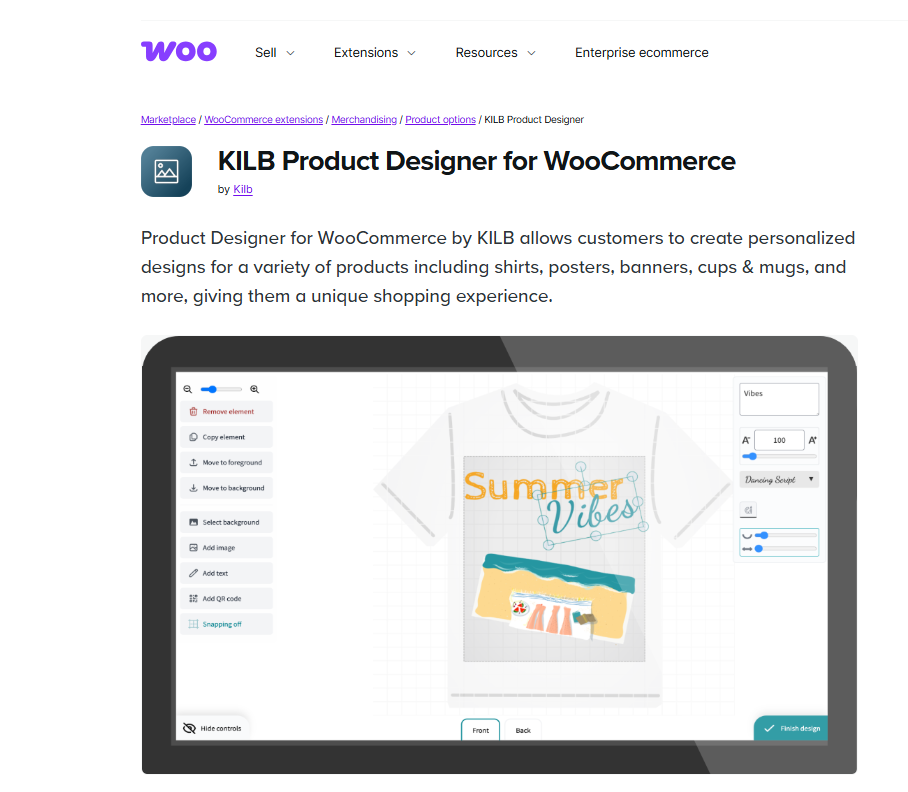
KILB is a developer-focused woocommerce product designer plugin built with the Vue.JS framework and designed for custom extensions and builds.
Customers can preview their design directly from the cart section, which is a unique touch you do not see on many other plugins. For businesses where page speed is a priority and customization requirements are straightforward, KILB offers a clean, fast foundation.
That said, this is not a plug-and-play solution for non-developers. Out of the box, the template and clipart options are limited. To get the most out of it, you need coding knowledge.
Key Features:
- Lightweight Vue.JS-based design tool
- Cart-preview feature (customers see their design before checkout)
- Extendable with custom code
- Fast loading by design
Pros:
- Very fast page loading compared to heavier plugins
- Cart preview is a practical UX feature
- Good starting point for developers building custom solutions
Cons:
- Very limited out-of-the-box template and clipart options
- Requires coding knowledge to extend meaningfully
- Order and customization limits can restrict growing stores
- No print production workflow features
Pricing: $24.92/month, billed annually at $299.
Do you want to build a custom solution or use a ready-to-run print workflow system?
KILB is suitable for developer-led builds, but if you want design tools, print-ready files, and workflow management already built in, DesignNBuy is the more complete option.
PH Product Add-ons for WooCommerce
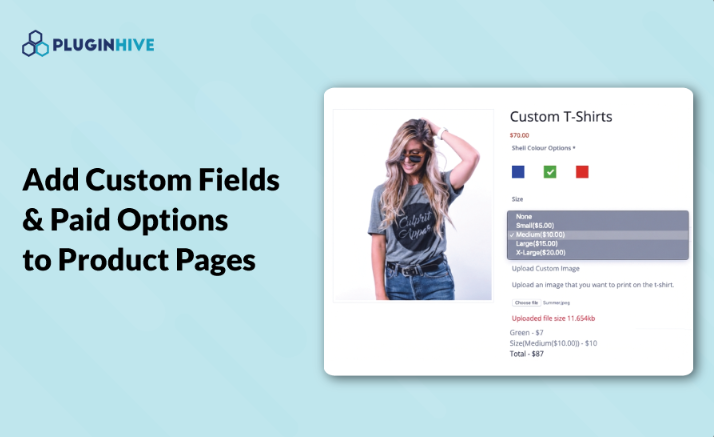
PH Product Add-ons is a woocommerce product designer plugin focused on field-based product customization instead of a canvas-style design tool.
Think text boxes, color pickers, file upload buttons, date selectors, and checkboxes. Customers fill these in to personalize their order before checkout. It works well for products where a clean form-based approach makes more sense than opening a full design editor.
It integrates with WPML for multilingual stores, which is useful for businesses selling across different markets.
Key Features:
- 20+ field types including text, file upload, color picker, date/time selector
- Flexible pricing based on quantity, character count, percentage, or flat fee
- WooCommerce and WPML compatible
- Works with other PluginHive tools
Pros:
- Good for form-based product personalization
- Flexible pricing configurations
- Multilingual support via WPML
- Straightforward setup for non-technical users
Cons:
- No canvas-style live design preview
- Complex conditional logic has a learning curve
- Not suitable for visually rich design experiences
- No print-ready file output
Pricing: $79/year for a single site license with one year of updates and support.
Do you need simple customization fields or full product design tools?
PH Product Add-ons works for basic customization fields, but if you need live product design, print-ready files, and workflow automation, DesignNBuy is built for print businesses.
Quick Comparison Table
| Plugin | Best For | Pricing Model | Print-Ready Files | Production Workflow |
| DesignO by DesignNBuy | Print and packaging businesses | Monthly / one-time license | Yes | Yes (full) |
| Customily | Print-on-demand sellers | $49/month + per-item fee | Yes | Yes (POD automation) |
| Zakeke | Quick setup, 2D and 3D customization | From $10.43/month + transaction fee | Yes | Partial |
| Fancy Product Designer | Visual product personalization | From $59 one-time | Limited | No |
| Kickflip | Apparel and accessories | Subscription + 1.95% per sale | Yes | No |
| Lumise | Small stores, budget-friendly | $69 one-time | Basic | No |
| KILB | Developer-friendly, fast loading | $299/year | No | No |
| PH Product Add-ons | Form-based personalization | $79/year | No | No |
How to Choose the WooCommerce Product Designer Plugin
Not every plugin fits every business. Here is a practical guide to narrow it down.
- Are you a print or packaging business that handles production in-house?
DesignO is the clear choice here. It is the only option on this list built specifically for print workflows, with print-ready file output, job management, preflight checks, and order routing all in one place. - Do you run a print-on-demand store and outsource fulfillment?
Customily is built for exactly this. It connects directly with Printful, Printify, Gelato, and other POD providers, and automates the file generation and order routing after every sale. - Do you want a quick, plug-and-play setup with 2D and 3D options?
Zakeke is a solid option here. It is fast to get live, supports both 2D and 3D customization, and auto-generates print files. Just factor in the transaction fee when looking at your margins. - Do you sell apparel, accessories, or sporting equipment where visual configuration matters most?
Kickflip is worth a look, especially if design quality and the customer experience are top priorities. Keep in mind the WooCommerce integration is still maturing compared to Shopify. - Do you just need a form-based approach, not a design canvas?
PH Product Add-ons handles this well at a low annual cost. - Are you just starting out with a tight budget?
Lumise at $69 one-time gives you the basics without a recurring fee.
Now you might be wondering about a few things to check before you commit to any plugin. Here are the key ones:
- What type of products do you sell?
Design tools work very differently for t-shirts versus packaging boxes versus business cards versus gifts. - Do you need print-ready files?
If you run production in-house, this is non-negotiable. - What does your customer experience need to look like?
A live design canvas is very different from a simple customization form. - What does it cost at scale?
Some plugins charge per sale, which compounds quickly as volume grows. - Is the WooCommerce integration solid?
Always test before going fully live, especially with theme compatibility.
Final Thoughts
Choosing the best WooCommerce product designer plugin comes down to your business type. A good WooCommerce product designer plugin reduces back-and-forth with customers, cuts down on order errors, and helps people buy with more confidence because they see exactly what they are getting before checkout.
But the right plugin depends entirely on your business type.
If you run a print or packaging business and need something that handles the full workflow from customer design to production, DesignO by DesignNBuy is the most complete option on this list. If you run a print-on-demand store that outsources fulfillment, Customily is the strongest fit. And if you just need quick setup with visual customization, Zakeke gives you a solid starting point.
Frequently Asked Questions
DesignO by DesignNBuy is a top choice for print and packaging businesses. Zakeke and Kickflip work well for apparel and 3D configuration. The best pick depends on your product type and workflow.
A WooCommerce product designer plugin lets customers personalize products directly on your store. They add text, upload images, and see a live preview before buying. DesignO, Customily, and Zakeke are popular options in 2026.
Customily is built specifically for POD stores and connects directly with Printful, Printify, and Gelato. For stores that handle printing in-house, DesignO by DesignNBuy is the stronger fit.
Stop Stitching Together Tools That Were Never Built for Print
DesignO gives your WooCommerce store a complete web-to-print setup, from customer design to print-ready file, without the patchwork.