
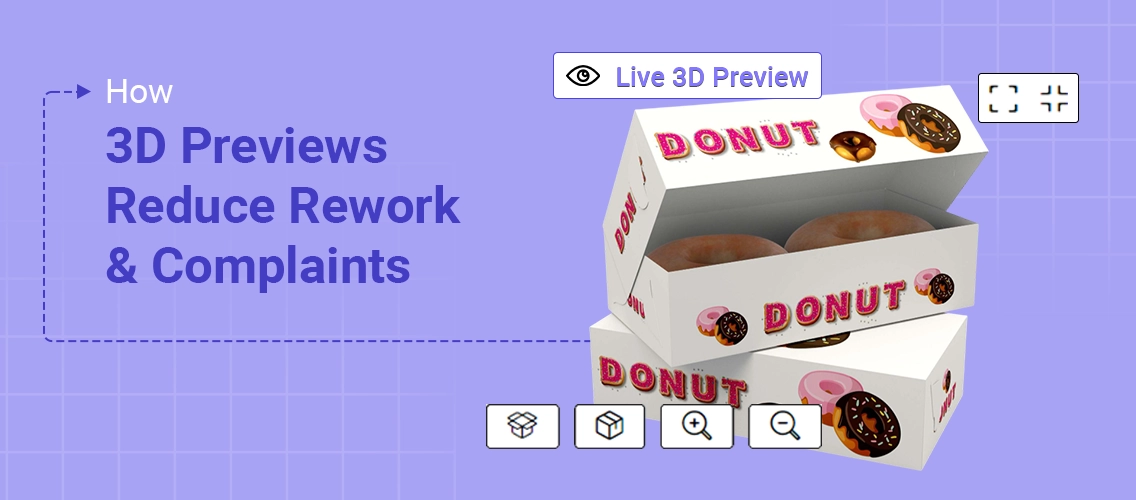


When packaging printers talk to us about rework, the conversation almost always starts at the same point.
Not at printing or materials. But at approval.
Artwork gets approved quickly. Files look clean. Everyone moves forward.
Then the box or pouch is printed, assembled, and handled like a real product. That is when doubts appear. Logos feel off. Text looks cramped. The final product does not match what the customer had in mind. Flat artwork fails to show the packaging from every perspective, so issues with placement, scale, or alignment often go unnoticed until it’s too late.
This is why the 3D packaging preview exists inside DesignO.
With this feature, you can fine-tune every single detail before a single box or pouch gets printed. You see exactly how your design will look as a print finished product, not just as some concept floating on a screen.
This blog explains where packaging approval gaps come from, how 3D packaging previews close those gaps, and why printers who adopt this approach see fewer complaints, lower rework cost, and smoother workflows.
Why Packaging Approval Still Breaks Down With Flat Artwork
Packaging design is not experienced on a screen.
It is experienced in hand, on shelves, under lighting, and from different perspectives.
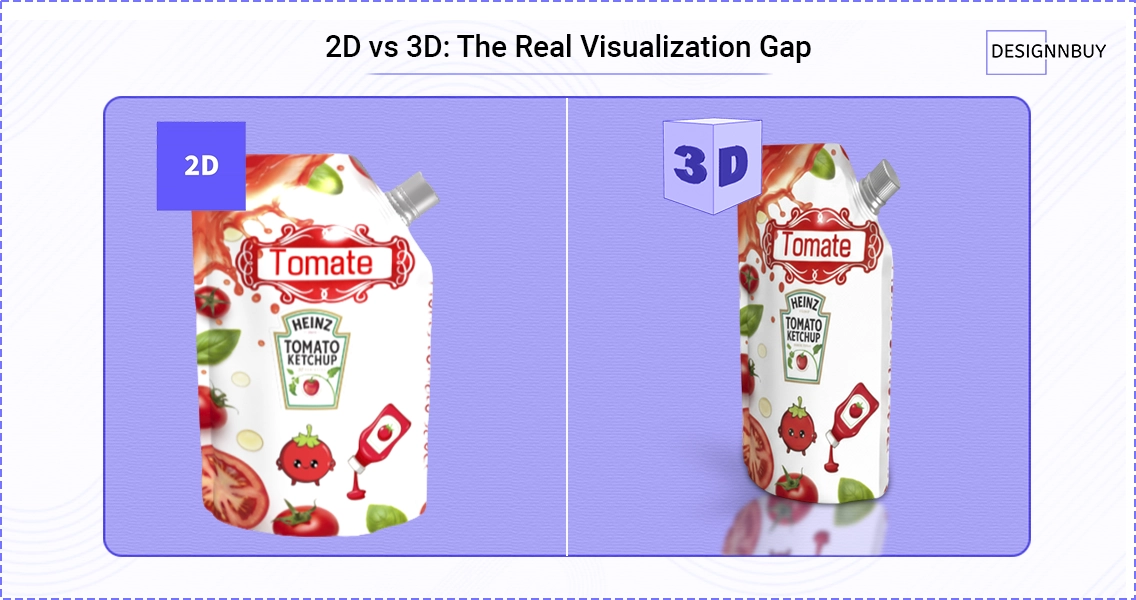
Yet approvals still rely heavily on flat artwork files shared through email or web portals. Most of the time, these are 2D templates—pre-designed layouts or mockups that only show a single angle.
Relying on templates restricts the ability to see the packaging from every angle and limits the realism of the approval process. This forces customers to imagine how the design will behave once folded into a box or shaped into a pouch.
That imagination gap creates risk.
Common issues we see across print businesses include:
- Logos falling on folds or corners
- Artwork looking balanced on screen but uneven on the final product
- Barcodes placed too close to edges
- Text losing clarity once the packaging shape comes into play
Real-world packaging design failures show how designs that look correct on flat artwork often fall apart once produced as physical packaging.
These problems are rarely caused by poor design skills. Graphic designers often do their job well. The issue is that the design process stops too early, before the packaging is viewed as a real object.
DesignO addresses this challenge by embedding packaging visualization directly into the approval stage. Instead of approving artwork alone, teams review how the design behaves on a realistic packaging structure.
This shifts approvals from assumption to visibility.
What a 3D Packaging Preview Actually Shows
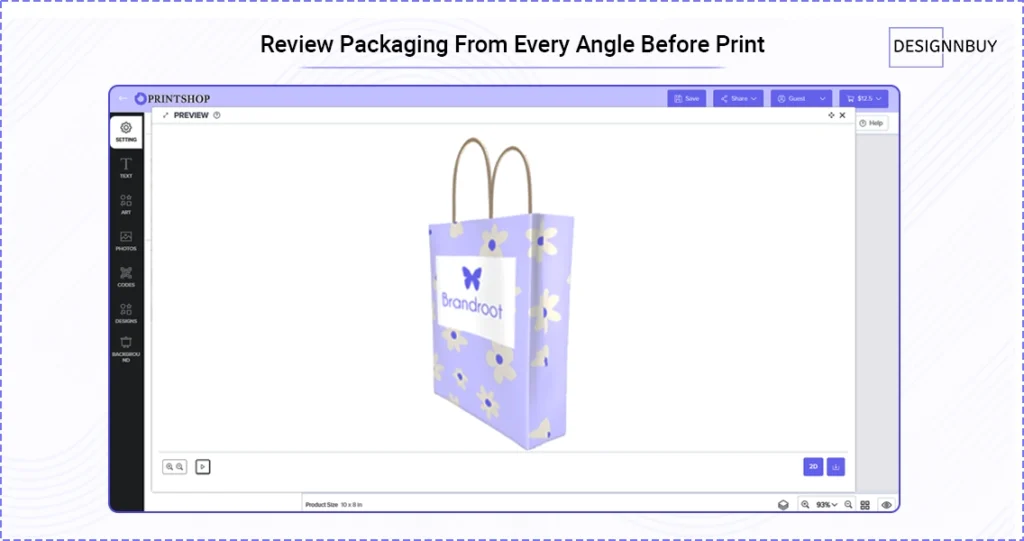
A 3D packaging preview allows printers, designers, and customers to see the packaging from multiple angles before it goes to print.
Rather than working with abstract visuals, users interact with a realistic representation of the packaging shape. This includes standard formats such as boxes and pouches, which are common across packaging businesses. Users can see a realistic image of their packaging design applied directly to the 3D shape, making it easier to understand how the final product will appear.
With 3D packaging visualization, teams can:
- View the design from different perspectives
- Check placement of logos, text, and brand elements
- Understand scale and proportion
- See how artwork wraps around the shape
It is important to be clear about what this preview is and is not.
It does not try to replace physical prototypes or simulate materials or lighting for product photography. Its purpose is simpler and more practical: to show how the design will look once produced.
DesignO focuses on realistic structure and layout so teams can evaluate the final product visually, not guess based on flat files.
Designing with Multiple Options
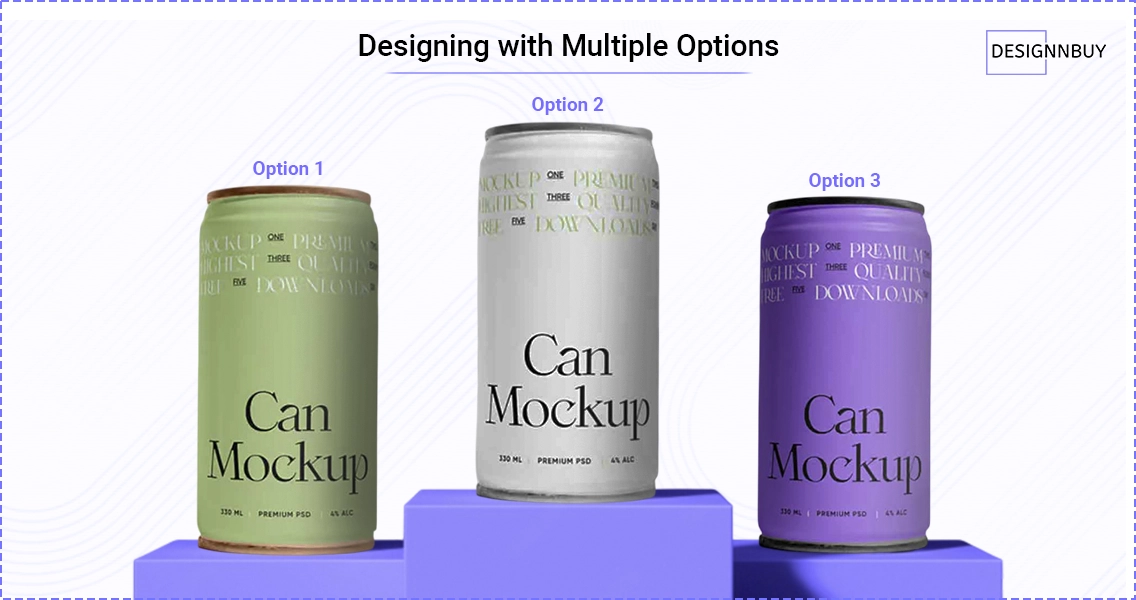
Instead of settling on a single concept, we help designers create and edit multiple versions of a packaging design, then visualize each one in 3D to see how it’ll look in real life.
- Create multiple versions
- Edit in real-time
- Visualize in 3D
- See real-life results
This approach is a total game changer for making informed decisions.
Here’s the kicker: you can compare different packaging mockups side by side, customize each one, and refine the details until you find the best fit for your brand and product. Our online tools make it super easy to generate multiple mockups, tweak the artwork, and adjust materials or finishes—all before anything goes to print.
Let me break it down:
- Compare mockups side by side
- Customize every detail
- Refine until it’s perfect
- Test materials and finishes
- Zero printing waste
The result?
You’re not just designing packaging — you’re exploring possibilities, testing ideas, and ensuring that the final product is exactly what you—and your customers—want to see on the shelf.
That’s how we help you move from concept to reality with:
- Confidence
- Creativity
- Complete control
Visual Clarity Keeps Packaging Teams Aligned
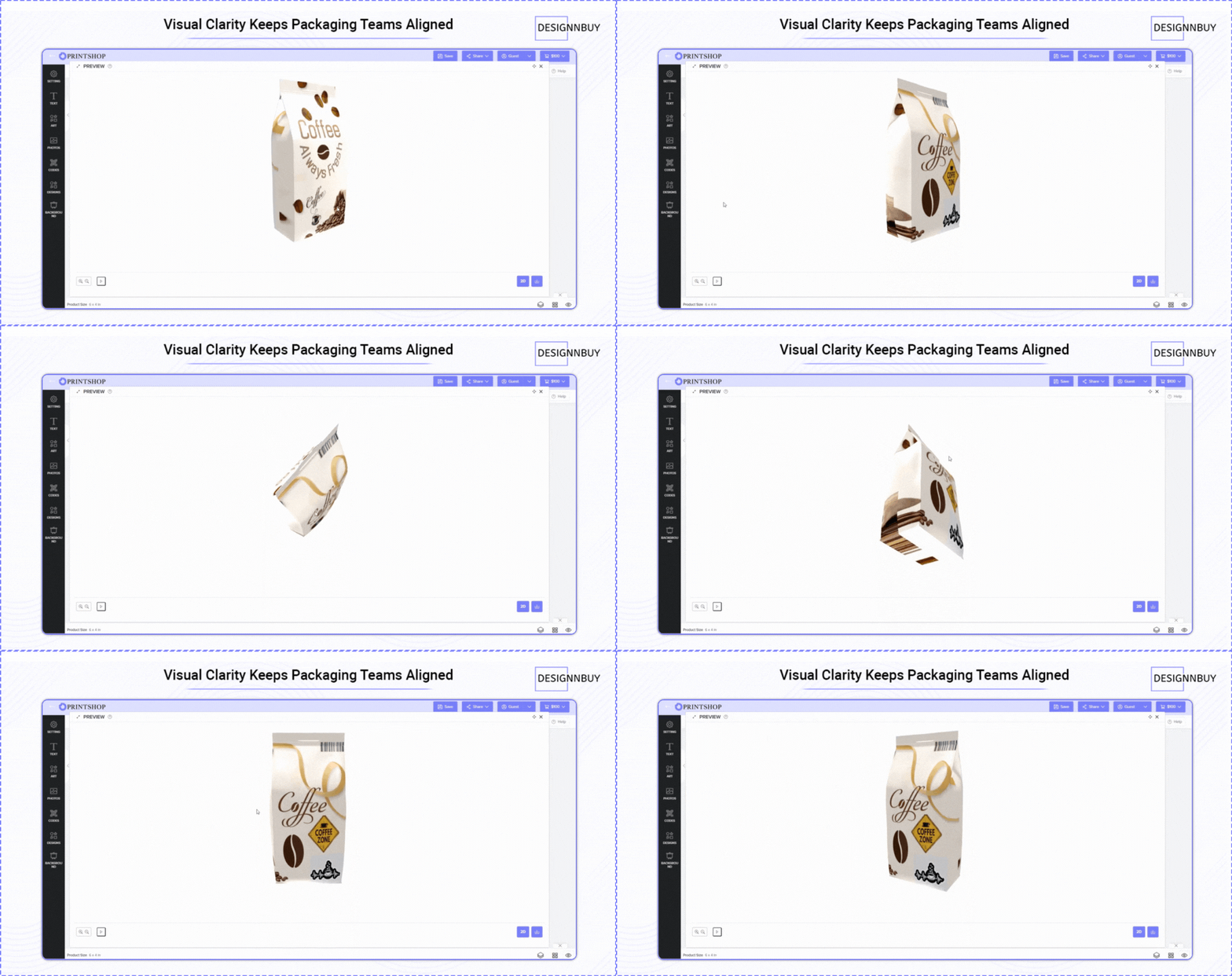
In most print businesses, packaging design decisions are rarely made by one person alone.
- Packaging designers focus on layout and structure.
- Sales teams manage customer expectations.
- Marketing departments review brand consistency.
- Production teams worry about how the artwork will behave once printed.
Problems start when each team is looking at a different version of the same idea.
DesignO, the web to print design editor brings these conversations into one place by acting as a shared visual workspace for packaging decisions.
Instead of passing files back and forth or explaining layouts over calls and emails, teams review a realistic 3D packaging preview inside DesignO. Everyone sees the same packaging shape, from the same angles, at the same time.
Instead of passing around files and explanations, teams use the 3D packaging preview to discuss what actually matters:
- Is the logo placement suitable for the box shape?
- Does the design hold up when viewed from different sides?
- Will the artwork still look right once printed on paper or other materials?
This reduces miscommunication across teams and helps customers feel more confident in what they approve.
The result is not faster approvals at any cost. The result is clearer approvals.
How 3D Packaging Previews Reduce Rework
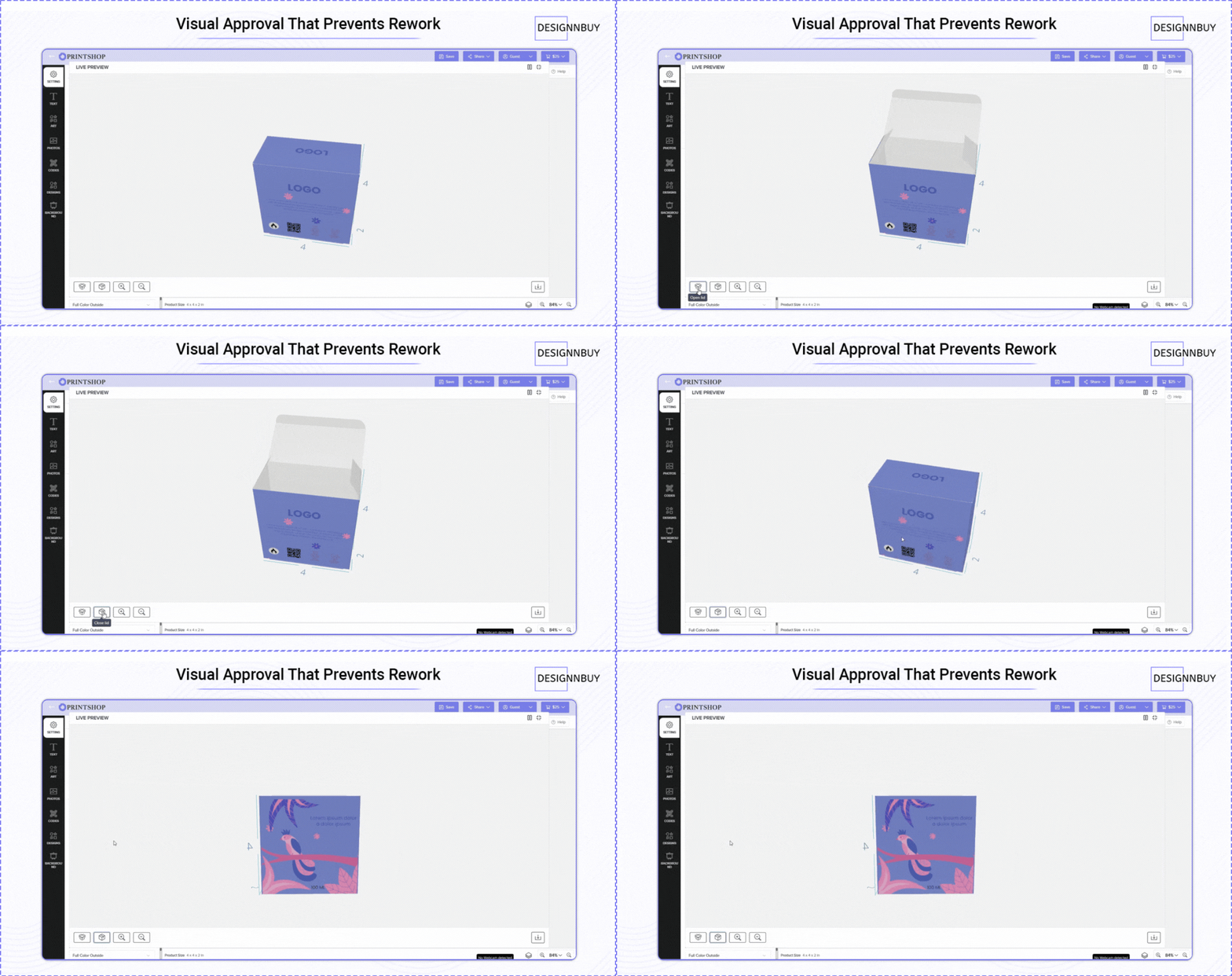
Rework usually costs more than money.
It costs time, trust, and team bandwidth.
When issues are discovered after print, fixing them means revisiting files, rerunning jobs, and reopening conversations that should already be closed.
A 3D packaging design software helps prevent this by moving problem discovery earlier.
Here is how that plays out in real workflows:
- A customer notices that a logo feels too close to the edge when viewing the box from a different angle
- A designer sees that text alignment looks off once the packaging shape is applied
- A team realizes that the design does not communicate the brand clearly from all sides
These are visual issues, not technical print errors. Without a preview, they often surface too late.
But, by using DesignO – a 3D packaging design tool, print businesses catch these issues during review and not after delivery.
That leads to:
- Fewer approval loops
- Fewer last-minute edits
- Cleaner handoff to production
Rework drops because expectations are set correctly the first time, right when you simply upload your artwork.
Why Customers Complain Less When They See the Packaging Clearly
Most customer complaints are not about print quality.
They are about expectations.
Customers often approve artwork thinking they know how the packaging will look. And when the final product arrives, reality looks different!
A 3D packaging preview closes that expectation gap.
When customers can visualize the packaging before print, they are approving the outcome, not just the design concept. This leads to more confident sign-offs and fewer disputes later.
We often see customers share the preview internally within their company before approving. Marketing teams, brand owners, and decision-makers all look at the same visuals.
This shared understanding reduces second thoughts and internal pushback after production.
Clear visuals lead to informed decisions -> Informed decisions lead to fewer complaints.
How 3D Packaging Previews Work in Day-to-Day Print Operations
One concern print businesses raise is whether adding previews complicates their process. In practice, it simplifies it.
DesignO integrates into existing workflows without forcing teams to change how they work.
A typical flow looks like this:
- Artwork is uploaded or created
- The 3D packaging preview is generated
- Teams review the preview internally
- The preview is shared with customers
- Approval is confirmed
Instead of sending multiple files and explanations, teams rely on one visual reference that everyone understands.
This is where 3D packaging design tools add real business value. They reduce interpretation, not creativity.
Why DesignO Stands Apart From General Online Tools
Many online services focus on visuals for presentation, marketing, or idea exploration. They are useful for early concepts, but they stop short of production reality. As an online service, these platforms often prioritize accessibility and ease of use, but may offer less control over assets and data compared to a dedicated solution like DesignO.
DesignO is built for print businesses.
It focuses on:
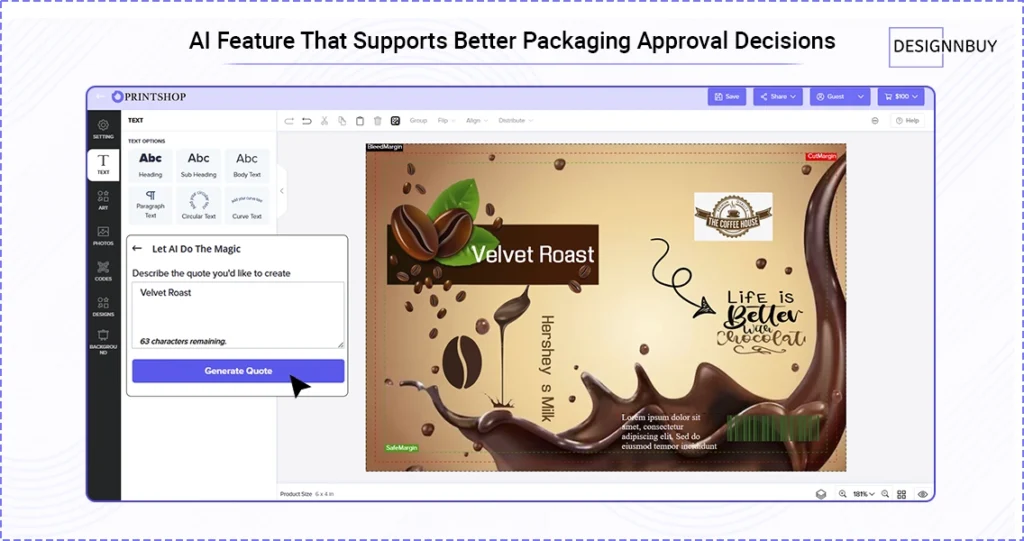
- AI powered packaging design software
- Packaging structures used in real print jobs
- Visual accuracy for approval, not just aesthetics
- Helping teams align before print, not after problems arise
- Unique features tailored for print workflows, such as preflight checking, print-ready file generation, and integration with order management systems
This difference matters. Print businesses do not need another place to create ideas. They need a way to reduce cost, save time, and protect customer relationships.
DesignO supports that by making packaging visible before it is produced.
Why This Matters for Modern Print Businesses
Packaging work today is more complex. Brands want more customization. Customers want faster turnaround. Margins leave less room for error.
At the same time, rework remains one of the biggest silent drains on print businesses.
By introducing 3D packaging preview early in the process, printers reduce unnecessary back-and-forth and move into production with more confidence.
This is not about chasing trends. It is about improving a process that has caused avoidable problems for years.
Final Thoughts
Most packaging problems do not start at print.
They start at approval.
Flat artwork leaves too much to interpretation. Interpretation leads to mismatched expectations. Mismatched expectations lead to rework and complaints.
DesignO helps break that cycle by letting teams and customers visualize packaging as a real product before print.
For print businesses, this means fewer surprises, clearer approvals, and stronger customer trust.
Frequently Asked Questions
2.5D packaging usually shows artwork with light depth or shadows, but it still relies on flat views. It gives some visual help, but folds, angles, and real placement are not fully clear.
However, a 3D packaging preview shows the packaging as an assembled object. You can see how artwork wraps around a box or pouch and how it looks from different sides before printing.
The main advantage is clear visuals.
With a 3D packaging preview, customers see the packaging as it will exist in real life. This helps catch layout, placement, and proportion issues early, before files move to print.
Many people stick with 2D because it feels familiar and quick. Flat artwork has been part of the print process for years.
However, 2D often depends on imagination, which can lead to misunderstandings during approval, especially for packaging with folds and multiple panels.
Yes, but not because it looks impressive.
3D packaging previews help reduce rework, repeat approvals, and customer complaints. That saves time, reduces avoidable costs, and protects client relationships, which makes it valuable for print businesses over time.