



How to Start a Print on Demand Business in 2026: A Step-by-Step Guide
Starting a print-on-demand business in 2026 does not require stock or a big budget. This guide walks you through every step, from picking a niche to setting up a store that runs with little manual work.
 Tavishi
Blog article content
To start a print on demand business in 2026, you need a clear niche, a web to print platform that handles orders automatically, product listings with live pricing, and a fulfillment process that runs without manual work at every step. That is the short version. The rest of this guide walks you through each piece of that, in order.
Print on demand has grown well past the “t-shirt and mug” category. Today, buyers order custom packaging, branded merchandise, promotional products, business stationery, and personalised gifts through print on demand stores. The market is larger, buyer expectations are higher, and the tools available to run these businesses have improved significantly.
If you are thinking about how to start a print on demand business this year, or you have already started and want to build something more structured, this guide covers what actually matters in 2026.
What Is a Print on Demand Business?
A print on demand business is one where products are only printed after a customer places an order. There is no need to buy stock in advance, hold inventory, or guess what will sell. The customer picks a product, adds their design or personalisation, pays, and the order goes to production and fulfilment from there.
This model works well for people starting out because the upfront costs are low. It also works well for established print businesses that want to offer customised products without running a separate warehouse operation.
When done properly, a print on demand business runs with very little manual involvement. Orders come in, get produced, and go out, all without someone needing to check every step by hand.
Step 1: Choose a Niche Before You Choose Products
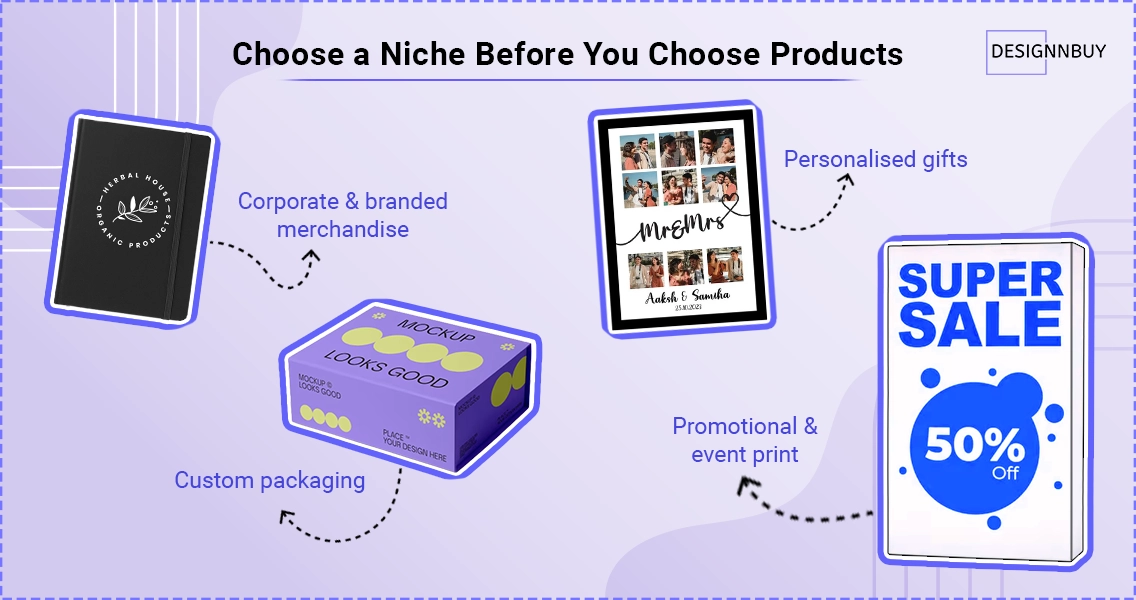 The first decision when figuring out how to start a print on demand business is not which products to sell. It is who you are selling to.
A niche is simply a focused group of buyers with a shared need. Trying to sell everything to everyone is one of the most common mistakes in this space. Without a niche, your store has no clear identity, your marketing has no clear audience, and your product range has no clear logic.
Some niche directions that work well for print on demand in 2026:
Corporate and branded merchandise. Companies need branded pens, bags, apparel, notebooks, and promotional items regularly. They have predictable reorder cycles and are willing to pay for quality and consistency. DesignO introduced a B2B corporate print portal that lets you create private storefronts for each corporate client, with department-based ordering and centralised template control. This is a strong niche for print on demand businesses that want repeat clients rather than one-off orders.
Custom packaging. Small businesses, food brands, and product sellers need custom boxes, label, and bags. Short runs are common. Turnaround expectations are fast.
Personalised gifts. Photo products, name-based items, and occasion-specific prints. High volume, often seasonal. Works well on platforms like Shopify and WooCommerce.
Promotional and event print. Banners, signage, event merchandise, and branded materials for marketing campaigns and trade shows.
Pick one to start. Build the store around that audience. You can always expand later once you have traction and understand what your buyers actually need.
Step 2: Pick the Right Platform for Your Store
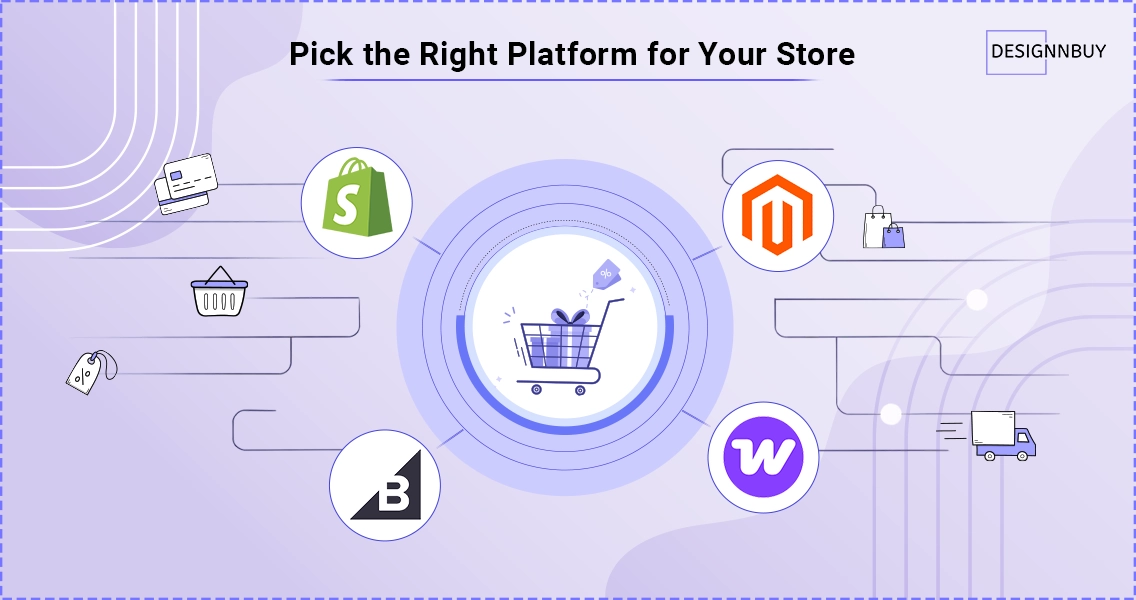
Once you know your niche, the next decision in learning how to start a print on demand business is where your store will live.
The most common options are Shopify, WooCommerce, Magento, and BigCommerce. Each has different strengths depending on the kind of print on demand business you are building.
Shopify is the fastest to set up and works well for direct-to-consumer stores. It handles payments, checkout, and basic inventory cleanly. For print on demand, you need to connect it to a web-to-print tool that handles product configuration, design, and order processing.
WooCommerce runs on WordPress and gives you more control over how the store looks and works. DesignO includes a fully updated plugin verified for WordPress 6.9.1 and WooCommerce 10.3.8, so print businesses on this stack can run the latest versions without worrying about compatibility issues.
Magento (Adobe Commerce) is better suited to larger operations with complex product catalogues and multiple customer groups. It requires more technical setup but offers more flexibility.
BigCommerce sits between Shopify and Magento in terms of complexity. It handles product modifiers and variants well, which matters when you are selling merchandise with multiple print options.
No matter which platform you choose, the store itself is only one part of the setup. You also need a web-to-print layer that sits between the storefront and production. That is what handles design, pricing, file output, and order routing.
Step 3: Set Up Product Personalisation and Pricing
This is the step where most print on demand businesses either get things right or create problems for themselves later.
When a customer visits your store, they should be able to see the product, choose their options, add their design or text, see the price update live, and complete the order without needing to email you or wait for a quote.
That requires two things to work correctly: a design tool inside the store, and a pricing engine that calculates the right amount based on what the customer has selected.
Design tool. Customers should be able to upload a file, use design template, or customise the product directly in the browser. The tool should show them a preview of how the final product will look. DesignO’s online design editor handles this, including mobile zoom controls introduced in DesignO, which let customers work on designs from phones and tablets without losing accuracy.
Pricing engine. For straightforward products, pricing is simple. For merchandise and promotional products, it is not. The final price depends on the number of colours in the artwork, the print area size, the setup fee, and the quantity ordered. DesignO rebuilt its merchandise pricing engine specifically to handle this correctly across all four major platforms. Tiered quantity pricing now applies consistently even when a product has multiple variant attributes. The price a customer sees in the cart matches what appears in the admin panel and production workflow, with no gaps in between.
This matters practically. If the price shown at checkout is different from what gets recorded in your backend, you either lose money or spend time correcting orders manually. That is a problem worth solving at setup, not after your store is live.
Step 4: Connect Your Store to a Fulfilment Process
Knowing how to start a print on demand business includes knowing that the store is not the end of the process. Orders need to move from checkout to production to delivery without manual handling at every stage.
When a customer places an order, that order needs to reach production with all the right details attached:
The design file
Product specs and variant selections
Quantity
Delivery address
If any of that requires someone to manually copy information from one system to another, you have a bottleneck that grows worse as order volume increases.
How DesignO handles this:
DesignO 2.6 introduced bi-directional order status synchronisation across Shopify, Magento, WooCommerce, and BigCommerce. Here is what that means in practice:
When a status changes on the ecommerce platform, DesignO receives and stores it exactly as the platform sends it
When a status is updated inside DesignO, it syncs back to the platform automatically
No manual updates, no status mismatches, no reconciling data between two systems
There is also a Fetch Orders utility for situations where a sync may have been interrupted. Administrators can recover missed orders by Order ID or by date range, so nothing falls through quietly.
One decision to make early:
Decide whether you are printing and shipping yourself, using a third-party printer, or a combination of both. Whatever the model, the order information needs to flow cleanly from the storefront to whoever is producing the job, without a manual handoff in between.
Step 5: Handle B2B Clients Differently from Retail Buyers
A lot of guidance on how to start a print on demand business focuses on retail orders. But some of the most consistent revenue in this space comes from business clients, not individual buyers.
Corporate clients, franchise networks, and multi-location brands have a very different set of needs:
They order in volume with predictable reorder cycles
They need brand consistency enforced across every order, not just requested
They want structured access control so the right people can order the right things
They expect an account-based experience, not a general storefront
The B2B Corporate Portal in DesignO
DesignO introduced a B2B Web-to-Print Corporate Portal built specifically for this. With it, you can:
Create individual storefronts for each corporate client
Set up department-based user management and role-based access
Manage templates and product libraries centrally so employees only order from approved assets
Support credit-based purchasing that fits how corporate procurement actually works
Employees place orders directly through their company portal without emails or approvals going back and forth to you.
For franchise networks specifically:
The Franchise Management Module adds a two-tier dashboard structure. A master owner dashboard gives central visibility over all locations. Each franchise unit gets its own dashboard for day-to-day work. Brand assets, templates, and pricing rules sit centrally. New locations inherit the master configuration from day one.
If you are targeting business clients as part of your print on demand model, building this kind of structure in from the beginning saves a significant amount of manual coordination later.
Step 6: Think About SEO and Discoverability from Day One
Many people who learn how to start a print on demand business spend all their time on the store and products, and very little time on how customers will find them. That is a gap that compounds over time.
In 2026, discoverability works across three channels:
Organic search on Google and Bing
Ecommerce platform search on Shopify, WooCommerce, and others
AI-powered search results, where tools like ChatGPT and Perplexity now surface product and service recommendations directly in their answers
For your product pages, make sure each page includes:
A specific title that matches how buyers actually search (not just “Custom T-Shirt”)
A description that covers customisation options, turnaround time, and minimum order quantity
Structured information that both search engines and AI tools can read and understand
A vague product page will not rank in search and will not be cited in AI answers. A page with real, specific information will.
For your content and blog:
Writing guides that explain how your products work, answer common buyer questions, and cover topics your niche cares about builds topical authority over time. That authority helps both traditional SERP rankings and the growing number of AI-generated answers that reference credible sources.
Three quick structural habits to build in from the start:
Keep your store navigation simple with clear category pages
Use specific, descriptive page titles rather than generic ones
Add FAQ sections to product pages where buyers typically have questions before ordering
Discoverability is not something to come back to after the store is built. It is something to set up correctly the first time.
Step 7: Set Up Usability Features That Reduce Support Requests
Once your print on demand business is live, a portion of your time will go to customer questions. Many of those questions are avoidable with the right setup.
DesignO introduced several usability features that are directly relevant here.
Contextual help system. A new intelligent help icon system across the Admin Panel and Design Tool automatically fetches video tutorials and displays them inside help popovers. Customers get guidance exactly where they need it, without having to leave the design interface or email your support team.
Default font management. Administrators can now set a store-level default font so all new designs start with the right typeface. This is particularly useful for corporate and franchise clients who need brand consistency enforced from the first moment someone opens the design tool.
Product Info Panel visibility control. A new toggle lets you show or hide the product information tab inside the Design Studio. If you do not want customers changing certain product options during the design process, you can remove that panel entirely, reducing the chance of orders being placed with incorrect specifications.
Default personalisation profiles by product type. Personalisation and production profiles can now be set as defaults per product type, including merchandise, packaging, book printing, and standard print. New products automatically get the right profile applied, removing setup errors.
Each of these features reduces the number of things that can go wrong between a customer starting a design and an order reaching production. In a print on demand business where margins are often tight, fewer corrections and fewer support requests have a direct effect on profitability.
Step 8: Track What Is Working and Adjust
The last step in learning how to start a print on demand business is not a one-time setup task. It is a habit.
After your store is live and orders are coming in, you need to track what is working and what is not. This does not require complex analytics from day one. Start with the basics.
Which products are getting views but no orders? That usually points to a pricing or trust issue.
Which products convert well but have high support contact rates? That usually points to unclear options or a design tool that needs better guidance.
Which customers are ordering repeatedly? Those are your most valuable buyers, and understanding what they need gives you a clear direction for what to build next.
DesignO improved customer type classification to distinguish between online guest buyers, registered online customers, and offline customers created manually by administrators. This segmentation makes it easier to understand who is actually buying from your store and adjust your approach accordingly.
A print on demand business that improves steadily over time based on real order data will always outperform one that was set up once and left to run as-is.
What Products Work Best for Print on Demand in 2026?
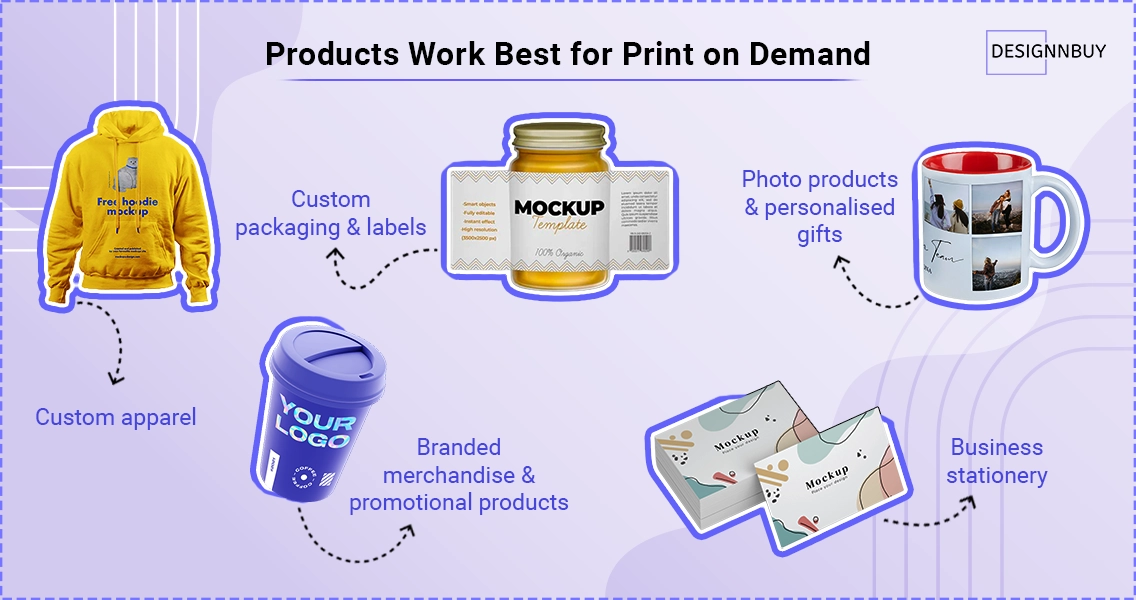
One of the most common questions from people researching how to start a print on demand business is what to actually sell. Here is what is working well this year:
Custom apparel. T-shirts, hoodies, and polo shirts remain strong sellers. Screen printing and direct-to-garment (DTG) printing are both well-supported by print on demand platforms. Promotional merchandise pricing in DesignO 2.6 now handles the colour-count and print-area variables that make apparel pricing complex, so you can offer accurate quotes without manual calculation.
Branded merchandise and promotional products. Pens, bags, notebooks, drinkware, and other items businesses use to promote themselves. These are repeat-purchase categories with predictable demand from corporate clients.
Custom packaging and labels. Short-run custom boxes, product labels, and packaging inserts are in strong demand from small ecommerce brands and food businesses. Web to pack solutions handle the structural complexity of packaging orders that standard product design tools cannot.
Business stationery. Business cards, letterheads, envelopes, and presentation folders. These are low-complexity, high-frequency orders well suited to print on demand.
Photo products and personalised gifts. Canvases, photobooks, mugs, phone cases, and custom wall art. Seasonal peaks are strong, and platforms like Shopify and WooCommerce handle this category well with the right web-to-print integration.
The products you start with should match your niche, not just your printing capability. The best print on demand business is one where the product range makes clear sense to the buyer who lands on your store.
Final Thoughts
Learning how to start a print on demand business means building something that can run reliably, not just something that can take an order. The difference between a store that works and one that creates constant manual work comes down to how well the platform, pricing, design, and fulfilment pieces connect to each other.
Start with a clear niche. Choose a platform that matches your audience. Set up pricing and personalisation that work correctly from day one. Connect your orders to a fulfilment process that does not require manual handoffs. And build in usability features that reduce support work before customers even ask for help.
DesignO 2.6 covers a lot of what makes a print on demand business function well at scale, from accurate merchandise pricing and bi-directional order sync to B2B portals and franchise management. If you are building something serious, the platform you choose matters. Start with one that is built for print.
Frequently Asked Questions
Start Your Print-on-Demand Business Today
Tavishi
Content Writer at @DesignNBuy
Tavishi is a content writer at @DesignNBuy, focused on the web to print industry. She creates well researched, easy to read content that helps print businesses understand digital solutions, product customization, and modern printing workflows.
All PostsRelated Posts


Trusted by 2000+ Print Businesses
Ready to See It in Action?
Explore our print shop platform at your convenience. Request a demo URL to experience the storefront, design tool, pricing, and much more.