



Print Buyer Behavior in 2027: 4 Printing Industry Trends Every Printer Should Plan For
 Abhishek Agarwal

Blog article content
A customer walks into your online print store with a design they made in ten minutes with an AI tool. It looks great on their phone. Then it reaches prepress, and the problems start: the text runs into the trim, the blues print purple, and the image is 72 dpi.
This is no longer a one-off. More and more print buyers now work this way, and the biggest player in the market is seeing it too.
In its fiscal Q1 2027 results, Cimpress (the group behind VistaPrint) said it is seeing more customers create designs with large language models and then bring those designs to VistaPrint. In the same quarter, its businesses built around file upload ordering did relatively well: PrintBrothers grew reported revenue by 28% and The Print Group by 13% (ASI Central, October 2026).
The same report carried a second signal. Organic search was one of VistaPrint's weakest channels, while AI-assisted discovery is now Cimpress' fastest-growing one.
Put together, that is a buyer who designs somewhere else, finds you somewhere new, and expects you to make their file work. These are the printing industry trends that will shape 2027 for print shops. Here are the four shifts, and what to change in your web to print software setup before they cost you orders.
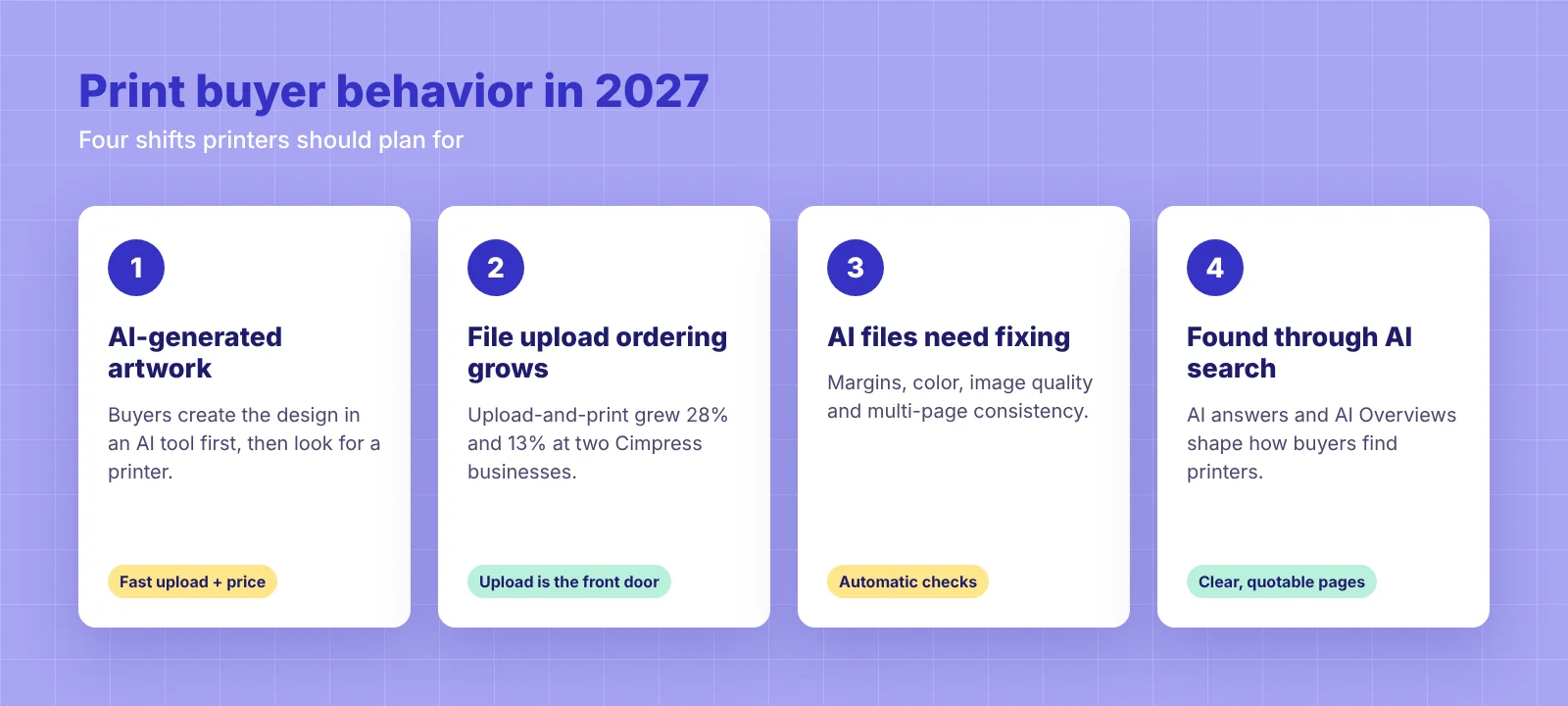
More buyers arrive with a finished design made in an AI tool, not a blank canvas.
File upload ordering is growing: Cimpress' upload-and-print businesses grew 28% and 13% in the quarter.
AI-made files bring new prepress problems: margins and bleed, color, image quality and multi-page consistency.
Buyers increasingly find printers through AI search and AI Overviews, not only through classic Google results.
The printers who win in 2027 will make AI files easy to accept, check and fix, and will show up in AI answers.
Shift 1: Buyers design first, then go looking for a printer
For years the online print journey started on the printer's site: pick a product, pick a template, edit, order. That order is flipping.
Buyers now open ChatGPT, Gemini or an image generator, describe what they want, and get a logo, flyer or T-shirt graphic in seconds. Only then do they go looking for somewhere to print it. When they land on your store, they are not looking for inspiration. They are looking for an upload button and a price.
That is why the Cimpress comment matters. If one of the world's largest online printers is seeing AI-made designs show up in its orders, it is a fair bet that smaller print shops are seeing the same thing, just with less data to prove it.
What it means for you: your upload file to print journey is now a front door, not a side entrance. If it is buried under menus or needs an account before a quote, AI-first buyers will leave.
Shift 2: Upload-and-print is where the growth is
PrintBrothers (up 28%) and The Print Group (up 13%) are both built around a simple ordering flow: the customer uploads a ready file, and the printer prices it, checks it and produces it. No template hunting and no starting from a blank canvas.
That flow suits the AI-first buyer perfectly. They already have the design. What they want from a printer is a fast upload, an instant price, a clear proof and confidence that the file will print the way it looks on screen. One quarter is not a trend on its own, but the direction is hard to ignore: the file upload ordering flow is moving from a side option to the main way in for print orders.
That does not make the online editor obsolete. It changes its job. The editor becomes the place where a buyer checks, fixes and finishes an uploaded design on a real print canvas, with trim, bleed and safe zones shown, rather than the only place they design.
Shift 3: AI-made files create a new kind of prepress headache
Upload volume is up, and so is the cleanup. Decorators on forums such as T-Shirt Forums are openly trading notes on what to do with poor-quality AI art from customers. The issues tend to fall into four groups:
Problem | Why it happens with AI files | What to do about it |
|---|---|---|
Margins and bleed | AI tools output a flat image with no trim, bleed or safe zone, so text sits right on the edge. | Show trim and safe zones on upload, and flag artwork that runs into them before checkout. |
Color | Images come out in RGB with screen-only colors, so bright blues and neons shift on press. | Convert to the right color profile in prepress and tell the buyer up front that screen and print colors differ. |
Image quality | Outputs are often low resolution or the wrong size for large formats, and text inside images can be blurry or misspelled. | Check effective resolution at print size and warn the buyer before they pay, not after. |
Multi-page consistency | Each page is generated separately, so fonts, colors and style drift across a photo book, catalog or calendar. | Use templates with locked styles for multi-page products so every page follows the same layout. |
The fourth problem is the one people underestimate. A single AI image on a mug is easy to check. A 40-page photo book where every spread was generated separately is not. For products like this, a dedicated photobook design software workflow with fixed layouts beats a folder of loose AI images every time.
Can you print AI art? Yes, if the file is prepared
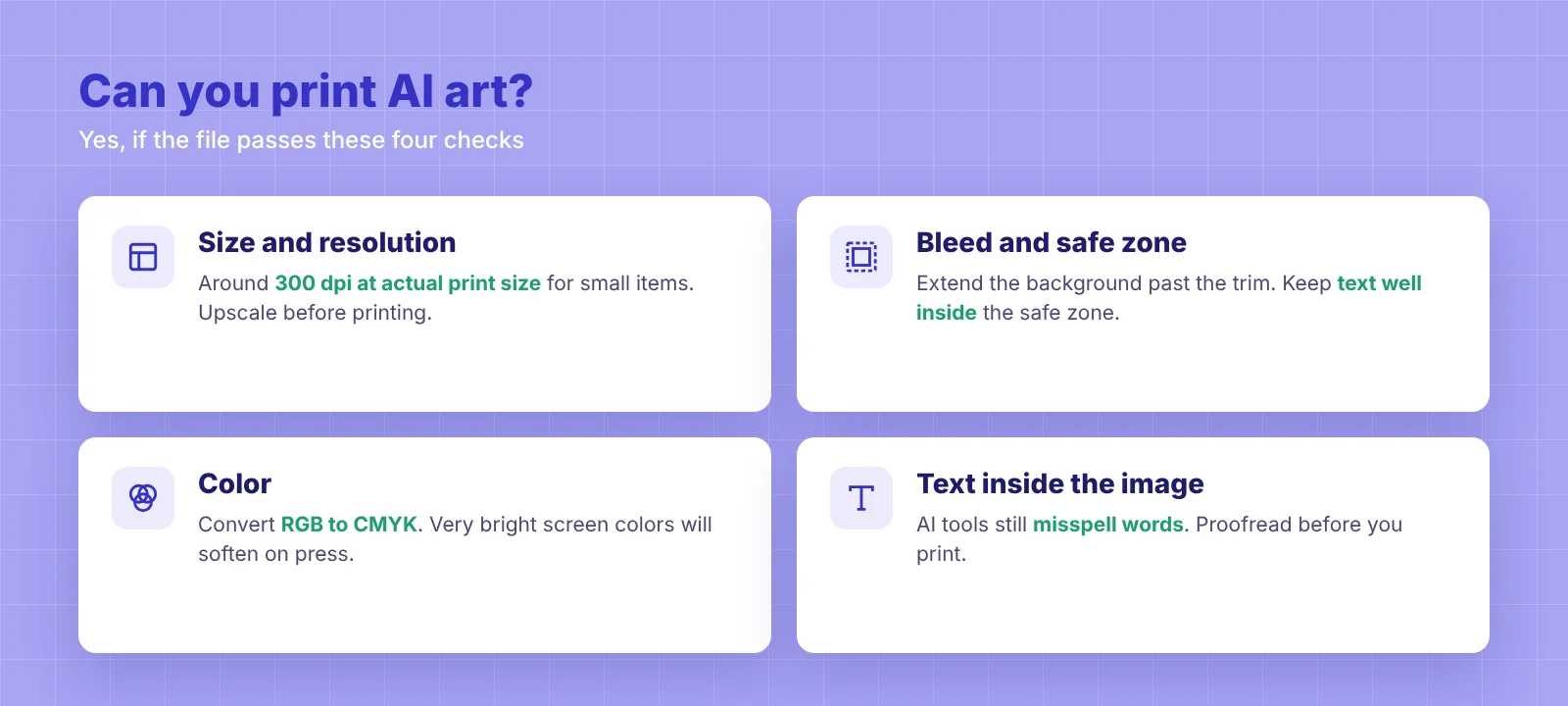
AI art can print beautifully, as long as the file is treated like any other print job. Four things decide whether it works:
Size and resolution: the image needs enough pixels for the final print size, usually around 300 dpi at actual size for small items. Upscaling should happen before printing, not on press.
Bleed and safe zone: extend the background past the trim line and keep text well inside it.
Color: convert from RGB to the printer's CMYK profile and expect very bright screen colors to soften.
Text: check any words inside the image for spelling mistakes, which AI tools still make.
The cost of getting this wrong is not just reprints. It is the support emails, the proof rounds and the one-star review from a customer who thinks you ruined their design.
What it means for you: automated checks are no longer optional. A preflight software step that catches size, resolution and bleed issues at upload time saves your prepress team from fixing the same mistakes by hand, order after order.
Shift 4: Buyers find printers through AI search, not just Google
Cimpress' CFO Sean Quinn said the rise of AI search, AI Overviews in Google and large language models has shifted how buyers find products. For VistaPrint, organic search and affiliates were the weakest channels in the quarter.
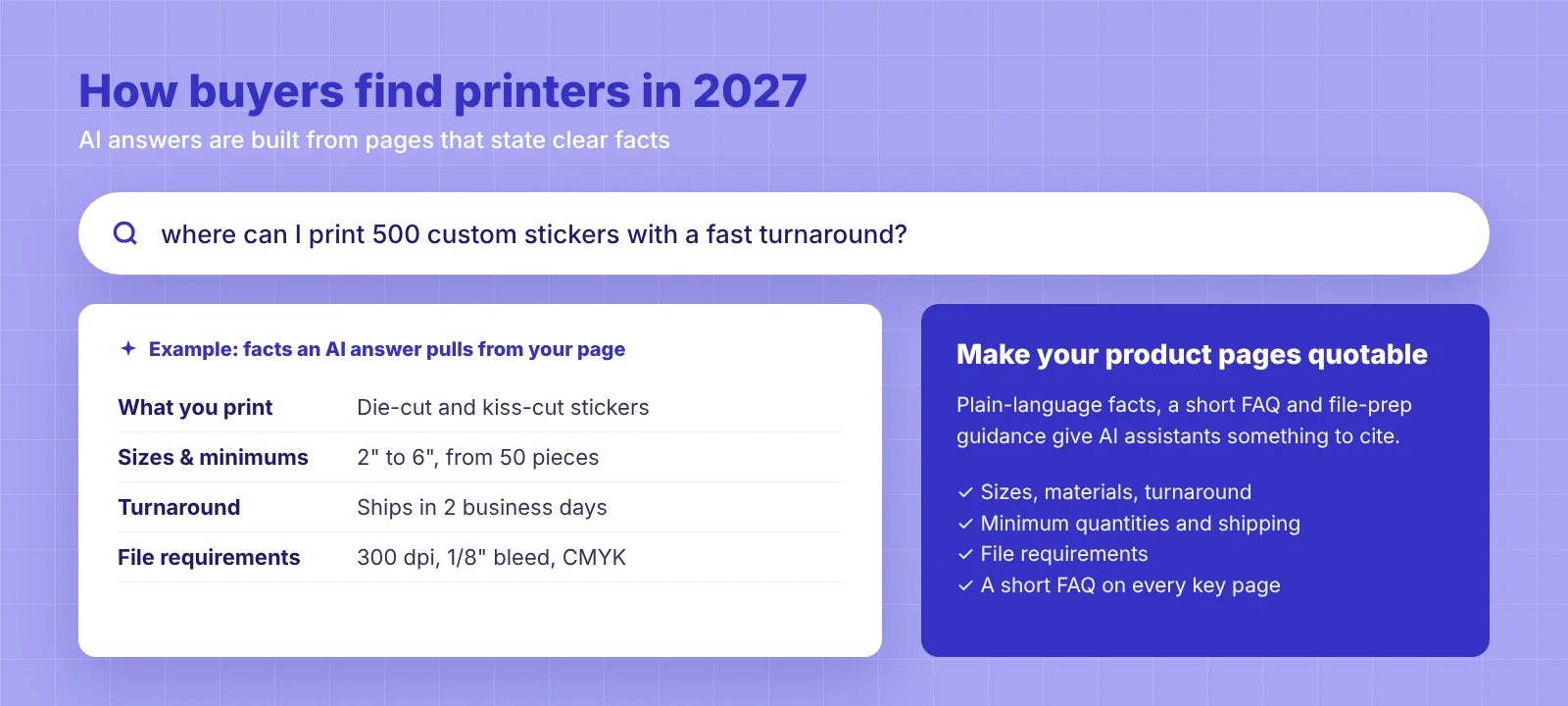
For a local or regional print shop, this changes what "being found" means. When a buyer asks an AI assistant "where can I print 500 custom stickers with a fast turnaround?", the answer is built from pages that state clear facts: what you print, in which sizes, how fast, at what minimum quantity and where you ship.
What it means for you:
Write product pages that answer real questions in plain language, including sizes, materials, turnaround and file requirements.
Add a short FAQ to key product pages. AI tools often draw on these answers.
Keep your business details consistent across your site, Google Business Profile and directories.
Publish file-prep guidance ("how to prepare an AI-generated design for print"). It answers the exact question AI-first buyers are asking.
How printers should adjust their strategy for 2027
Here is a practical checklist, in the order we would tackle it.
Make upload the easiest path on your store. One click from every product page, instant pricing, and no account wall before the quote.
Check files automatically at upload. Flag resolution, bleed and size problems while the customer is still on the page.
Fix AI artwork automatically, or offer it as a service. Automate the routine fixes (resizing, adding bleed, converting color) so most files are print-ready without manual work. For artwork that needs a human touch, offer a "make it print-ready" service that turns AI artwork into print-ready artwork, instead of absorbing that work for free.
Upgrade your online editor for AI-first buyers. Give customers an advanced online web to print editor where they can describe what they want in their own words and language, and get artwork generated right on the product canvas. The editor takes care of print quality, margins and colors, and the customer can still edit the generated artwork on the canvas before ordering.
Rewrite key pages for AI search. Clear facts, FAQs and file-prep guides that an AI assistant can quote.
Bring the AI inside your print store
Instead of fighting files made elsewhere, let buyers use AI where the print rules already apply. DesignO is a web-to-print editor with AI built in:
AI templates, including templates generated from a customer's website URL, so a business card or flyer starts with the customer's own brand.
AI clipart for quick graphics that already sit on the right canvas.
AI artwork generated inside the editor, so the design is sized for the product from the start.
The buyer gets the same "describe it and get a design" experience they already like, and your prepress team gets files that respect trim, bleed and safe zones.
If you want to go deeper on where AI helps and where it still needs a human, our honest look at AI in web-to-print covers the full design-to-press journey. And if you are rethinking your storefront for next year, the web-to-print storefront guide for 2027 shows which features matter most.
Who wins in 2027
The print shops that do well next year will not be the ones with the most templates. They will be the ones that accept whatever a buyer brings, check it in seconds, fix it automatically or for a fair fee, and show up when someone asks an AI assistant where to print.
The buyer has changed. The good news is that every one of these shifts is something your web to print storefront can be set up to handle today.
Ready for AI-first print buyers?
Frequently Asked Questions
Abhishek Agarwal
Co-founder | CMO, DesignNBuy
Abhishek Agarwal (Co-founder/CMO, DesignNBuy) has 15+ years of IT & web-to-print experience. He specializes in sales, marketing, and strategic business growth, delivering innovative solutions to global printers and mentoring teams.
All Posts