


Bulk printing errors can turn large print runs into costly setbacks. When a single design or file issue goes unnoticed, it gets repeated across hundreds or even thousands of printed pieces — increasing waste, rework, and delivery delays.
Unlike small print jobs, bulk printing involves higher volumes, repeated files, and faster production timelines, which naturally increases the risk of printing mistakes.
In these years of experience and after researching deeply what problems print service providers are facing, we created a game-chaing web to print solution to address those problems.
But before we discuss our solution, I want to walk you through the most common bulk printing mistakes I see in the industry today. Understanding these “red flags” is the first step toward protecting your business and your bottom line.
The Most Common Bulk Printing Errors (And Why They Happen)
According to a report, the printing industry has an accuracy rate of 99.6%. This data surely sounds impressive, but the 0.4% error rate when meets high-volume print runs, it becomes a huge loss for the print business.
To protect your ROI and keep your supply chain moving, you need to recognize where the manual “human element” is most likely to fail.
Here is a breakdown of the most common bulk printing errors.
1. File Format, Resolution, and Size Errors

There is nothing more frustrating than a design that looks crisp on a 5K monitor but arrives at the warehouse looking like a blurry mosaic. This usually happens when low-resolution images (under 300 DPI) or unsupported file formats are rushed into production without a technical preflight check.
The most common bulk printing error here is the missing bleed. Without that extra 3mm of artwork extending past the trim line, any microscopic shift in the cutting blade results in an unprofessional white sliver along the edge of your product.
So how to stop this?
Move away from manual file prep and implement automated preflight software that “rejects” files automatically if they don’t meet resolution or bleed requirements before they ever hit the queue.
2. Color Mismatch and Color Mode Issues
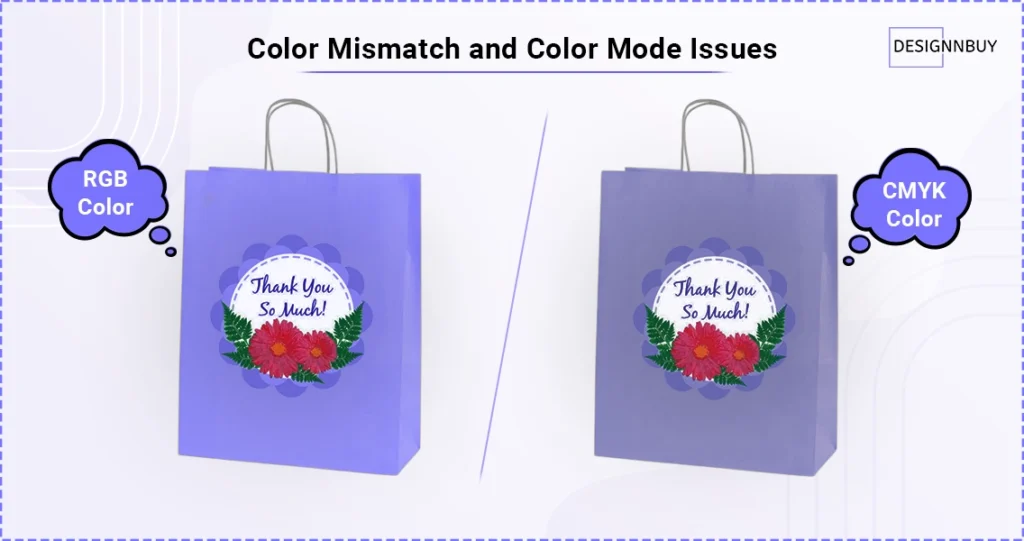
I’ve watched “Electric Blue” logos turn into “Dull Navy” boxes more times than I can count. This is almost always a result of files being designed in RGB (screen colors) rather than CMYK (print colors).
Without a color-managed workflow, you are essentially guessing how a digital file will react to physical ink. To ensure consistency and reduced printing errors across different substrates and presses:
- Transition to a digital color-matching workflow using Pantone (PMS) standards.
- Utilize printing software that automatically flags “out-of-gamut” colors.
- Always validate color profiles during the digital proofing stage to catch shifts before the plates are made.
Most bulk printing errors don’t start on the press — they start on the screen. Getting clear on how RGB and CMYK work (and where they don’t) can help you catch problems long before they turn into wasted print runs.
3. Spelling, Text, and Content Errors
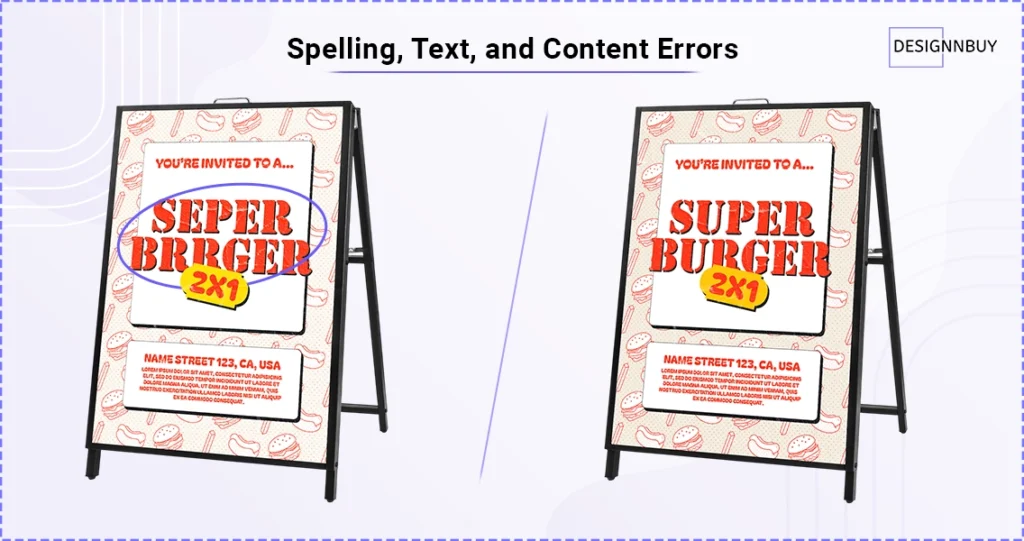
A printing error on a company brochure is an annoyance; a typo in a URL or a phone number on 50,000 retail packages is a catastrophe that kills your conversion rate.
When teams rely on “eyeballing” proofs in a rushed environment, errors like broken QR codes or text being cut off during the trimming process become inevitable.
I recommend moving past the traditional proofreading cycle.
High-efficiency shops now use AI-powered tools that “read” the artwork against the master copy deck. This instantly highlights discrepancies in prices, dates, or contact info that the human eye might miss.
Also read – Which are the best AI automations you need to have for your print business in 2026?
4. Layout, Alignment, and Spacing Errors
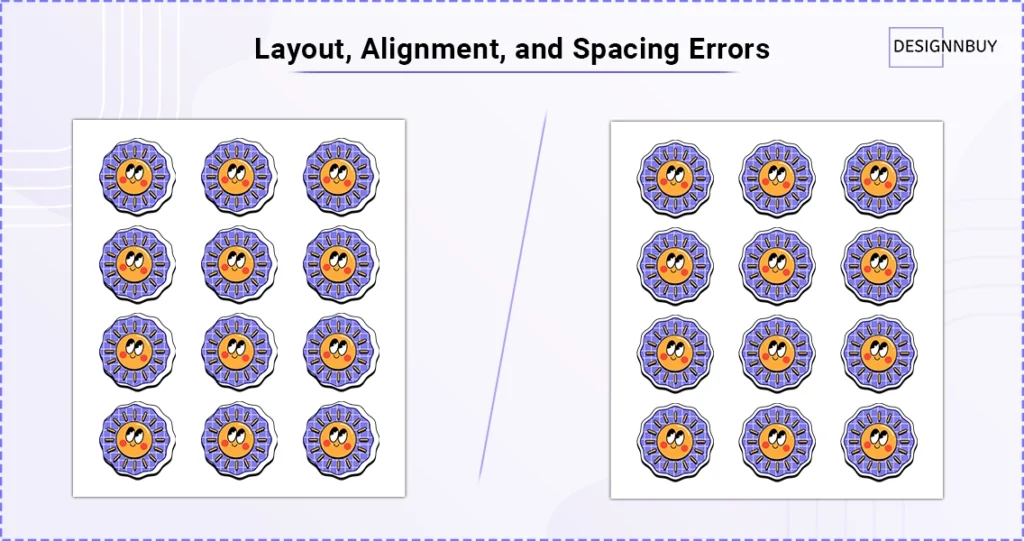
Consistency is the hallmark of a professional brand, yet many bulk runs suffer from misaligned design elements or uneven margins. These bulk printing errors usually happen because the artwork is reviewed in a flat, 2D PDF rather than in a real-world print context.
To solve this, you need to bridge the gap between design and production:
- Use 3D overlay tools to see how artwork aligns with physical die-lines and folds.
- Standardize “Safe Zones” in your templates to prevent text from crowding the gutters.
- Automate your layout checks to ensure that dimensions on the screen match the physical specs of the press.
When you review designs in 3D instead of flat PDFs, these issues become obvious instantly. That’s why more print teams are using 3D design previews to reduce rework and approval cycles.
5. Brand Consistency Errors
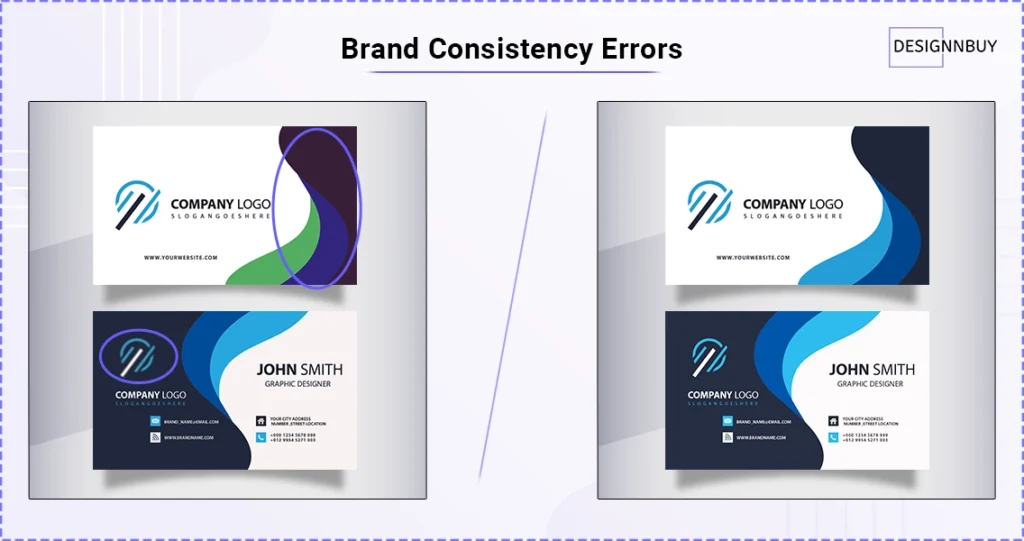
In bulk printing, small brand mistakes quickly become big problems.
Mistakes like wrong brand color, outdated or blurry logo, or an incorrect font weight, if repeated across thousands of prints can easily damage a brand’s credibility and lead to costly reprints.
Most of these printing issues start with poor asset control. When teams pull files from old emails, shared drives, or personal folders, version confusion is almost guaranteed.
A Digital Asset Management system solves this by creating a single source of truth. Only approved, up-to-date, and color-accurate assets are available for production, no matter who places the order or where it’s printed.
But brand consistency can still break during production.
Even approved designs can be compromised when layouts are manually adjusted, especially in bulk or multi-SKU jobs.
This is where automated imposition plays a critical role.
By locking layout rules, spacing, and placement into the workflow, imposition eliminates manual errors and ensures every print follows the same structure.
Hidden Bulk Printing Errors in Traditional Print Workflows
Traditional bulk printing workflows relied heavily on manual proofreading, increasing the risk of errors. Designs kept moving back and forth between print designers and customers for reviews, revisions, and approvals.
As bulk orders grow, reviewing every detail becomes difficult, and small mistakes are easy to overlook. Communication gaps worsen this case.
- Version confusion between “latest” and “approved” files
- Missed feedback or overlooked corrections
- Outdated artwork being sent to production
Not having a simple way to share designs and collect feedback results in slower print approval cycles. This ultimately becomes a common reason for bulk printing errors, which go unnoticed until production.
How These Bulk Printing Errors Impact Production and Business
My decade of experience with the packaging businesses has made me realize that a single mistake in bulk printing can turn a regular production day into a major loss-facing day.
When a printing error reaches the production floor, it is no longer just a small typo. It becomes a serious business problem. It doesn’t just waste paper; it drains your resources and creates a ripple effect that hurts your entire operation.
Here is what happens when printing errors slip through:
- Sky-High Reprinting Costs: You aren’t just losing the cost of the paper. You are paying for the ink, the materials, and the labor all over again. It is like paying for the same job twice but only getting paid once.
- Production Delays: Every minute your machines spend redoing an old job is a minute they aren’t starting a new, profitable one. This creates a bottleneck that slows down your entire schedule.
- Increased Workload for Your Team: Your crew has to work harder and faster to fix the mistake. This leads to burnout and, unfortunately, makes even more errors likely to happen.
However, the most dangerous cost is the loss of customer trust.
In the packaging world, your clients expect perfection.
If you deliver a pallet of products with the wrong colors or blurry text, they don’t just see a bad print job. They see a partner they can’t rely on.
I’ve noticed that it takes years to build a relationship with a client, but only one bad shipment to lose it.
How Web to Print Technology Helps Reduce Bulk Printing Errors

By now, it’s clear that bulk printing errors don’t happen because print businesses lack systems.
Many print businesses already accept orders online. Customers upload files, select options, and place bulk orders through a web to print storefront. Yet printing errors still happen.
Why does this keep happening?
Because most errors don’t occur while taking the order. They happen after the order is received—during artwork review, approvals, job management, and production preparation.
This is where our web to print online designer, comes to your rescue. It works alongside existing storefronts as a design proofing and production control layer, bringing structure to everything that follows the order.
DesignO helps print businesses with:
- Artwork review, validation, along with reduced approval cycle using built-in artwork proofreading.
- Handling bulk jobs with structured order and print job management.
- Prepare accurate layouts using automated imposition, and so much more.
Most importantly, everything works within a single system. Instead of switching between tools or handling steps manually, teams follow a connected process—from order placement to final production.
The One Thing to Remember About Bulk Printing Errors
At the end of the day, I want you to remember that most bulk printing errors are completely avoidable. You don’t have to accept them as a normal cost of doing business.
In my years of working with print shops, I have learned that the secret to a perfect run isn’t just working harder—it’s working smarter. The key is to have better proofing, better processes, and the right tools in place before the first sheet ever hits the press.
When you focus on catching bulk printing mistakes early, you do more than just save paper. You save time, protect your profit margins, and most importantly, you keep the hard-earned trust of your customers.
I’ve seen firsthand how much a business can grow when they stop worrying about reprints and start focusing on new orders. By using the right web to print technology to handle the “boring” checks, you free up your team to do what they do best: create amazing work.
Preventing errors starts before the printing begins. I am here to help you make your production floor as efficient and accurate as possible.
Hope you found this blog informative and got what you were looking for.
Want to Stop Bulk Printing Errors Before Production Process?
See how automated proofing, preflight checks, and structured approvals help print businesses eliminate costly reprints and delays, before the first sheet hits the press.
Frequently Asked Questions
Types of printing errors include color mismatches, low-resolution images, missing bleed, incorrect file formats, misaligned layouts, spelling mistakes, and wrong paper or material selection during high-volume or commercial print production.
Bulk printing refers to producing large quantities of printed materials in a single print run, such as thousands of commercial, or packaging printing, using the same design files to reduce cost per unit.
The most common printer error is file-related issues, such as low-resolution images, incorrect color modes, or missing bleed, which often cause blurry prints, color shifts, or unwanted white edges in finished products.
A printing error is commonly called a print defect or print mistake, referring to any flaw in the final output caused by design issues, incorrect settings, equipment problems, or errors during the printing process.
Printing mistakes are errors that occur during design, file preparation, or production, resulting in issues like incorrect colors, misaligned text, spelling errors, or damaged materials that require reprints or corrections.
The most common typing errors include misspellings, missing letters, extra characters, incorrect spacing, wrong punctuation, and typing the wrong word, often caused by fast typing or lack of proofreading.
Common typographical errors include misspelled words, repeated words, incorrect capitalization, wrong font usage, inconsistent spacing, and punctuation mistakes that affect readability and professionalism in printed or digital content.