


Ever noticed how a design looks vibrant and flawless on your screen but slightly off once it’s printed? You’re not alone.
In most cases, this happens because the design was created in RGB color mode instead of CMYK, which leads to unexpected color shifts during printing.
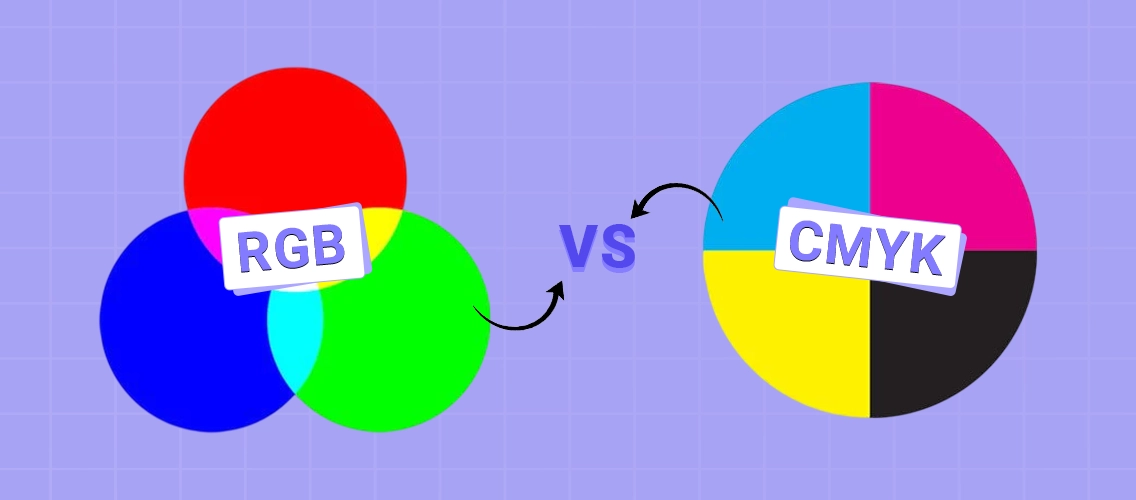
RGB is designed for digital screens. CMYK is built for ink and paper. When the wrong color mode is used, what you see on screen doesn’t match what comes out of the printer.
This mismatch becomes a serious problem for print businesses handling bulk reorders through web to print storefronts, where even small color errors can lead to reprints and delays.
In this guide, we’ll break down CMYK vs RGB printing in the simplest way possible. You’ll learn how each color mode works, the key differences between them, and how to avoid common color mistakes before your files go to print.
What Is CMYK Color Mode
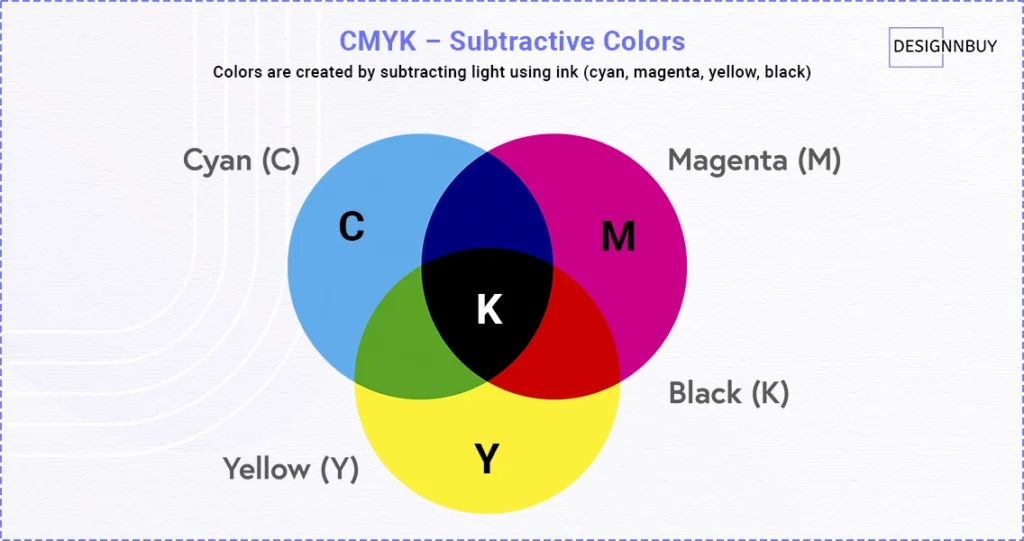
Printers use CMYK color mode for printing with ink. It stands for Cyan, Magenta, Yellow, and Black (Key)—the four ink colors printers use to create images and text on paper.
If a design is meant for printing, such as brochures, business cards, packaging, or banners, designers should use CMYK as the correct and safest color mode.
How the CMYK Color Model Works
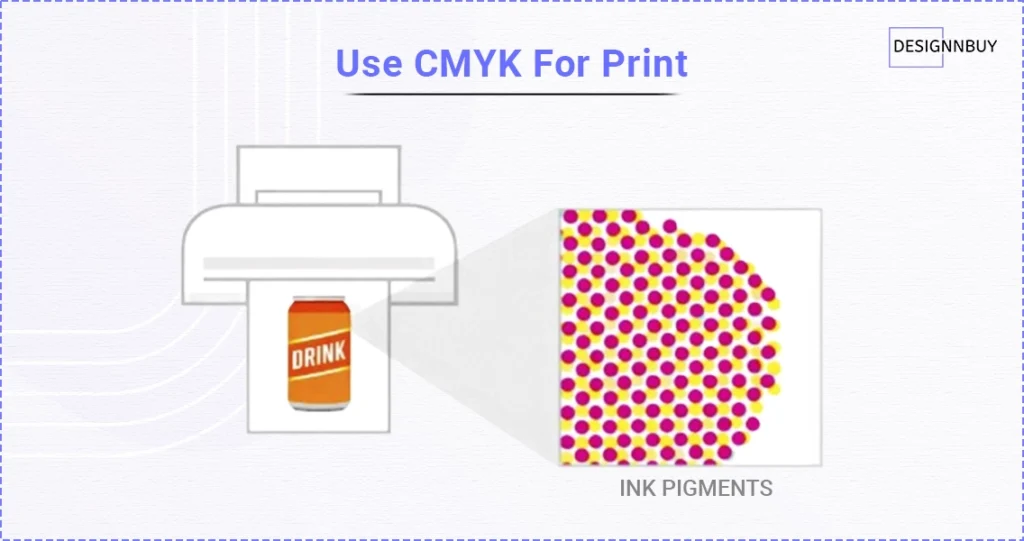
CMYK uses a subtractive color model:
- White paper reflects light
- Cyan, magenta, and yellow inks absorb parts of that light
- Adding more ink makes colors darker
- When printers combine all inks, they create dark tones, so they add black ink (K) to make details sharper and clearer
This process makes CMYK ideal for producing consistent and repeatable print results, especially with bulk reordering across offset and digital printing methods.
Advantages and Limitations of CMYK Color Codes
| Advantages | Limitations |
| Designed specifically for printing with ink | Has a smaller color gamut than RGB |
| Produces consistent and predictable print results | Colors may look less vibrant than on screens |
| Reduces color mismatches during printing | Cannot reproduce neon or very bright colors |
| Ideal for large-volume and commercial printing | Dark colors may need careful ink balance |
| Helps avoid reprints caused by color shifts | Not suitable for digital-only designs |
What is RGB Color Mode
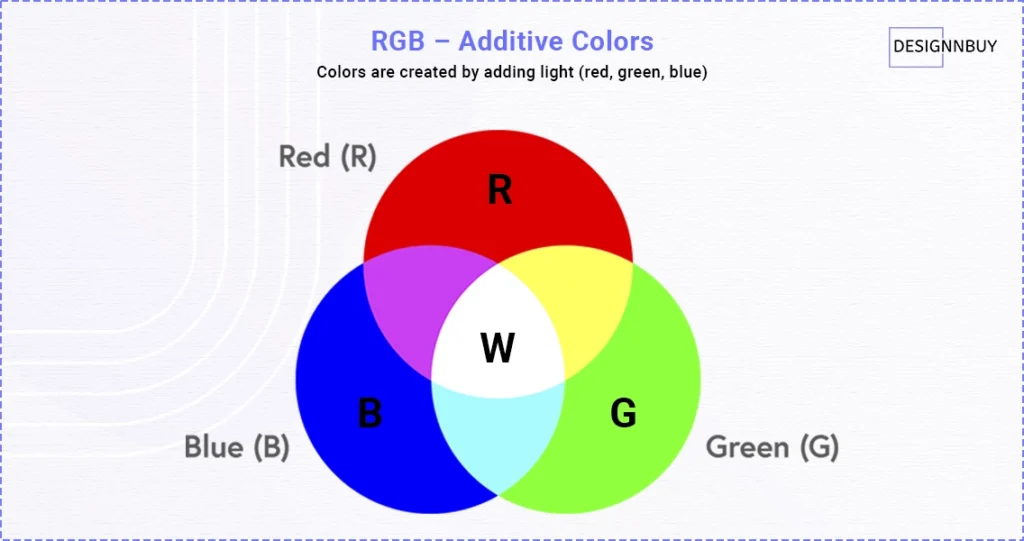
Screens use the RGB color model to display everything you see. RGB stands for Red, Green, and Blue—the three colors of light that combine to create all other colors on digital displays.
If a design is meant for screen viewing, designers should use RGB as the default color mode.
How the RGB Color Model Works
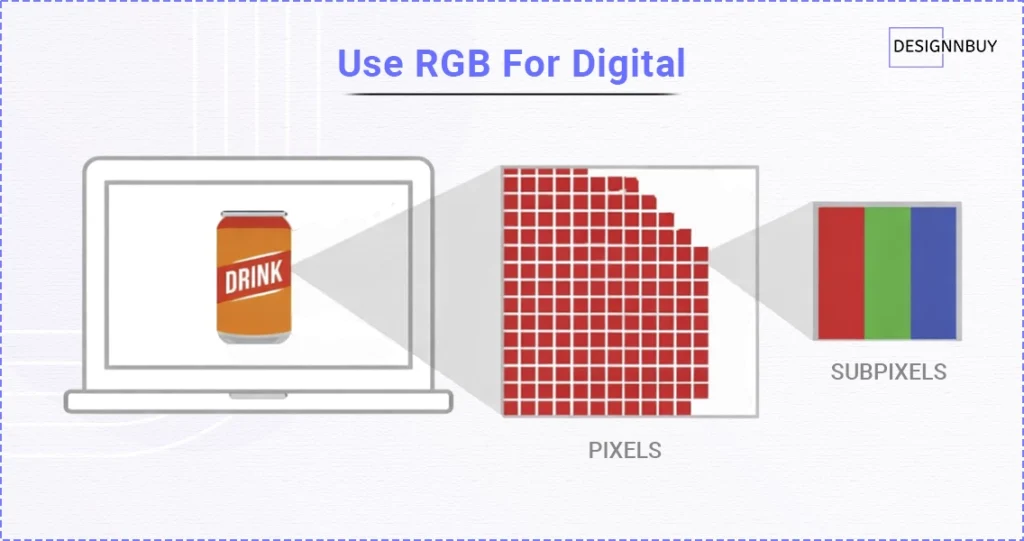
RGB follows an additive color model, where adding light creates different colors. RGB can create millions of colors by mixing different amounts of light.
Here’s how it works in the simplest way:
- As light is added, colors become brighter
- When screens combine red, green, and blue, they create white.
This is why screens can produce bright, glowing colors. The more light you add, the more vivid the color looks.
That glow is also the reason RGB colors often look more attractive on screens than on paper.
Advantages and Limitations of RGB Color Codes
| Advantages | Limitations |
| Produces bright and vibrant colors on screens | Not designed for printing with ink |
| Offers a wider color gamut than print color modes | Printers cannot reproduce some RGB colors accurately. |
| Creates luminous and eye-catching visuals | Bright colors may appear dull or faded on paper |
| Ideal for digital designs and screen-based content | High risk of color shifts when printed |
| Optimized for monitors, smartphones, and digital displays | Print teams must convert RGB files before sending them to print. |
Want to know which printers deliver the best color accuracy for different printing needs?
Explore our in-depth guides on the best large format printers for banners and signage, top direct-to-garment printers for apparel printing, and best direct-to-film printers for custom transfers, so you can choose the right printing technology for consistent, high-quality output.
What is the Difference Between CMYK and RGB Color Codes
Now comes the main part: what sets these two color models apart from each other.
| Aspect | CMYK | RGB |
| Base Color & Final Output | It starts with white paper and produces dark tones or black when all inks are combined. | It starts from black with no light and produces white when all colors are combined. |
| Color Gamut & Appearance | It has a smaller color gamut and produces more muted, realistic colors in print. | It has a wider color gamut and produces bright, vibrant, and luminous colors on screens. |
| Best Use Case | Print businesses use CMYK best for printed materials like brochures, packaging, and business cards. | Designers use RGB best for screens and digital displays, like websites, apps, digital ads, and social media graphics. |
| Print Compatibility & Color Accuracy | It is designed for printing and delivers more consistent color results when prepared correctly. | It is not suitable for direct printing and often causes color shifts if not converted. |
| File Preparation | It is considered print-ready files for production. | RGB files usually need to be converted before printing. |
| File Format | CMYK files are typically shared in print-ready formats such as PDF, TIFF, EPS, and AI, which preserve color accuracy and layout for production. | RGB designs are commonly saved in formats like JPG, PNG, GIF, SVG, and PSD, which are optimized for screens and digital viewing. |
Why Print Businesses Must Know the Difference Between CMYK vs RGB Printing
For print businesses, understanding the difference between CMYK and RGB isn’t optional, especially as print operations grow across digital and offset printing. It directly affects print quality, customer satisfaction, and overall profitability.
CMYK vs RGB color issues rank among the common bulk printing errors.
In fact, more than 25% of brand owners regularly face color mismatches in their printed materials. These color issues often increase rework costs during new product launches due to reprints, approval delays, and missed deadlines.
This clarity improves day-to-day print operations.
When print businesses understand how CMYK vs RGB printing works, they can –
- Set clear file preparation guidelines for customers
- Reduce repeated changes during print approvals
- Prevent costly color-related reprints
- Deliver more consistent and predictable print output
When color expectations are clear from the start, businesses can avoid delays caused by repeated revisions and slow print approvals, one of the most common reasons print workflows get stuck.
So, how do you solve these issues before files ever reach the production line?
The solution is using web-to-print technology that helps match what customers see on screen with what the printer produces.
Tools like our online preflight software automatically check designs for common issues such as color inconsistencies and blurry images before printing. This reduces manual proofreading work and catches errors early.
To further enhance the customer’s confidence, offering embellishment effect previews within your web-to-print storefront allows them to visualize how premium finishes like foil, texture, or coatings will appear on the paper.
By combining color knowledge with a structured print workflow system, print businesses can protect quality, reduce risk, and scale print operations with confidence.
Ink absorption matters when it comes to food packaging.
Learn how food safe ink compliance for custom deli paper is critical for maintaining print clarity and safety.
What is a Color Gamut and Why Some Colors Cannot be Printed
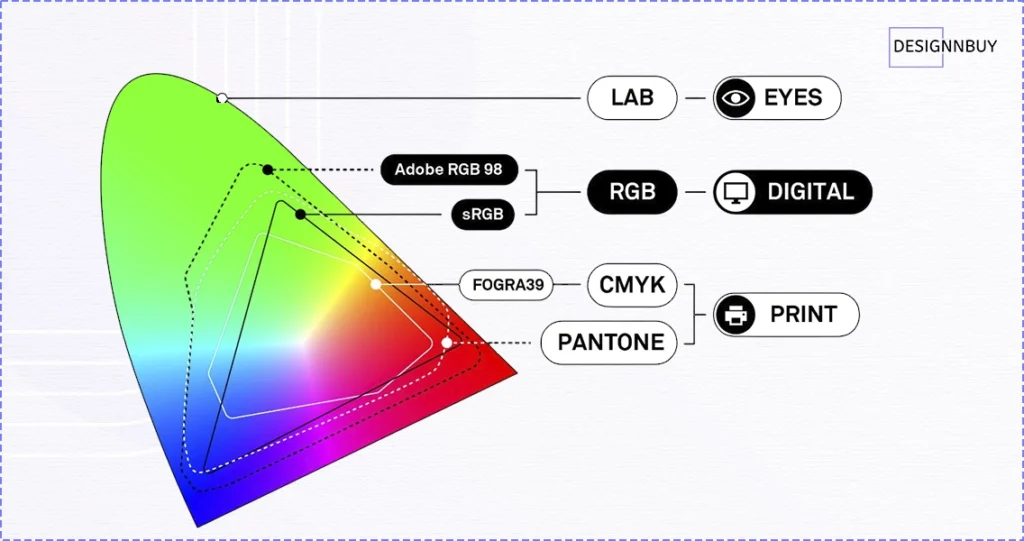
A color gamut simply means the range of colors a system can produce.
RGB has a wider color gamut because it uses light, which allows it to display very bright and intense colors. CMYK has a smaller gamut because it relies on ink, which has physical limits.
This is why neon and ultra-bright colors often fail in print. They exist in the RGB color space but fall outside the printable range of CMYK inks.
Can You Convert RGB to CMYK for Printing?
Yes, RGB files can be converted to CMYK for printing.
However, conversion is not about preserving every visual detail; it’s about adapting digital colors into a printable range as accurately as possible.
That’s why it’s important to understand why this conversion is necessary, what it changes, and how to handle it correctly to prevent printing issues.
[A] Why RGB to CMYK Conversion Exists
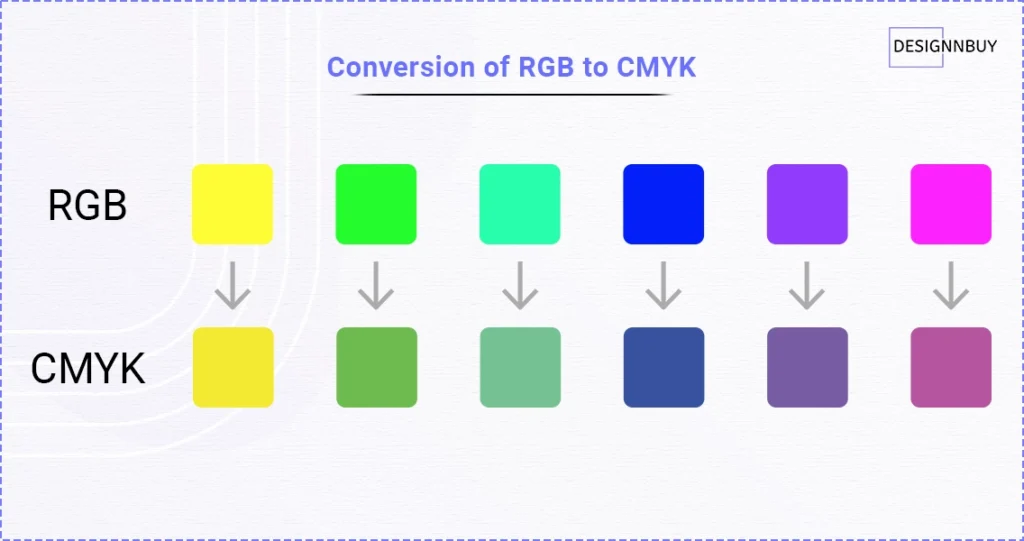
Most designs for personalized products today are created on screens, where RGB is the default color mode.
But when those designs are meant for print, they must be translated into a color system that uses ink instead of light.
RGB to CMYK conversion exists to:
- Make screen-based designs printable
- Approximate on-screen colors as closely as possible using ink
- Prevent printing errors caused by incompatible color modes
In other words, conversion is a necessary compromise, not a quality upgrade.
[B] What RGB to CMYK Conversion Actually Changes
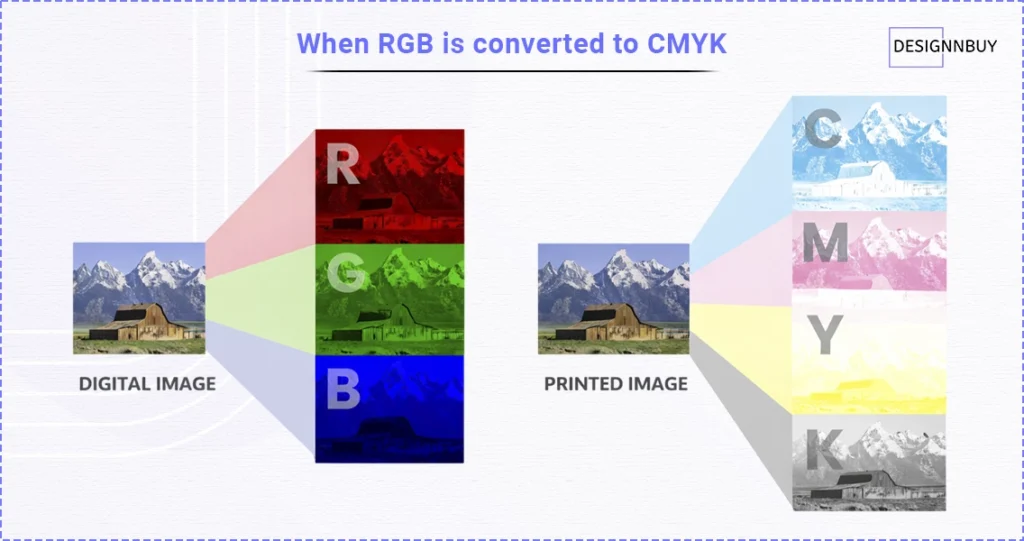
When RGB is converted to CMYK:
- Extremely bright or neon colors are toned down
- Some colors appear darker or less saturated
- The overall look becomes more print-realistic
This doesn’t mean the design is “wrong”—it simply means the colors are being adapted to what ink and paper can realistically produce.
[C] How to Convert RGB to CMYK the Right Way
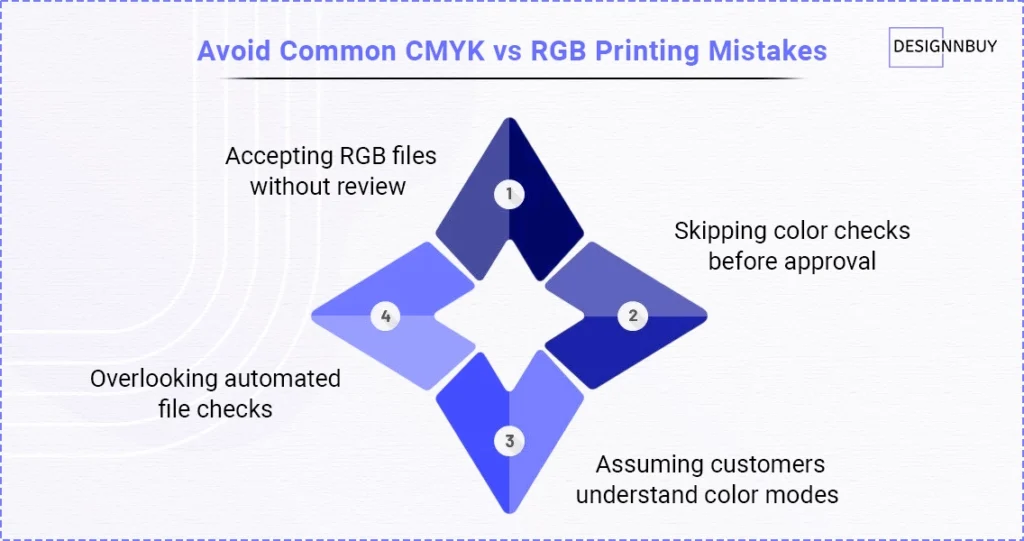
The safest way to convert RGB to CMYK is before the file reaches production.
Most professional online design tool for printing allow you to change color mode during the design or export stage. This gives designers and print teams a chance to review colors and adjust if needed.
For modern print businesses handling large volumes of printing or packaging orders, using automated preflight checks can help detect RGB color codes early and flag potential issues before printing begins. This reduces manual corrections and prevents small conversion problems from turning into costly reprints.
Choosing the Right Color Mode CMYK / RGB for Successful Printing
At this point, knowledge about CMYK vs RGB printing should feel much clearer. The main thing to remember is that color behaves differently depending on where it’s used.
If a design is meant for screens or digital platforms, RGB is the right choice.
If the same design is going to be printed, CMYK is the safer and more reliable option.
For those starting print businesses, color issues can feel stressful, but they’re completely avoidable once the right color mode is chosen early in the process. Making informed color decisions helps reduce reprints, manage expectations, and keep print results consistent.
You don’t need to dive into color theory to get good results. Understanding when to use RGB and when to switch to CMYK is enough to create a smoother and more predictable printing workflow.
Understand How Our Web to Print Technology Handles RGB and CMYK for Accurate Print Output
See how proper color handling reduces production errors and improves print reliability.
Frequently Asked Questions
CMYK should be used when a design is going to be printed, including brochures, business cards, packaging, and banners. It helps achieve more consistent print results for bulk reorders and avoids unexpected color shifts.
RGB should be used when a design is meant for screens or digital platforms, such as websites, mobile apps, social media graphics, or digital ads. RGB produces brighter colors that are optimized for screen viewing.
It depends on the final output. Designers often start in RGB for digital flexibility, but designs intended for print should be converted to CMYK during file preparation to ensure print accuracy and avoid common bulk printing errors.
Printing RGB files can cause colors to appear dull, darker, or different from what was expected. This often leads to color-related reprints, delays during print approvals, and wasted materials.
CMYK is used because printers work with ink, not light. CMYK inks absorb light on paper, making them suitable for printing, while RGB relies on light and is meant only for screens.
CMYK is the best color mode for printing because it is print-ready and designed to deliver predictable results across different paper types and print runs.
Professional printers primarily use CMYK, as it aligns with commercial printing workflows and ensures better control over color accuracy during production.
CMYK is best for designs such as brochures, flyers, packaging, labels, posters, and other custom printed products where color consistency and print quality are critical.