
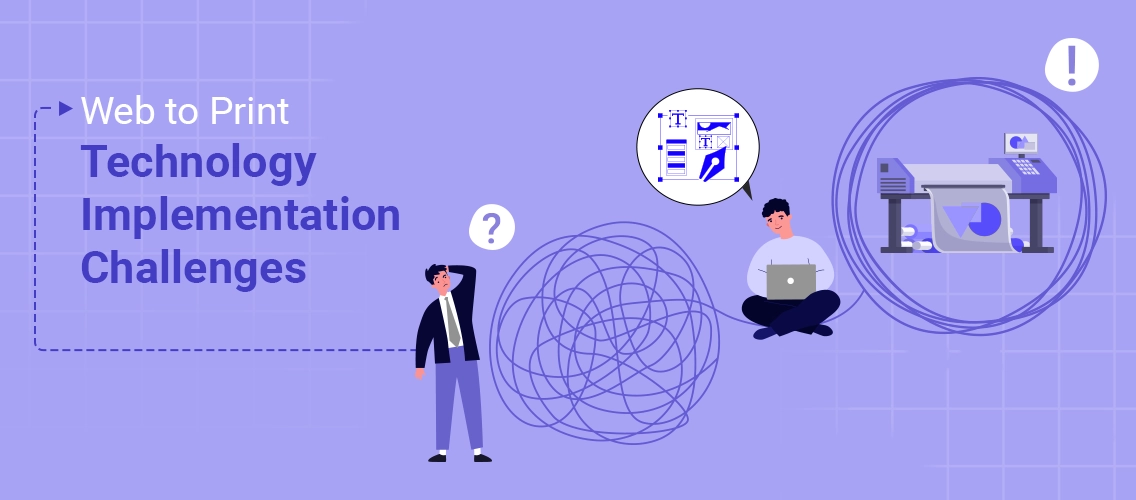


Print stores adopting web to print technology face several common implementation challenges – not because the technology is bad, but because of what comes with it. Team resistance, messy integrations, low customer adoption, and ongoing maintenance slow things down fast. And without a clear plan, even the best platform underdelivers.
Here’s the thing most print store owners don’t expect —
Web to print sounds simple on paper. Let your customers order online, customize products, and check out without calling your team. Done, right?
Not quite.
We’ve worked with hundreds of print businesses over the years. And the pattern we see again and again? The technology isn’t what holds people back. It’s everything around it — the team pushback, the messy integrations, the customers who still prefer emailing a PDF.
If you’re new to this space, our web to print guide covers the fundamentals. This blog picks up where that leaves off — the real-world challenges that show up after you decide to implement.
Now, here’s the good news.
Every one of these challenges is solvable — once you know what you’re dealing with.
In this blog, I’ll walk you through the most common web to print implementation challenges we see across print businesses, why they happen, and how to get past them without burning time or budget.
Let’s get into it.
Why Web to Print Implementation Isn’t Always Easy
Many print businesses assume that web to print implementation is just a software installation. In reality, choosing from the best web to print softwares is only one part of the equation. They believe that once the system goes live, orders will automatically increase and operations will become smooth.
However, reality looks different.
Web to print technology affects your entire workflow.
✔️ It changes how customers place orders.
✔️ It changes how your team processes jobs.
✔️ It also impacts pricing logic, file handling, approvals, and production planning.
In fact, over 60% of print service providers report challenges integrating new web-to-print systems with existing workflows and legacy tools, highlighting that technology alone doesn’t solve underlying operational issues.
In addition, most print stores operate with legacy systems and manual processes. When you introduce automation into such an environment, gaps start to appear.
- Data may not sync properly.
- Staff may struggle to adapt.
- Customers may continue to prefer email or phone orders.
Therefore, web to print adoption is not just a technical shift. It is a business transformation. And every transformation comes with challenges.
Understanding these challenges is the first step toward building a successful and scalable web to print business.
Most Common Web to Print Implementation Challenges
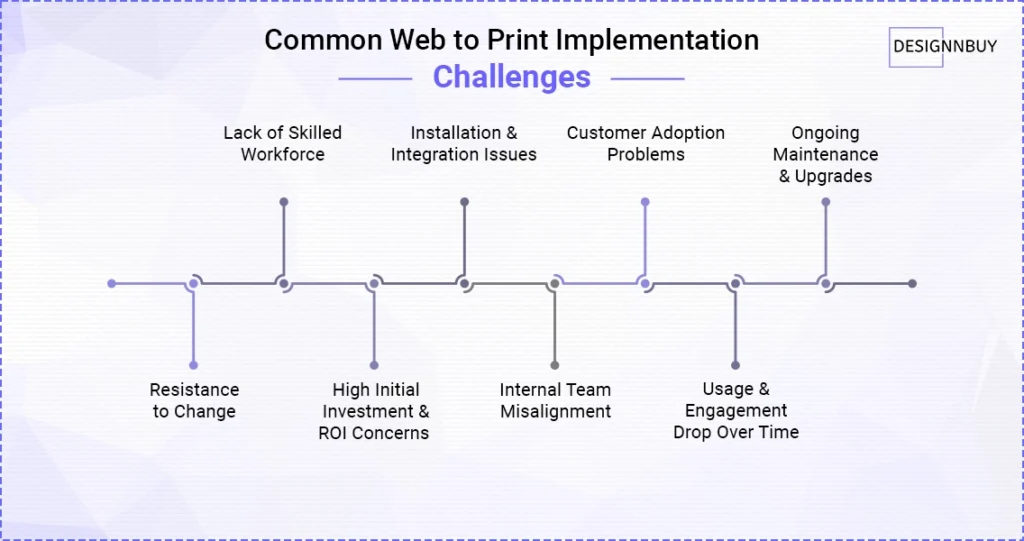
Here are the most common challenges printing store owners face while implementing web to print technology.
1. Resistance to Change
Technology does not fail first. People resist first.
In many print businesses, teams have followed the same processes for years. Sales staff rely on calls and emails, production teams depend on manual job tickets, and customer service feels confident handling orders directly.
When web-to-print automation enters the workflow, these long-held habits are disrupted.
As a result, employees may avoid using the new platform. Some fear losing control over quality, while others worry about job security or feel overwhelmed by unfamiliar tools.
Customers can show similar resistance. Long-term clients who value personal interaction may hesitate to switch to online ordering, especially if the interface feels complex or unfamiliar.
Without strong change management, training, and internal communication, even the most powerful web to print solution struggles to deliver meaningful results.
Want to see how leading print businesses are making automation work?
Understand how print businesses are adopting AI automation to improve operational efficiency and reduce manual dependency that directly support scalable and consistent sales growth.
2. Lack of Skilled Workforce
Web to print systems require more than basic computer knowledge. They involve tasks such as product setup, template builder, pricing configuration, workflow automation, and system integration.
Without the right skills, progress slows and implementation becomes unnecessarily complicated.
Most print shops have teams strong in production and sales, but not necessarily in managing online systems. This creates avoidable roadblocks:
❌ catalogs take longer to build
❌ automation features remain unused
❌ minor technical issues escalate because no one knows how to fix them quickly
On top of that, web-to-print solutions evolve constantly. New features, integrations, and security updates demand continuous learning.
If teams don’t keep up, system performance drops and the platform never reaches its full potential.
3. High Initial Investment and ROI Concerns
Many print businesses hesitate to adopt web-to-print technology because initial investment can feel overwhelming.
Expenses often include:
✔️ software licensing,
✔️ custom development,
✔️ integrations,
✔️ hosting,
✔️ security measures, and
✔️ team training
For small and mid-sized printers, this creates understandable uncertainty.
Owners want to know whether the system will truly increase online orders and streamline operations enough to justify the cost. And returns rarely appear overnight.
Most companies see clear financial benefits only after employees start using the platform effectively, and workflows run smoothly.
The challenge grows when planning is weak. Underutilized features, incomplete integrations, or poorly defined goals can delay results and increase overall spending.
Worried about whether web-to-print will actually deliver measurable returns?
Use our ROI calculator for printers to estimate potential cost savings, efficiency improvements, and revenue growth based on your current operations.
4. Installation and Integration Issues
Setting up a web-to-print system is rarely straightforward. Most print businesses already rely on multiple tools — print MIS, ERP, accounting platforms, payment gateways, CRM software, and production systems.
When a new platform is added, connecting everything seamlessly becomes a major challenge.
Data must move smoothly between applications for the system to work properly.
Product information, pricing, inventory, customer profiles, and order updates all need accurate, real-time syncing. When this doesn’t happen, teams are forced to re-enter information manually, which eliminates the benefits of automation.
Legacy software adds another layer of difficulty. Many older systems lack modern APIs, making custom development necessary and increasing both costs and timelines.
For such cases, print businesses can explore guides for custom software development services to bridge integration gaps between legacy MIS systems, ERP platforms, and modern web-to-print storefronts.
5. Internal Team Misalignment
Successful web-to-print implementation depends on collaboration across departments, yet many print businesses operate with fragmented teams.
Leadership may advocate for digital transformation, but operational teams often lack clarity on why the change is happening.
Sales staff may fear losing personal control over client relationships, while production teams may worry that new processes will disrupt their daily workflow.
Without clear goals and expectations, teams see the web-to-print platform as extra work rather than a strategic upgrade, ultimately hindering the business progress.
Disagreements around pricing structures, customization boundaries, and automation rules further complicate decision-making, pushing timelines and increasing frustration.
6. Customer Adoption Problems
Modern customers increasingly expect control, personalization, and quick self-service. But, a significant portion of print buyers still rely on familiar habits such as emailing files or placing orders by phone.
They value personal communication and may perceive online ordering as unnecessary or inconvenient, especially if they’ve followed the same process for years.
Poor user experience is also one of the reason that slows down the web to print implementation process.
In other cases, adoption slows because of user experience issues.
If the interface feels confusing, pricing lacks clarity, or the checkout flow seems long, customers tend to abandon the process midway, even when the platform itself is easy to use.
Another frequent oversight is assuming customers will naturally shift to the new system. Onboarding, handholding, and clearly communicating the benefits of your web-to-print solution are essential to changing long-established behaviors.
Still worried about integration headaches?
DesignO is a plug-and-play online design software that integrates directly with your print store.
No heavy development. No workflow disruption
7. Usage and Engagement Drop Over Time
Initial adoption doesn’t always translate into long-term engagement. After launching web to print store, many users register quickly, but their activity gradually declines once initial interest fades.
This usually happens due to small but impactful friction points. Outdated product catalogs, unclear pricing, or minor usability issues can push customers back to familiar offline methods.
If placing an order feels slower or more complicated than sending an email, convenience wins, and the platform is abandoned.
Another challenge is stagnation. When businesses stop promoting their online storefront or fail to position it as the primary ordering channel, customers simply revert to old workflows. A clear strategy for promoting your online printing business ensures the platform remains active in the customer’s buying journey.
8. Ongoing Maintenance and Upgrades
Web to print platforms require continuous maintenance. Software updates, security patches, feature enhancements, and server monitoring are ongoing responsibilities. If businesses ignore these tasks, performance declines over time.
For example, outdated systems may load slowly. Broken integrations may stop order synchronization. Security vulnerabilities may expose customer data. Each of these issues directly affects trust and conversion rates.
Moreover, as product catalogs expand, system complexity increases. Without regular optimization, workflows become inefficient and harder to manage.
Some print stores underestimate this commitment. They treat the web to print software as a one-time setup instead of a long-term digital asset.
Therefore, sustainable success depends on providing secure printing platform, consistent monitoring over that process, updates, and technical support. Without it, the initial investment loses value.
How DesignNBuy Helps Print Businesses Overcome These Challenges
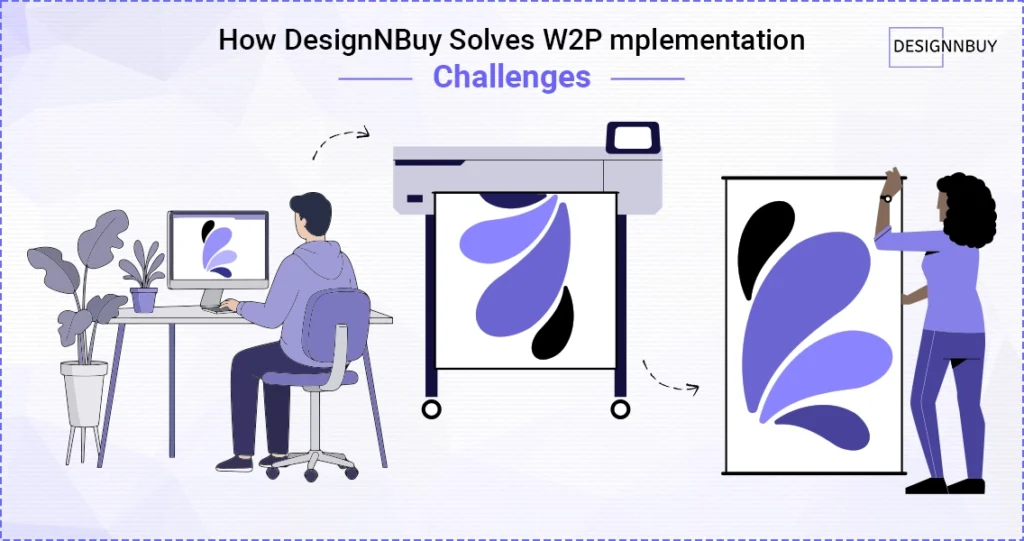
Web-to-print doesn’t fail because automation is flawed.
It fails when the platform cannot handle real-world print complexity — or when implementation creates more friction than it removes.
At DesignNBuy, we built DesignO to reduce implementation risk — not add to it.
1. AI-Powered Product Designer That Reduces Errors and Production Delays
Modern web-to-print success depends on making customization both powerful and effortless. Today’s print buyers expect intuitive design tools that help them create professional, production-ready artwork without technical knowledge.
DesignNBuy’s AI-powered product designer is built to deliver that balance—combining creative flexibility with intelligent safeguards that keep output print-ready from the start.
Key capabilities include:
- Automated preflight checks that identify resolution, bleed, font, and layout issues before final submission
- AI-assisted text-to-image generation for faster creative exploration
- Smart color picker support to maintain brand consistency
- Automated dieline generators for packaging and complex print formats
- Built-in bleed margin controls to ensure production-ready output
Instead of limiting creativity, the system guides users toward accurate, production-safe designs while reducing manual intervention from internal teams. Files are validated before entering production, minimizing approval cycles and preventing costly reprints.
By embedding intelligence directly into the design workflow, DesignNBuy transforms customization into a seamless, scalable experience that benefits both customers and print operations.
2. Plug-and-Play Integration That Doesn’t Disrupt Your Store
One of the biggest fears print businesses have is technical complexity. We designed DesignO as a plug-and-play online designer that integrates directly with major eCommerce platforms and custom-built stores via APIs.
That means you can:
- Map products using SKU-based linking
- Configure personalization profiles without coding
- Enable or disable customization per product
- Launch structured design workflows quickly
You’re not rebuilding your infrastructure.
You’re extending it — which reduces rollout time and internal resistance significantly.
3. Built-In Production Intelligence — Not Just a Design Tool
Customization increases operational risk if validation happens manually. That’s why we embed production logic directly into the workflow.
Before a file enters production, the system helps manage:
- Bleed and safe zones
- Color handling (RGB to CMYK logic)
- Layout alignment
- Automated preflight validation
Instead of catching errors after printing, you prevent them before output generation. That protects margins and shortens approval cycles.
4. Real Support for Packaging and Complex Print Products
Many web-to-print platforms handle simple products well — but struggle when structural complexity increases.
DesignO supports:
- Structured dieline-based configuration
- Professional packaging models
- Multi-side and multi-part product setup
- Live 3D previews for better visualization
This ensures the system reflects how real packaging and print operations work — reducing the need for workarounds during implementation.
4. A Pricing Engine That Mirrors How Printers Actually Calculate Costs
Pricing breakdown is one of the most common web to print implementation challenges.
Most print businesses calculate pricing using:
- Quantity tiers
- Size or square-area logic
- Per-page costing (for photobooks)
- Material upgrades and finishing add-ons
- Multi-side printing rules
DesignO’s rule-based pricing software mirrors this structure. When storefront pricing aligns with internal costing logic, automation becomes reliable — and ROI becomes predictable.
5. Workflow Integration That Prevents Parallel Systems
Web-to-print underperforms when it operates separately from production management.
DesignO connects storefront ordering directly with:
- Job management modules
- Structured order management
- Centralized dashboards
- Production-ready output handling
Orders don’t just get placed — they move through a defined workflow. That prevents teams from reverting to manual job tickets.
6. Scalable Output Architecture Built for Growth
Generating basic PDFs is easy. Sustaining high-volume, press-ready output under scale is not.
DesignO’s parametric output engine supports:
- High-resolution, production-ready files
- Layered output control
- Structured print-ready generation
- Performance stability as order volume grows
- This is what turns web-to-print from a feature into long-term operational infrastructure.
When implemented with the right architecture, web-to-print becomes a growth engine — not a technical burden.
At DesignNBuy, we don’t position DesignO as just an online designer.
We position it as a structured automation layer that connects storefront ordering, pricing logic, production validation, and output generation into one cohesive system.
Web-to-Print Implemented Right Becomes a Growth Engine
Every challenge discussed in this blog ultimately points to one core reality: web-to-print success depends less on the idea of automation and more on how deliberately it is executed.
Print businesses that treat web to print implementation as a structured transformation—rather than a rushed software deployment—are the ones that see measurable improvements in workflow efficiency, customer adoption, and long-term scalability.
The difference lies in choosing a platform that supports real operational complexity while reducing integration risk and customization errors from the start.
With structured implementation, ready ecommerce integrations, and AI-powered design validation, DesignNBuy enables print businesses to move beyond fragmented systems and manual processes. Instead of struggling with adoption and maintenance, teams gain a controlled, scalable infrastructure built for sustained growth.
Web-to-print is no longer optional in a competitive print market. The advantage belongs to businesses that implement it with clarity, discipline, and the right technology partner behind them.
Frequently Asked Questions
When implemented correctly, it reduces manual proofing, approval delays, and order errors. However, if integrations fail or teams bypass the system, turnaround times may initially increase before workflows stabilize.
Web to print software is built to handle complex printing tasks only. Basic systems struggle with packaging, multi-part products, and structural customization without additional development.
Yes, but success depends on operational readiness. Small print shops benefit most when processes are standardized first. Without workflow clarity and internal training, even affordable web-to-print systems can create confusion instead of efficiency.
Businesses should document existing workflows, define pricing structures, identify integration needs, and assign internal ownership. Clear preparation reduces delays, prevents misalignment between departments, and ensures smoother adoption once the system goes live.