7 Ways Using a Web to Print Software Will Actually Save You Money in 2026
 Tavishi
Blog article content
Quick Answer: Using a web to print software will actually save you money in seven specific places: fewer approval cycles, automated order processing, fewer reprints, lower cost per order at scale, more efficient marketing spend, no overproduction, and lower IT overhead.
For a print shop, that's one less budget line to manage, and another concrete case of using a web to print software will actually save you money on overhead alone.
Using a web to print software will actually save you money because time savings on approvals and order processing convert directly into labor cost savings, while fewer reprints and lower marketing waste cut hard costs on top of that.
Basic summary
Quick Answer: Using a web to print software will actually save you money in seven specific places: fewer approval cycles, automated order processing, fewer reprints, lower cost per order at scale, more efficient marketing spend, no overproduction, and lower IT overhead. Most print shops see measurable savings within the first few months of going live.
This isn’t a theoretical benefit. The global web to print software market is on track to pass $2 billion in 2026, growing at 8 to 9% a year, and cloud-based deployment is the fastest-growing segment because it strips out the IT overhead that used to eat into savings before they even reached the bottom line. Shops adopting it aren’t doing so on faith. They’re doing it because the math works out within months, not years.
📘 New to Web to Print?
If you’re still getting familiar with the fundamentals, our web to print guide covers what it is, how it works, and where it fits before you dig into the cost breakdown below.
At a glance, here’s where the money comes from:
Cost Area | Manual Process | With Web to Print Software |
|---|---|---|
Approvals | Email/PDF threads, multiple rounds | Live proof, fewer revision cycles |
Order processing | Manual entry, manual pricing | Automated quoting and routing |
Reprints | Caught after production | Caught at preflight, before press |
Order volume scaling | Needs more staff | Infrastructure absorbs volume |
Marketing | Hard to track conversion | Direct, measurable order attribution |
Inventory | Forecasted, often overproduced | Print-on-demand, zero guesswork |
IT infrastructure | Servers, patching, in-house maintenance | Vendor-managed, cloud-hosted |
Here are the seven places that money actually gets saved, and why each one adds up faster than most print businesses expect.
Fewer Approval Cycles, Less Time Burned on Back-and-Forth
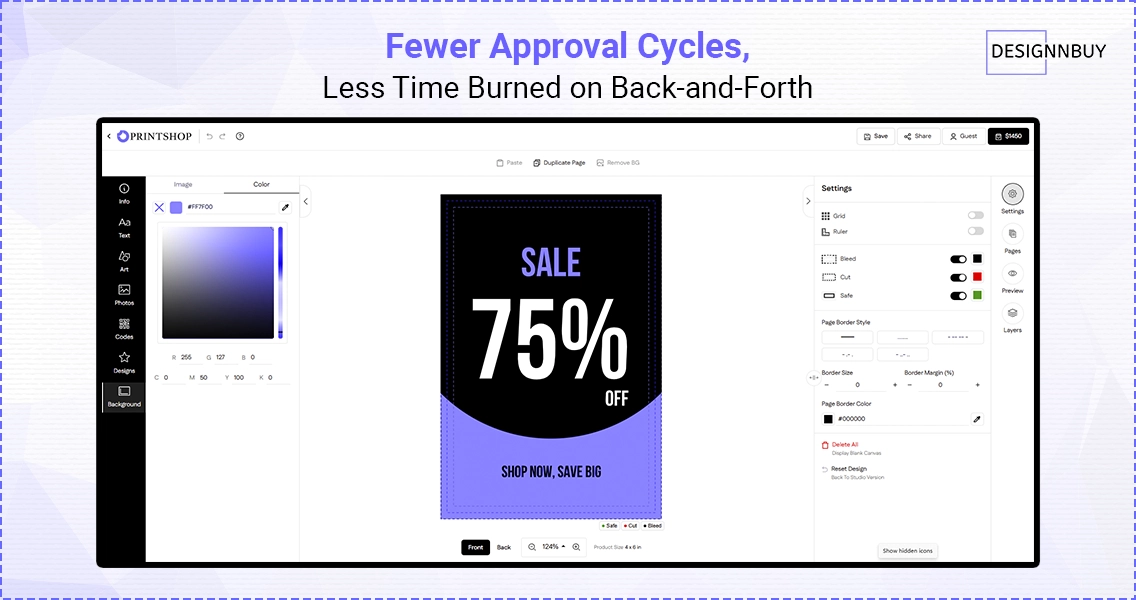 Manual proofing runs through email threads, PDF markups, and phone calls to confirm a customer actually meant what they typed. Every round trip costs staff time and pushes the job further from the press.
A web to print platform puts a live, editable proof in front of the customer inside the online product design tool itself. They see exact colors, dimensions, and layout before they click order, which removes most of the guesswork that causes revision loops in the first place.
What changes in practice:
Customers approve their own artwork in real time instead of waiting on staff to review and reply
Fewer email threads means less time spent hunting for “the latest version” of a file
Jobs move to production the same day they’re placed, instead of sitting in an approval queue with the help of job management system
Key takeaway: Using a web to print software will actually save you money here simply by removing the labor cost of chasing sign-offs.
Order Processing That Doesn’t Need a Person Watching It
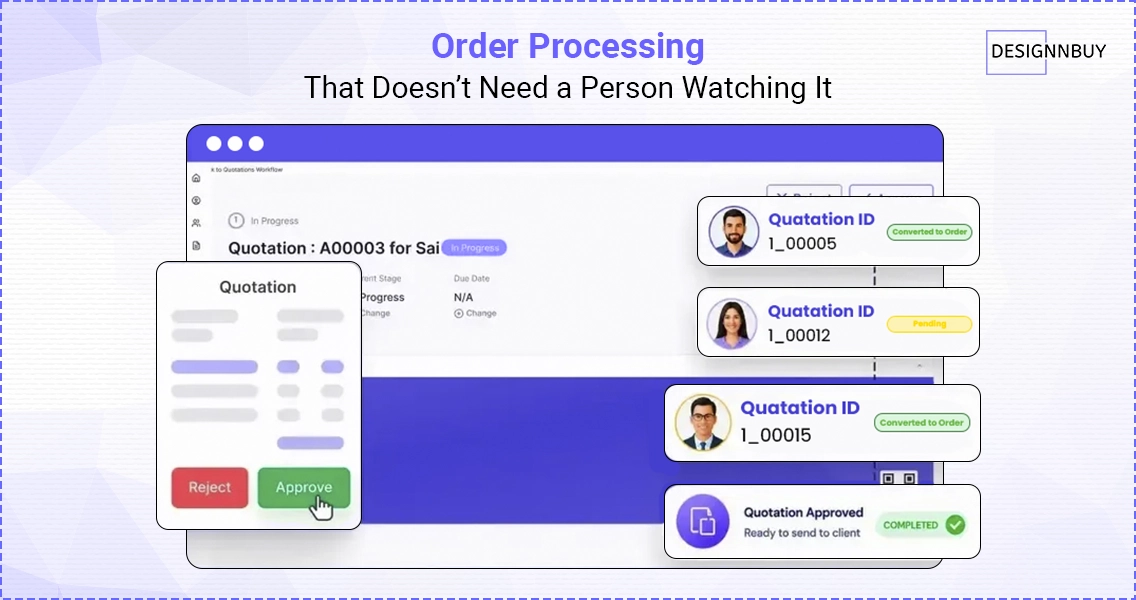
Manually re-entering order details, calculating custom pricing, and routing files to production is one of the most expensive hidden costs in a print shop, because it scales with order volume. More orders should mean more revenue, not proportionally more headcount.
Web to print software automates quotation workflow, applies pricing rules automatically through a CPQ (Configure, Price, Quote) software, and pushes approved files straight into the production queue.
Where the labor savings show up:
No manual re-keying of order specs from email or phone orders
Pricing rules apply automatically, even for complex, multi-variable products
Approved files route directly to production without a staff member manually forwarding them
That’s staff time redirected toward sales and account management instead of data entry, and it’s one of the clearest examples of how using a web to print software will actually save you money from month one.
Fewer Reprints From Preventable File Errors
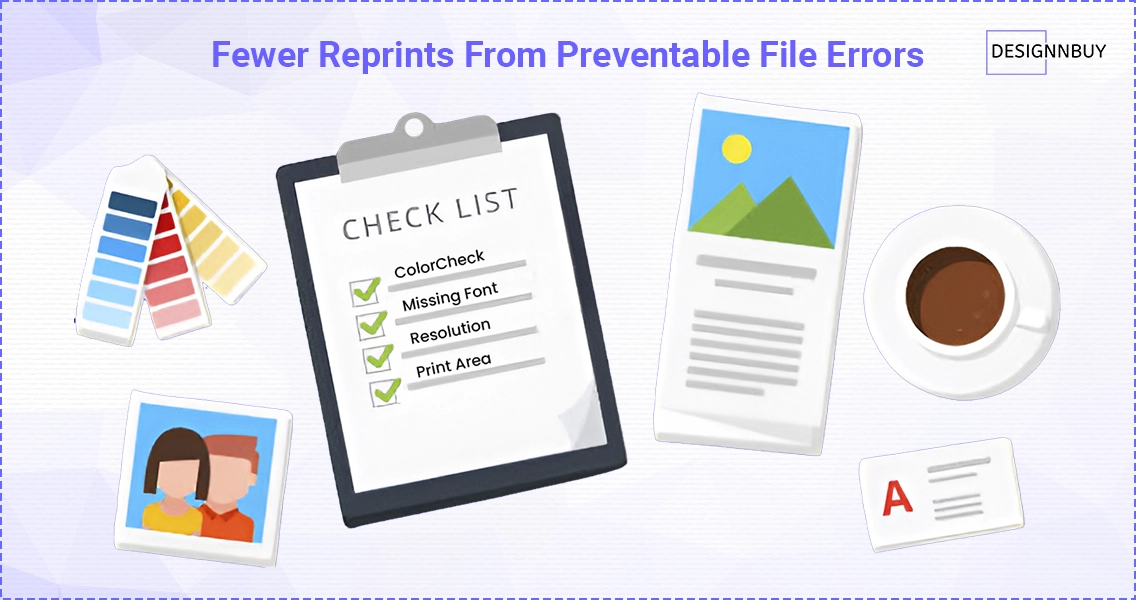
A reprint doesn’t just cost the material and press time for that job. It costs the rush shipping to fix the mistake, the staff hours spent catching and correcting it, and sometimes a customer who doesn’t reorder.
Automated preflight checks catch the errors that cause most reprints before a file ever reaches the press:
Low resolution artwork
Missing bleed or cut marks
Incorrect color mode (RGB instead of CMYK)
Wrong dimensions for the selected product
Industry data shows automated prepress features alone account for close to 46% of the productivity gains print businesses report after adopting web to print software, largely because those checks stop expensive mistakes at the design stage instead of the press. For packaging catalogs specifically, 3D packaging previews catch structural and dieline errors that flat proofs miss entirely.
This is a direct, unglamorous way that using a web to print software will actually save you money on materials, not just labor.
Lower Cost Per Order as Volume Grows
A storefront that takes orders and routes them to production around the clock doesn’t need a proportional increase in sales staff to handle more volume. The infrastructure cost stays roughly flat while order volume climbs, which is the opposite of how a manually staffed order desk scales.
That’s why the cost per order tends to fall as a print business grows post-implementation. The software absorbs the repetitive parts of taking an order, and staff time gets reserved for the orders that actually need a human, like custom quotes or account management for major clients. Whether that scaling happens on a standard or custom-built platform changes the cost curve, so it’s worth deciding early rather than retrofitting later.
Key takeaway: Growth stops being a hiring problem and starts being a margin advantage.
Need Something More Custom?
Standard platforms cover most use cases, but if your workflow has non-standard requirements, custom web to print development can be built around your exact production process instead of the other way around.
Marketing Spend That Reaches Buyers Instead of Browsers
Marketing to people who have no way to design and order online is expensive and hard to measure. A phone-and-email sales process makes it difficult to track which campaigns actually convert.
A storefront with a built-in design tool turns marketing traffic into completed orders instead of inquiries that need a follow-up call.
Why this matters for budget allocation:
Every campaign becomes measurable, order by order
Underperforming channels get identified and cut faster
Budget shifts toward what’s actually converting, not what feels like it should be
It’s a direct, trackable illustration of using a web to print software will actually save you money on acquisition costs, not just a convenience upgrade.
📣 Turning Campaigns Into Orders
Measurable marketing only works if there’s somewhere for that traffic to convert. See our practical guide to promoting your web to print storefront for channel-by-channel tactics that pair with a storefront that actually tracks conversions.
No Overproduction, No Warehousing Idle Stock
Print businesses that pre-produce inventory based on forecasted demand routinely eat the cost of unsold stock, storage space, and markdowns on product that never moved. That’s capital sitting on a shelf instead of in the business.
Web to print software supports print-on-demand and product personalization by default, so nothing gets produced until a customer has already paid for it. There’s no guessing at demand and no warehousing cost for products that might not sell.
Key takeaway: For businesses adding personalized or short-run products, this alone can offset a meaningful share of the software’s cost.
📦 Going Deeper on Personalization
Print-on-demand only works if your platform can handle real customization at scale. See our full guide to mass customization for how print businesses balance variety with production efficiency.
Lower IT and Infrastructure Overhead
Running an on-premise ordering and design system means paying for servers, maintenance, security patching, and the staff time to keep all of it running. That cost doesn’t show up on a single invoice, which is exactly why it’s easy to underestimate.
Cloud-based web to print platforms shift that overhead to the vendor. The printing software market’s cloud segment is growing at a 20% CAGR through 2031 specifically because businesses are moving away from the cost and risk of self-hosted infrastructure.
For a print shop, that’s one less budget line to manage, and another concrete case of using a web to print software will actually save you money on overhead alone.
The Real Math Behind the Savings
None of these seven areas need to work in isolation to matter. A shop that cuts approval cycles, automates order processing, and reduces reprints is compounding savings across the entire order lifecycle, not just trimming one line item. That’s the difference between “this feature is nice to have” and using a web to print software will actually save you money, measurably, within the first few months of going live.
If you’re trying to put real numbers against this before committing, DesignNBuy’s ROI calculator for printers estimates savings on approval time, order processing, and fulfillment based on your actual volume. And if you’re past the “should we do this” stage and into planning the rollout itself, our web to print implementation guide walks through ROI calculation, vendor scoring, and a realistic launch timeline.
🔍 Comparing Your Options?
If you’re still deciding on a platform, see how 11 leading web to print softwares compare on features, pricing, and business fit before you commit.
The Bottom Line
Print margins don’t erode in one dramatic moment. They erode a little at a time, in an approval email that took two extra days, a reprint that shouldn’t have happened, a marketing dollar spent on someone who was never going to convert. Using a web to print software will actually save you money precisely because it closes all seven of those small leaks at once, not just the biggest one.
The print businesses still running these processes manually aren’t saving money by waiting. They’re paying an invisible tax on every order, every month, while competitors who’ve already made the switch compound their savings further with each quarter. The cost of switching gets talked about often. The cost of not switching rarely does, and it’s the larger number.
If the math in this post lines up with what you’re seeing in your own operation, the next step isn’t more research. It’s seeing the numbers against your actual order volume.
Frequently Asked Questions
Ready to Stop Losing Money to Manual Print Workflows?
Tavishi
Content Writer at @DesignNBuy
Tavishi is a content writer at @DesignNBuy, focused on the web to print industry. She creates well researched, easy to read content that helps print businesses understand digital solutions, product customization, and modern printing workflows.
All PostsRelated Posts

Why print expertise matters more in AI assisted software development
Challenges for Printers in Europe: 10 Roadblocks (And How Web to Print Solves Each One)
The Complete Web to Print Implementation Guide: From Planning to Client Onboarding
Trusted by 2000+ Print Businesses
Ready to See It in Action?
Explore our print shop platform at your convenience. Request a demo URL to experience the storefront, design tool, pricing, and much more.