Best Screen Printing Machines in 2026: Manual, Semi-Automatic & Fully Automatic Compared
From affordable manual presses for beginners to high-speed automatic screen printing machines for commercial shops, this guide breaks down the top options, key specs, and buying factors to help you choose the right press for your production needs.
 Nidhi Agarwal
Blog article content
Automatic screen printing machines handle 300 to 500 prints per hour and can cut labor costs by up to 50%, making them essential for shops printing 300+ pieces daily.
Screen printing machines fall into three categories: manual presses (best for beginners, $200 to $1,500), semi-automatic presses (best for growing shops, $3,000 to $10,000), and fully automatic presses (best for high-volume production, $10,000 to $50,000+).
The best screen printing machine for t-shirts depends on your volume: a 4-color/4-station manual press for small runs, a semi-automatic for mid-volume, or a fully automatic for wholesale and e-commerce fulfillment.
The best screen printing machines in 2026 range from
affordable manual presses for beginners ($200 to $500) to
fully automatic systems for high-volume shops ($10,000 to $50,000+)
The right choice depends on your production volume, product types, budget, and growth plans. Manual presses suit hobbyists and startups printing under 100 shirts per day, while automatic machines deliver 300 to 500 prints per hour and can cut labor costs by up to 50%. This guide breaks down the top options across every category so you can invest with confidence.
If you run a print shop, or you’re thinking about starting a new print shop, choosing the right screen printing machine is one of the highest-impact decisions you’ll make. The wrong press wastes time, limits your product range, and caps your revenue. The right one scales with you. Pairing the right equipment with print shop software that handles your online ordering and production workflow is what separates shops that grow from shops that plateau.
But here’s the thing: the “best” machine isn’t universal. A hobbyist printing custom tees in a garage has completely different needs than a commercial shop fulfilling 500+ orders a day.
In this guide, we walk you through every category (manual, semi-automatic, and fully automatic) with real specs, pricing context, and practical advice so you can match the machine to your operation.
Picked your screen printing machine –but how will you grow orders?
Let customers personalize products online with AI and order 24/7, while you focus on printing. See it live in a free demo.
Key Takeaways
Manual presses (1 to 6 stations) are ideal for beginners and cost $200 to $1,500, producing 40 to 60 prints per hour.
Semi-automatic presses bridge the gap between hobby and production, costing $3,000 to $10,000 and producing 100 to 200 prints per hour.
Automatic screen printing machines handle 300 to 500 prints per hour and can cut labor costs by up to 50%, making them essential for shops printing 300+ pieces daily.
The global screen printing machine market is projected at USD 1,004 million in 2026, with automatic systems accounting for 64% of new equipment shipments.
Key buying factors include number of stations, platen size, micro-registration, and build quality, not just price.
Pairing the right press with screen printing software that handles online ordering, color-based pricing, and print-ready file output is what unlocks the full ROI of your machine investment.
Why Screen Printing Machines Still Dominate in 2026
Screen printing machines remain the backbone of the custom apparel and merchandise industry because they deliver unmatched color vibrancy, durability, and cost-per-unit efficiency at scale. Despite the rise of DTG and DTF printing, screen printing accounts for the majority of high-volume garment decoration worldwide.
The numbers back this up. The global screen printing machine market is projected at USD 1,004 million in 2026, growing to USD 1,671 million by 2035 at a 5.8% CAGR (Market Reports World). Global installations exceeded 182,000 units in 2024, with 46% of demand coming from textile decoration and 21% from electronics printing. Automatic systems now account for 64% of new equipment shipments, while manual machines hold 36% share, mostly in small and medium enterprises.
Now you might be wondering: why not just go digital? The answer is economics. For runs of 24+ identical prints, screen printing beats DTG on cost per unit every time. The ink sits on top of the fabric rather than being absorbed, which means bolder colors on dark garments and prints that survive hundreds of washes. If you’re weighing the digital route, our DTF vs. DTG printing methods comparison breaks down exactly where each technology makes sense.
Screen printing wins when you need:
Volume efficiency: cost per print drops dramatically after setup
Color vibrancy: especially white and metallic inks on dark substrates
Durability: plastisol and water-based inks outlast most digital prints
Versatility: print on fabric, paper, wood, metal, glass, and plastics
That said, choosing the best screen printing machine depends entirely on where you are in your business journey. Let’s look at the three main categories.
Quick Comparison: Manual vs. Semi-Automatic vs. Fully Automatic
Screen printing machines fall into three categories: manual presses (best for beginners, $200 to $1,500), semi-automatic presses (best for growing shops, $3,000 to $10,000), and fully automatic presses (best for high-volume production, $10,000 to $50,000+). Your ideal type depends on daily output targets, available floor space, and budget.
Feature | Manual Press | Semi-Automatic | Fully Automatic |
|---|---|---|---|
Price Range | $200 to $1,500 | $3,000 to $10,000 | $10,000 to $50,000+ |
Prints per Hour | 40 to 60 | 100 to 200 | 300 to 500 |
Operators Needed | 1 to 2 | 1 | 1 |
Best For | Beginners, low volume | Growing shops | High-volume production |
Registration | Manual micro-registration | Manual or assisted | Laser/camera auto-registration |
Print Consistency | Operator-dependent | High | Very high |
Floor Space | Minimal (garage/studio) | Moderate | Large dedicated area |
Labor Cost Impact | Baseline | Moderate reduction | Up to 50% reduction |
Manual Screen Printing Presses: Best for Beginners
Manual screen printing presses are entry-level machines where the operator manually loads garments, pulls the squeegee, and rotates the carousel between colors. They cost $200 to $1,500, produce 40 to 60 prints per hour, and are ideal for hobbyists, side hustles, and shops printing fewer than 100 pieces per day.
Manual presses are where most screen printers start. They’re affordable, compact, and teach you the fundamentals of registration, ink deposit, and pressure control. Once you’ve mastered the basics on a manual, every upgrade after that becomes easier to evaluate.
What to look for:
Stations and colors: A 4-color/1-station press handles most beginner jobs. A 4-color/4-station press lets you print multiple garments without re-loading.
Micro-registration: Essential for multi-color designs. Knob-based micro-registration lets you fine-tune screen alignment without loosening clamps.
Build quality: Steel construction with powder coating resists ink corrosion. Avoid lightweight aluminum frames if you plan to print regularly.
Platen size: Standard 16″ x 18″ platens handle most adult t-shirts. Look for interchangeable platens if you plan to print sleeves, youth sizes, or tote bags.
Typical throughput: 40 to 60 prints per hour
Price range: $200 to $1,500
Best for: Beginners, hobbyists, side hustles, and shops printing fewer than 100 pieces per day
Quick example: many beginners start with a 4-color/1-station press, add a flash dryer and exposure unit, and are producing sellable prints within a week. Total startup cost for the full setup (press + screens + ink + exposure + dryer) typically runs $800 to $1,500. If you’re planning to sell those prints online, check out our guide on developing a website for screen and DTG t-shirt printers to get your storefront running alongside your press.
Semi-Automatic Screen Printing Machines: Best for Growing Shops
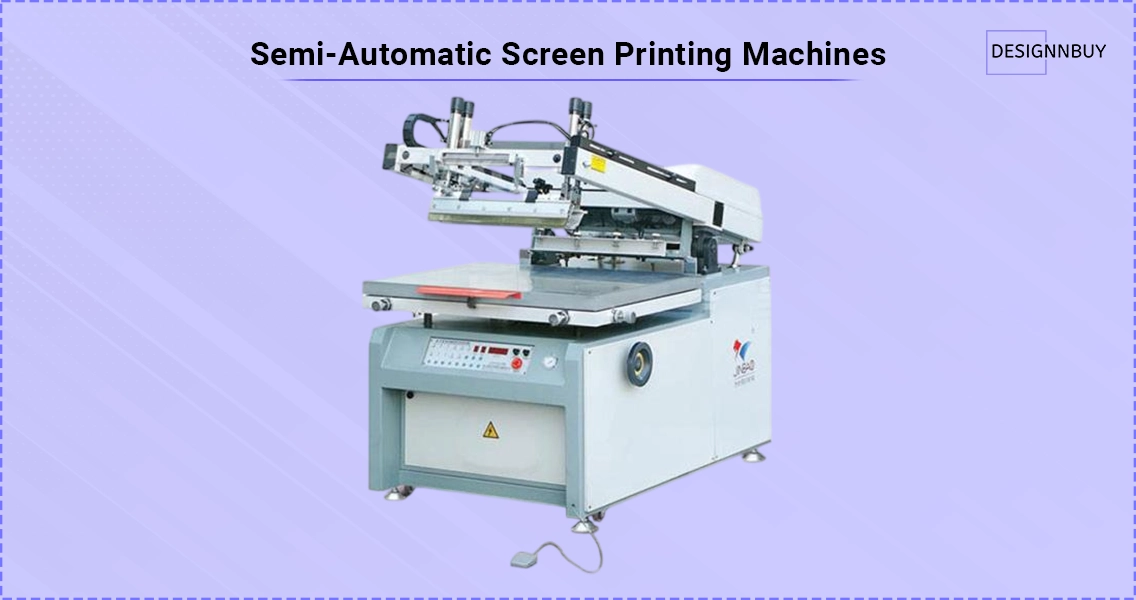 Semi-automatic screen printing machines automate the print stroke while operators handle garment loading and unloading. They cost $3,000 to $10,000, produce 100 to 200 prints per hour, and deliver consistent ink deposit and pressure, two variables that cause the most quality issues on manual presses.
These presses are the sweet spot for shops that have outgrown a manual but aren’t ready for the floor space or capital commitment of a fully automatic system.
What to look for:
Pneumatic vs. electric print heads: Pneumatic systems are common and reliable. Electric servo-driven heads offer more precise control.
Adjustable stroke speed and pressure: Critical for switching between lightweight tees and heavy hoodies.
Flash cure integration: Built-in flash cure stations between print heads speed up multi-color jobs significantly.
Quick-change clamps: Reduce setup time between jobs, especially important if you handle a high mix of short runs.
Typical throughput: 100 to 200 prints per hour
Price range: $3,000 to $10,000
Best for: Growing shops that need consistent quality across longer runs
Fully Automatic Screen Printing Machines: Best for High-Volume Production
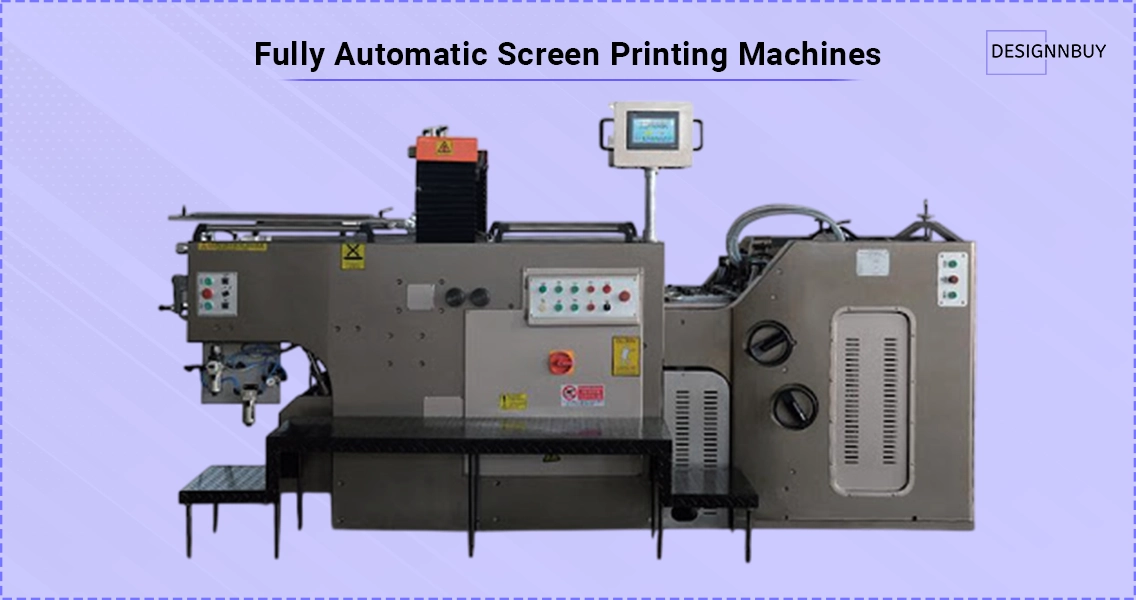
Fully automatic screen printing machines handle indexing, printing, flashing, and sometimes unloading without operator intervention. They cost $10,000 to $50,000+, produce 300 to 500 prints per hour (with some high-end models exceeding 900 per hour), and can cut labor costs by up to 50% compared to manual operations.
These are the machines built for established print shops, contract decorators, and businesses fulfilling large wholesale or e-commerce orders. According to Market Reports World, high-speed automatic presses have improved labor productivity by 31% across the industry, and servo-driven systems have improved print consistency by 27%.
What to look for:
Number of print heads and stations: 6-color/8-station and 8-color/10-station configurations are common for commercial work.
Registration system: Laser or camera-based auto-registration eliminates manual alignment and reduces setup time per job.
Servo-driven indexing: Ensures precise platen positioning at every station.
Touchscreen controls: Modern automatics offer programmable job presets so you can recall settings for repeat orders instantly.
Quick-change screen mechanisms: Newer models have reduced setup time from 45 minutes to under 20 minutes, dramatically improving daily capacity.
Typical throughput: 300 to 500 prints per hour, with high-end systems exceeding 900
Price range: $10,000 to $50,000+
Best for: Established print shops, contract decorators, and high-volume e-commerce fulfillment
Best Screen Printing Machine for Beginners
The best screen printing machine for beginners is a 4-color/1-station manual press with micro-registration, a steel frame, and standard 16″ x 18″ platens. This setup costs $200 to $500 and lets you learn multi-color printing without a massive upfront investment.
If you’re just getting started, resist the urge to overbuy. A 4-color/1-station press teaches you everything you need to know about screen printing fundamentals: registration, ink management, squeegee angle, and curing. Once you’re consistently producing quality prints, upgrading to more stations or a semi-automatic makes sense.
Here’s what matters most for your first press:
Micro-registration knobs (non-negotiable for multi-color work)
Steel construction (wobble-free printing means better registration)
Smooth rotation (the carousel should spin freely without catching)
Removable platens (lets you swap sizes for different garment types)
Best Screen Printing Machine for Small Business
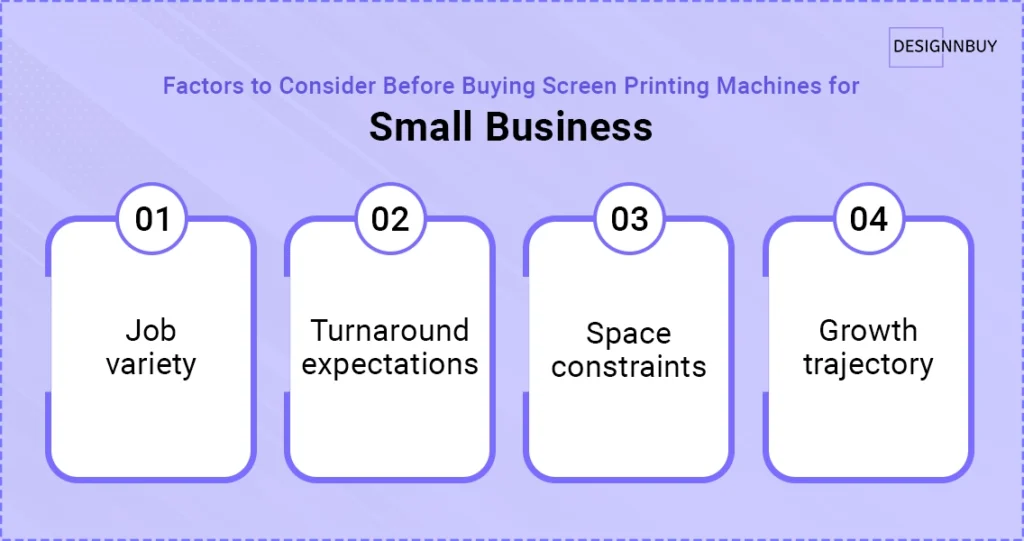
The best screen printing machine for a small business is a 6-color/4-station manual press or an entry-level semi-automatic, depending on whether your daily volume exceeds 100 prints. Small businesses benefit most from machines that balance throughput with manageable operating costs.
When you’re running a small print business, the machine needs to pay for itself. That means looking beyond the sticker price and calculating cost per print, including labor time, ink waste, and setup time between jobs.
Here’s what we see across the print businesses we work with at DesignNBuy: the shops that grow fastest are the ones that pair a capable press with an efficient front-end ordering system. A great machine sitting idle because you’re spending hours on email approvals and manual quoting is a bottleneck in disguise. That’s exactly why many of our clients adopt a print order management software to keep jobs flowing to the press without manual intervention.
For small businesses, consider these factors:
Job variety: If you print 1 to 3 color designs, a manual press handles it. If you regularly do 4+ colors with halftones, semi-automatic consistency pays off.
Turnaround expectations: Faster press = faster delivery = happier customers = repeat orders.
Space constraints: Manual presses fit in a single-car garage. Semi-automatics need a dedicated production area.
Growth trajectory: If you’re already maxing out a manual press, invest in the semi-automatic now rather than buying a bigger manual.
The math gets compelling fast. Industry data from RushOrderTees shows that two operators on an automatic press can produce 500 prints per hour, while two operators on two manual presses produce only 120 prints per hour. That’s roughly 24% of the labor cost per print on the automatic. Over a 5-year horizon, labor costs typically dwarf the original machine investment.
Best Automatic Screen Printing Machine for High-Volume Shops
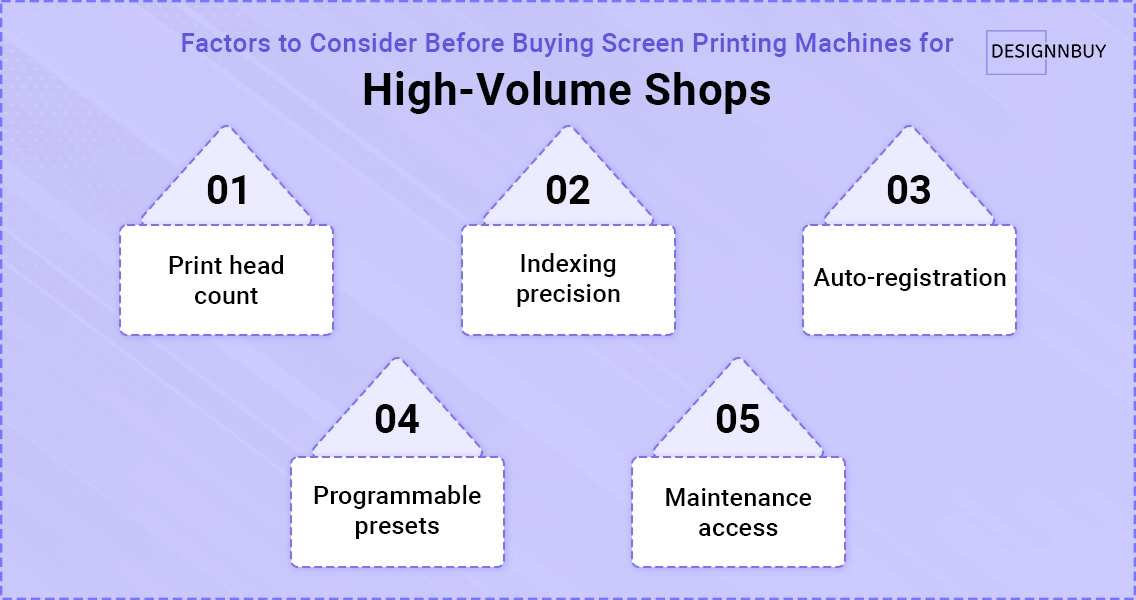
The best automatic screen printing machine for high-volume shops is an 8-color/10-station or larger press with servo-driven indexing, auto-registration, and integrated flash cure stations. These machines are built for shops printing 500+ garments per day and deliver the lowest cost per print at scale.
If you’re already running a manual or semi-automatic press at capacity, upgrading to a fully automatic machine is the single biggest lever for increasing revenue without proportionally increasing labor costs.
Here’s what to evaluate when shopping for an automatic:
Print head count: More heads = more colors per pass = fewer job changeovers for complex designs.
Indexing precision: Servo-driven indexing ensures the platen stops at the exact same position every cycle. Belt-driven systems are cheaper but less precise over time.
Auto-registration: Camera or laser systems that align screens automatically can cut setup time from 30 minutes to under 5 minutes per job.
Programmable presets: Save job settings (squeegee speed, pressure, off-contact distance) and recall them for repeat orders. This alone saves hours per week.
Maintenance access: Look for machines with easy access to print heads, squeegee assemblies, and pneumatic components. Downtime kills profitability.
The leading automatic press manufacturers in 2026 include M&R Printing Equipment, ROQ International, Anatol Equipment, MHM, and Sakurai Graphic Systems. Recent launches like M&R’s Stinger Series and Anatol’s VOLT-M models reflect the industry’s move toward servo-driven, software-integrated systems.
Best Screen Printing Machine for T-Shirts
The best screen printing machine for t-shirts depends on your volume: a 4-color/4-station manual press for small runs, a semi-automatic for mid-volume, or a fully automatic for wholesale and e-commerce fulfillment. T-shirt printing specifically benefits from standard platen sizes, smooth rotation, and reliable flash cure integration.
T-shirts are the bread and butter of screen printing. Whether you’re printing for local bands, corporate events, or your own e-commerce brand, the press needs to handle the repetitive load of garment after garment without quality degradation. Staying on top of custom t-shirt trends also helps you stock the right styles and target the right audience.
Here’s what matters specifically for t-shirt printing:
Platen size: 16″ x 18″ is standard for adult tees. If you also print youth sizes or oversized prints, interchangeable platens are essential.
Flash cure positioning: For multi-color prints on dark shirts, you need to flash between colors. Machines with dedicated flash positions in the carousel save time.
Ink compatibility: Ensure the press handles both plastisol (most common for t-shirts) and water-based inks (growing in demand for eco-conscious brands).
Quick-change screen clamps: Reduce job changeover time when switching between designs.
Here’s where it gets interesting for print businesses selling custom t-shirts online. The press is only half the equation. The other half is how customers find you, design their shirts, and place orders. A t-shirt design tool connected to your storefront eliminates the back-and-forth and gets print-ready files to your production queue automatically.
How to Choose the Right Screen Printing Machine: Buyer’s Checklist
Choosing the right screen printing machine comes down to five factors: daily production volume, number of print colors needed, available floor space, budget (including accessories), and your growth plan over the next 2 to 3 years.
Before you buy, run through this checklist:
What’s your daily volume target? Under 100 prints suggests manual. 100 to 300 suggests semi-automatic. 300+ suggests automatic.
How many colors do you typically print? 1 to 3 colors works on a 4-color press. 4 to 8 colors with halftones needs a 6- or 8-color press.
What substrates will you print on? T-shirts only? Or also hoodies, tote bags, posters, and packaging? Versatile platens and adjustable off-contact matter.
What’s your total budget? Include screens, inks, exposure unit, flash dryer, and conveyor dryer, not just the press.
Where are you headed in 2 to 3 years? Buy for where you’ll be, not where you are. Upgrading presses is expensive and disruptive.
Here’s how this plays out in practice. A small business printing 50 custom shirts per day on a manual press might spend $400 on the press and $1,000 on accessories. But if they’re growing 20% per quarter, they’ll hit the manual ceiling within 6 months. Investing $5,000 to $8,000 in a semi-automatic from the start saves the cost of buying twice.
Screen Printing vs. DTG vs. DTF: When Does Screen Printing Win?
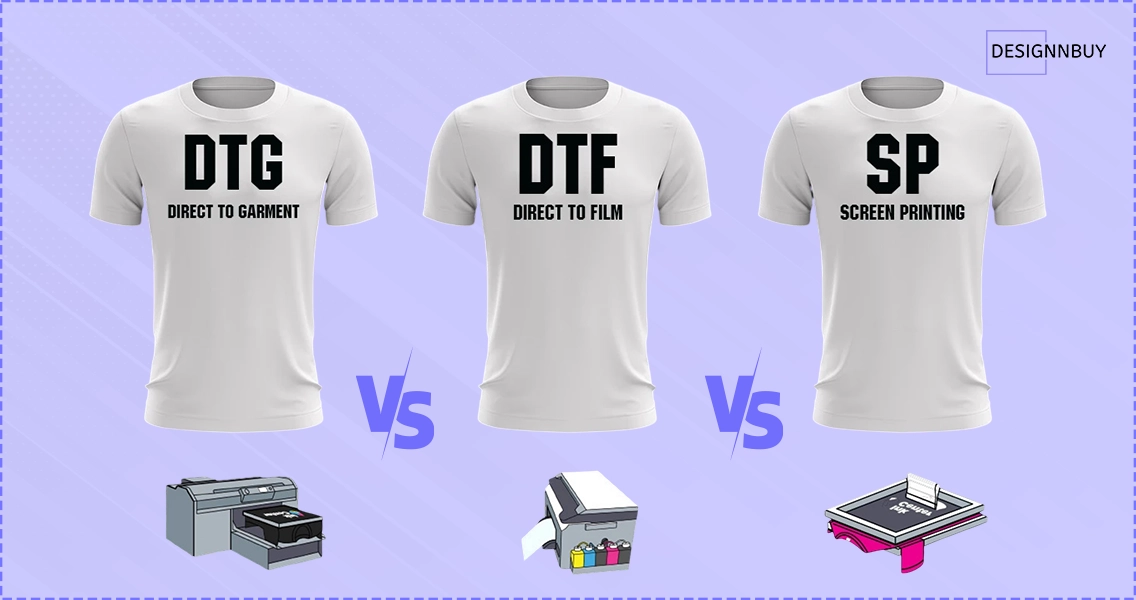
Screen printing outperforms DTG and DTF on cost per unit for runs of 24+ identical prints, on color vibrancy (especially on dark garments), and on print durability. DTG and DTF are better for one-off or full-color photographic prints with no minimum order.
Factor | Screen Printing | DTG | DTF |
|---|---|---|---|
Best for | Bulk orders (24+) | One-offs, full color | Small runs, all fabrics |
Cost per print (at volume) | Lowest | Higher | Moderate |
Color vibrancy on darks | Excellent | Good (with pretreat) | Good |
Durability | Highest | Moderate | Moderate |
Setup time | Higher (screens needed) | Minimal | Minimal |
Minimum order | 12 to 24 (to be cost-effective) | 1 | 1 |
Many successful print shops run both screen printing and digital methods. Screen printing handles the volume work, while DTG or DTF covers the one-off custom orders. If you’re exploring the digital side, our DTG vs. DTF comparison guide breaks down the differences in detail. And if you’re leaning toward DTF, our roundup of the best DTF printers covers the top machines worth considering.
Essential Accessories for Your Screen Printing Setup
A screen printing machine alone won’t produce finished products. You also need an exposure unit, screens, squeegees, inks, a flash dryer, and a conveyor dryer to complete the workflow from design to finished garment.
Here’s a quick rundown of what you’ll need alongside your press:
Exposure unit: Burns your design onto emulsion-coated screens. LED units are faster and more consistent than traditional bulb-based units.
Screens and mesh: 110 mesh for bold graphics, 156 mesh for detailed work, 230+ mesh for halftones. Stock multiple mesh counts.
Squeegees: 70-durometer for general use. Softer for heavier ink deposits, harder for finer detail.
Inks: Plastisol (most forgiving for beginners), water-based (softer hand feel), and discharge (removes garment dye for a no-feel print). Understanding the difference between CMYK vs. RGB printing also helps when preparing artwork for screen separations.
Flash dryer: Partially cures ink between colors on multi-color jobs.
Conveyor dryer: Fully cures the final print. Essential for production, since heat guns and home ovens don’t cut it for consistent results.
Screen cleaning and reclaiming supplies: Emulsion remover, degreaser, and a pressure washer keep your screens reusable.
Budget tip: allocate roughly 40 to 60% of your total startup budget for accessories and supplies. The press is important, but it’s useless without the supporting equipment.
The Software That Powers Your Screen Printing Machine: DesignNBuy Screen Printing Software
DesignNBuy’s screen printing software is a purpose-built platform for promotional products and decorated apparel businesses that combines online product customization, color-based pricing, print-ready file output, and order/job management in one system. It connects directly to your screen printing press by generating files in the exact format your machine needs.
Here’s the thing most equipment guides won’t tell you: the press is the production engine, but the software that feeds it is the revenue engine. If customers have to email you artwork, wait for a quote, and go through three rounds of proof approvals, you’re leaving money on the table while your press sits idle.
That’s exactly why we built screen printing software specifically for shops printing custom t-shirts, jerseys, sports uniforms, and promotional apparel. Here’s how it works alongside your screen printing machine:
1. Print-Ready File Output Built for Screen Printing
This is where most generic web-to-print platforms fall short for screen printers. DesignNBuy generates artwork in PDF, SVG, and PNG formats with SPOT, CMYK, or RGB color profiles, which is exactly what your screen printer needs for accurate color separation. Layered PDFs let your prepress team work with each color separately without redoing separations from scratch.
As Chuk Kohut, Marketing Director at a custom printing business, put it: “DesignNBuy turned our manual process into a powerful automated design tool. The print-ready PDFs integrate perfectly with our machines, saving us major production time.”
2. Pricing Engine That Understands Screen Printing
Screen printing pricing isn’t like digital printing. Your costs scale with the number of colors, screen setup fees, and quantity tiers. DesignNBuy’s pricing engine handles this natively:
Color-based pricing: Set different rates for 1-color, 2-color, 3-color, and full-color designs
Screen setup fees: Configure fixed setup costs that apply per design or per order
Tiered quantity pricing: Automatically discount larger runs to reflect the volume economics of screen printing
Live pricing on the storefront: Customers see the total update in real time as they adjust colors and quantities, which reduces “wait for a quote” friction
3. Online Design Tool for Custom T-Shirts and Apparel
Customers design their own t-shirts, jerseys, and uniforms using a browser-based editor. They can upload artwork, add text, choose clipart from your library, and preview the design on the actual garment before checkout. No back-and-forth emails, no Photoshop expertise required on either side.
4. Order and Job Management with QR Codes and Hot Folders
Once an order comes in, DesignNBuy’s order management system tracks it through every production stage. Job sheets print with QR codes for instant scanning at each press station, and hot folders automatically route print-ready files to the right production queue. For a busy shop running multiple presses, this is the difference between organized production and chaos.
5. Inventory and SKU Management for Apparel
Screen printing inventory is multi-dimensional: each design exists in multiple sizes, multiple colors, and across multiple garment types. DesignNBuy organizes inventory by colors and sizes at the SKU level, so you always know what’s in stock before promising a customer a 3-day turnaround on 200 navy hoodies in mixed sizes.
6. Connects with Shopify, WooCommerce, Magento & BigCommerce
Already running your storefront on Shopify, WooCommerce, Magento, or BigCommerce? DesignNBuy plugs in directly as the customization and order management layer, so you keep your existing storefront and add the screen-printing-specific workflow on top.
Why This Matters for Your Press Investment
Here’s the math. A $30,000 automatic press that’s running at 60% capacity because your team is buried in manual quoting and proof approvals is essentially an $18,000 press. Connecting it to a web to print software that automates ordering, pricing, and file prep is how you unlock the full ROI of the machine. Across the print businesses we work with at DesignNBuy, the shops that scale fastest are the ones that automate the front end so the press operator can focus on printing, not project management.
If slow approvals are a bottleneck you recognize, our deep dive on why your print approval workflow is slowing you down explains exactly how to fix it.
Want to see DesignNBuy’s screen printing software in action with your specific products and pricing? Schedule a personalized demo and we’ll walk you through the full workflow.
Screen Printing Machine Glossary
Understanding screen printing terminology helps you evaluate machines more confidently and communicate with suppliers. Here are the key terms every buyer should know.
Mesh count: The number of threads per inch in a screen. Higher mesh equals finer detail and lower ink deposit.
Off-contact distance: The gap between the screen and the substrate. Proper off-contact ensures clean ink release and sharp prints.
Micro-registration: Fine-tuning knobs that adjust screen position in small increments for precise multi-color alignment.
Flash cure: A brief heat application between print colors to partially dry the ink so the next color doesn’t smear.
Platen: The flat surface where the garment sits during printing. Different sizes accommodate different products.
Squeegee durometer: The hardness of the squeegee blade, measured on the Shore A scale. Affects ink deposit and detail.
Indexing: The rotation of the carousel to move platens between print stations. Servo-driven indexing is the most precise.
Emulsion: A light-sensitive coating applied to screens that hardens when exposed to UV light, creating the stencil for your design.
Conclusion
The best screen printing machine is the one that matches your current volume, budget, and product range, while leaving room to grow. Beginners should start with a solid 4-color manual press and master the fundamentals. Growing shops should look at semi-automatics for consistent quality. And high-volume operations should invest in fully automatic systems that deliver 300 to 500 prints per hour with minimal labor.
But here’s the takeaway most guides miss: the press is only the production half of your business. The ordering, design, pricing, and file preparation workflow is the other half. The print shops that scale fastest are the ones that automate both sides.
At DesignNBuy, we help screen printing businesses connect the front end (where customers design and order) with the back end (where production happens). Our screen printing software generates print-ready files in the formats your press needs (PDF, SVG, PNG with SPOT, CMYK, or RGB profiles), handles color-based pricing, and routes orders to production automatically. If you’re investing in a new screen printing machine, it’s worth seeing how the right software multiplies the return on that investment.
Frequently Asked Questions
Got the Machine? Now Get the Orders
Nidhi Agarwal
Co-founder/CEO, DesignNBuy
Nidhi Agarwal (Co-founder/CEO, DesignNBuy) is a tech entrepreneur specializing in print industry innovation. Known for her strategic problem-solving, she defines the company’s roadmap and is a leading voice in web-to-print technology.
All Posts
Trusted by 2000+ Print Businesses
Ready to See It in Action?
Explore our print shop platform at your convenience. Request a demo URL to experience the storefront, design tool, pricing, and much more.